3.1 Installation
Getting Started 21
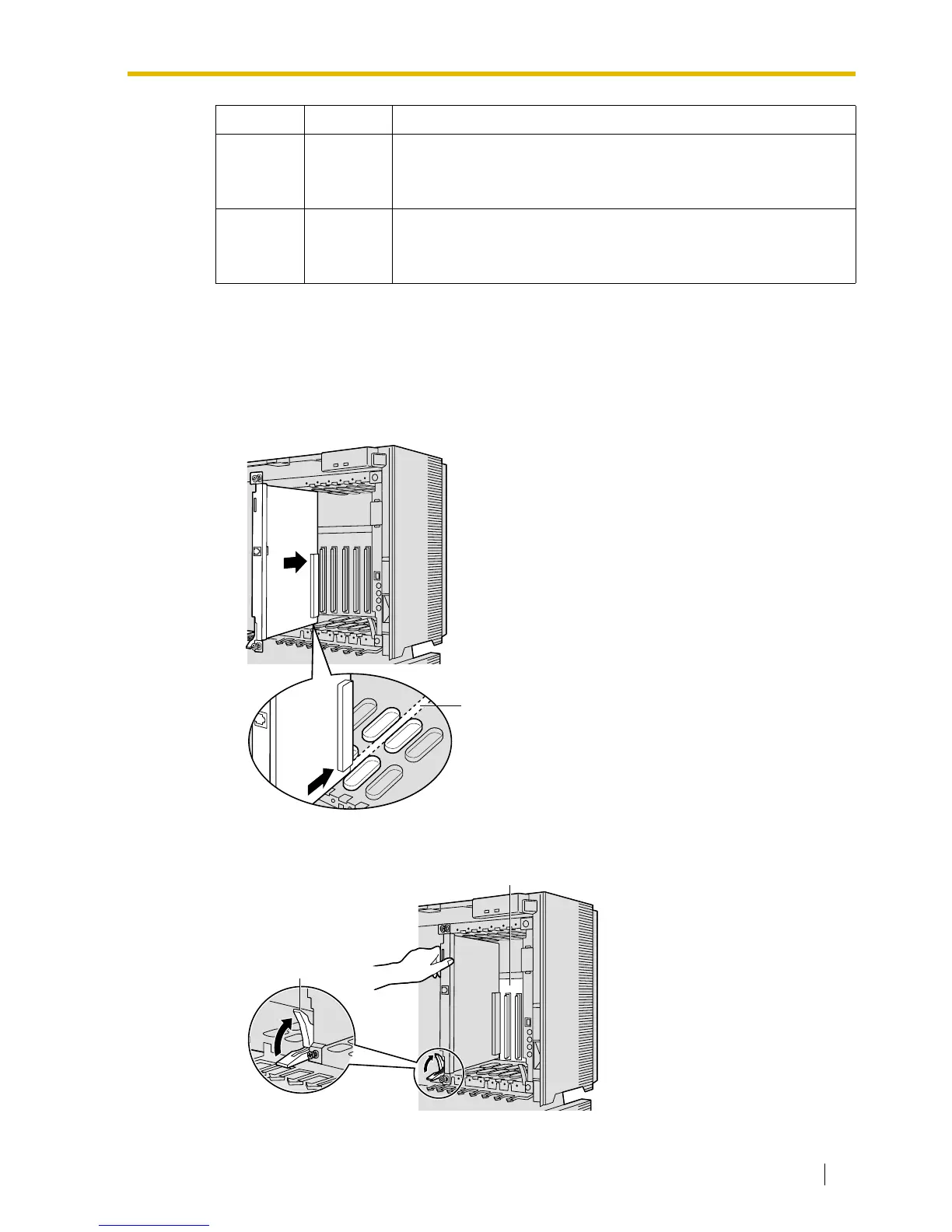
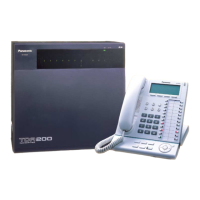
3.1.2 Installing the VoIP Gateway Card in the PBX
Install the VoIP Gateway Card in a free slot of the KX-TDA100/KX-TDA200 PBX.
1. Insert the card along the guide rails.
2. Holding the card as shown below, push the release lever in the direction of the arrow so
that the card engages securely with the connector on the back board.
LINK Green
Link status indication
• ON: Normal connection
• OFF: Connection error
DATA Green
Data transmission indication
• ON: Data transmitting
• OFF: No data transmitted
Indication Colour Description
Guide Rail
Release Lever
Back Board



 To Next Page