4.2 Programming the VoIP Gateway Card in the Los Angeles Office
Getting Started 37
4.2.6 Downloading the Address Translation Table from the
VoIP Gateway Card
After the address translation table has been fully programmed, download the data from the
VoIP Gateway Card.
The downloaded data can be uploaded to the other cards on the VoIP network (see "Uploading
Address Translation Table to the VoIP Gateway Card" in "4.3 Programming the VoIP Gateway
Card in the Chicago Office"), so that all the cards can communicate with each other over the
network.
Note
For more details about downloading the address translation table, refer to "2.4.4 Download
of Address Translation Table" of the VoIP Gateway Card Programming Guide.
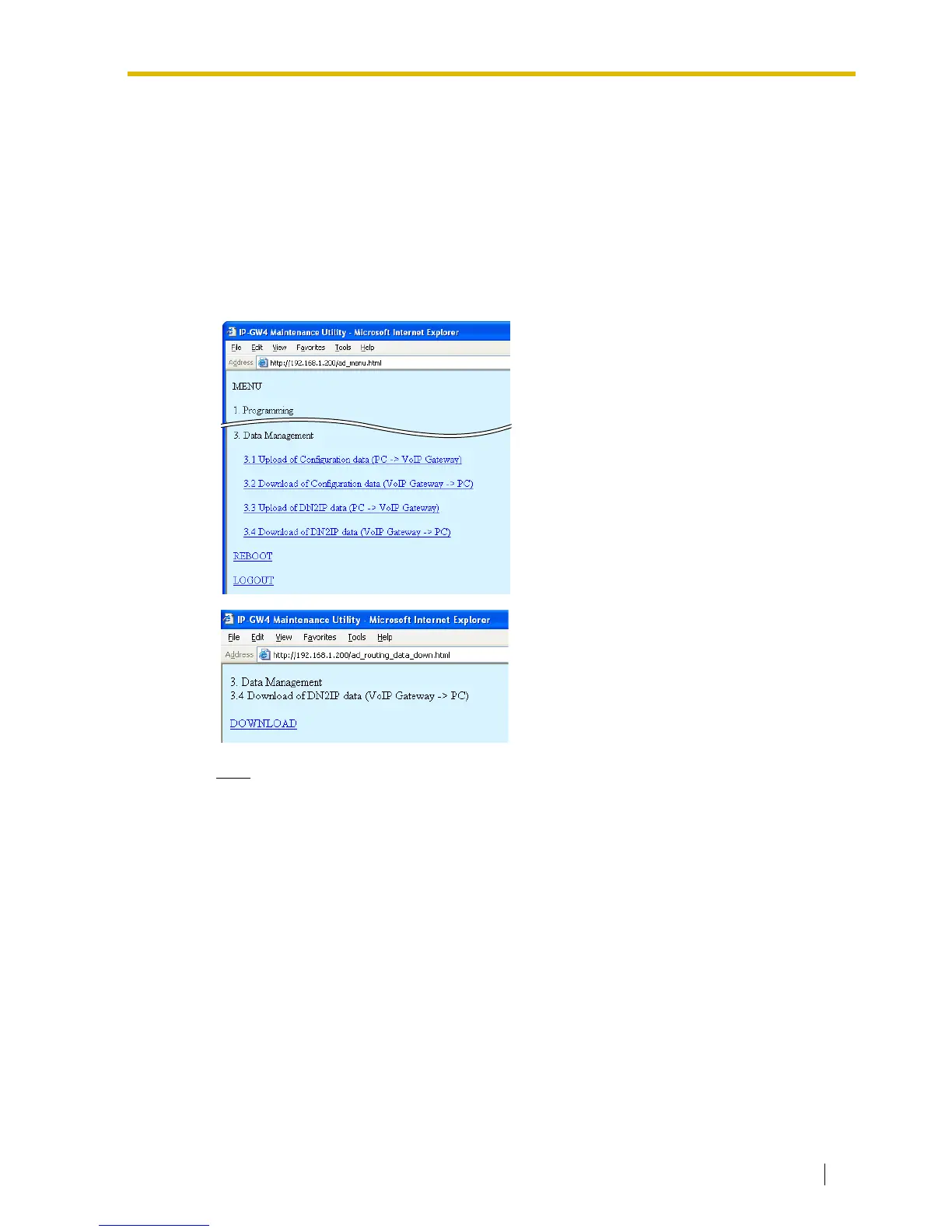
1. Click 3.4 Download of DN2IP data (VoIP
Gateway –> PC) in the main menu.
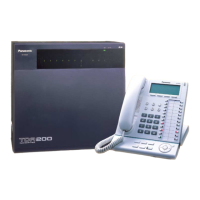
2.
a. Click DOWNLOAD.
b. Specify the file name and the folder in
which to save the file.



 To Next Page