4.2 Programming the VoIP Gateway Card in the Los Angeles Office
Getting Started 33
4.2.4 Assigning the Hunt Pattern
The hunt pattern determines how to route incoming calls through the VoIP Gateway Card to
the PBX.
Note
For more details about hunt pattern assignment, refer to "2.2.5 Hunt Pattern Parameters"
of the VoIP Gateway Card Programming Guide.
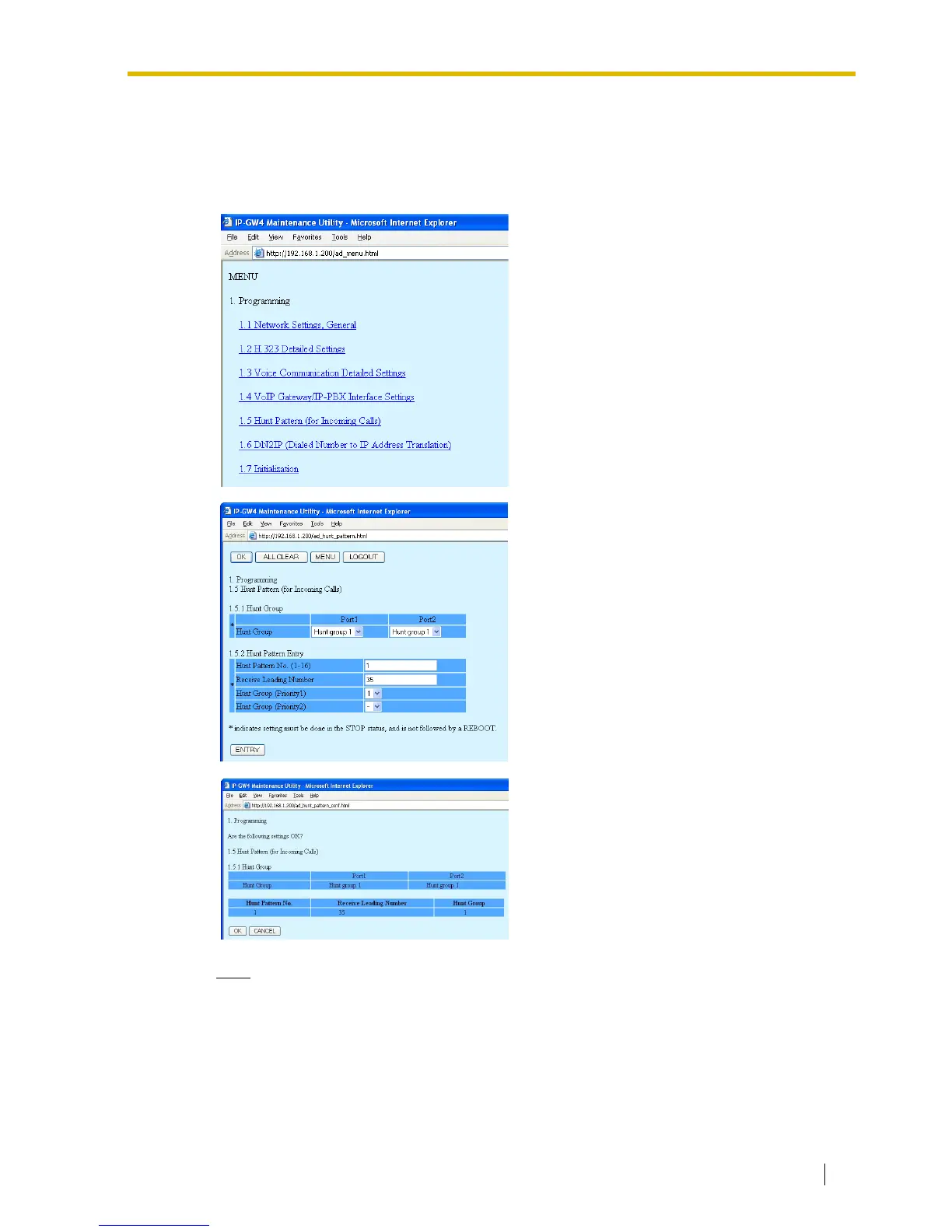
1. Click 1.5 Hunt Pattern (for Incoming Calls)
in the main menu.
2.
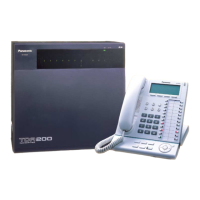
a. In the Hunt Pattern No. box, type 1.
A hunt pattern will be created with this
numbering.
b. In the Receive Leading Number box,
type 35 (PBX code).
c. Click ENTRY.
d. Click OK.
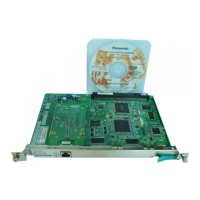
3. Confirm your entry, and then click OK.



 To Next Page