C1 Initializing the VoIP Gateway Card
70 Getting Started
C1 Initializing the VoIP Gateway Card
In case you have forgotten, for example, the IP address or log-in password you set to the VoIP
Gateway Card, follow the procedure below to return the settings of the card to the factory
default.
Note
Resetting the card will restore all settings, not just the IP address and log-in password, to
the factory default.
KX-TDA5480
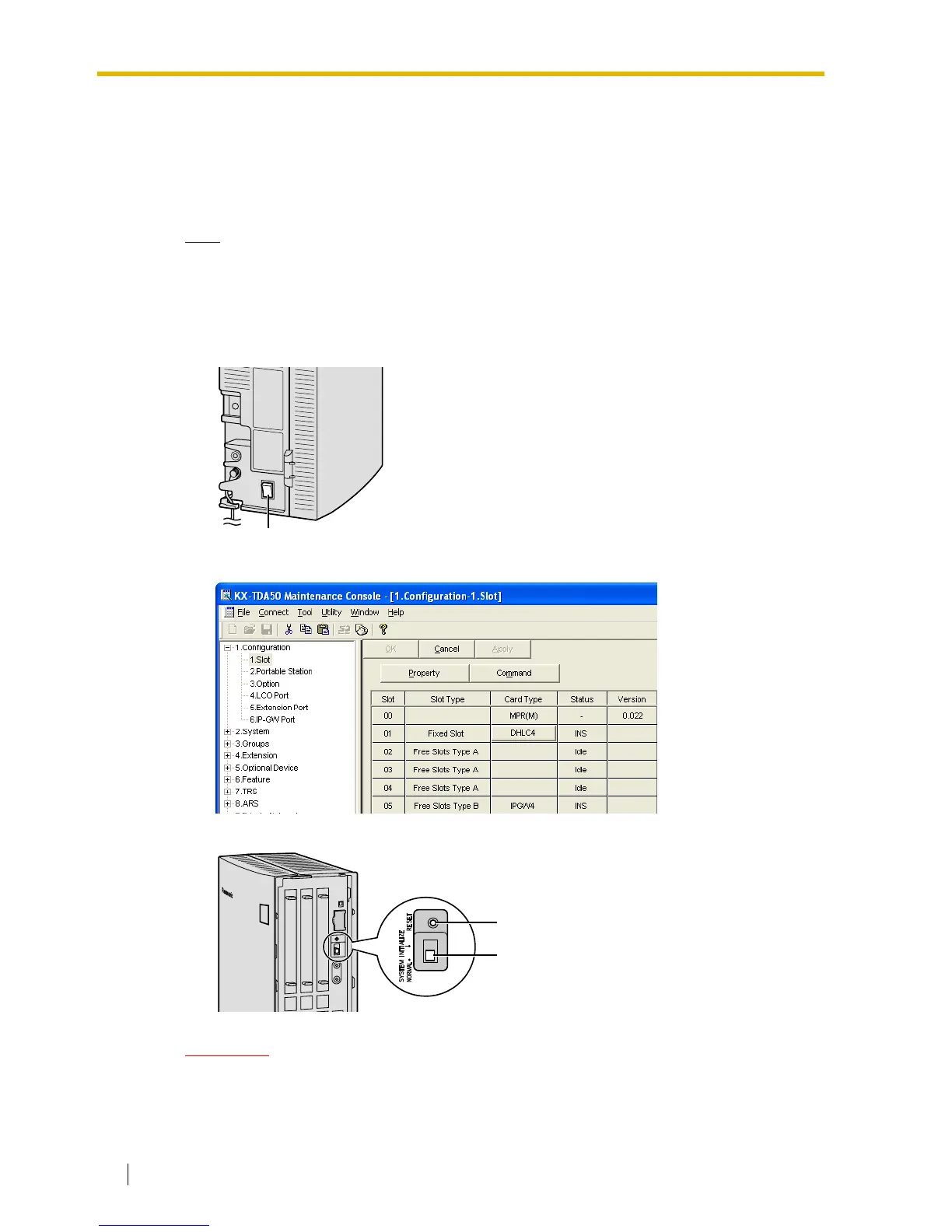
1. Install the card to the KX-TDA50 PBX, and then turn on the power to the PBX.
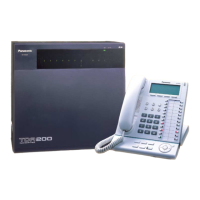
2. Using the KX-TDA50 Maintenance Console, confirm that the card is in service (INS).
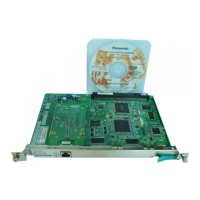
3. Set the System Initialize Switch to the "SYSTEM INITIALIZE" position.
CAUTION
Do not press the Reset Button nor turn the power off then on while the System Initialize
Switch is in this position. Doing so will initialize the PBX.
Power Switch
Reset Button
System Initialize Switch



 To Next Page