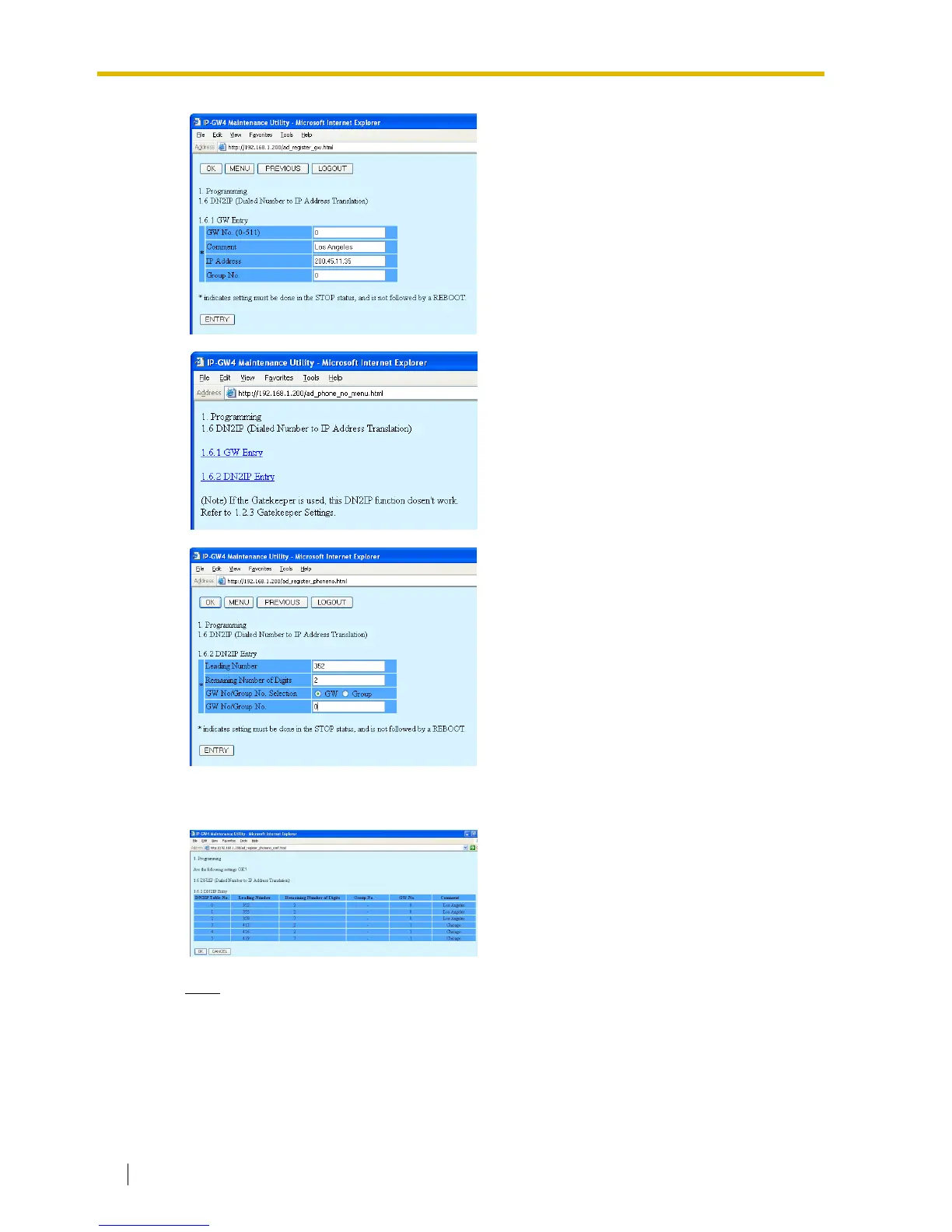
4.2 Programming the VoIP Gateway Card in the Los Angeles Office
36 Getting Started
Note
For more details about address translation programming, refer to "2.2.6 Address
Translation Table—GW Entry" and "2.2.7 Address Translation Table—DN2IP Entry" of the
VoIP Gateway Card Programming Guide.
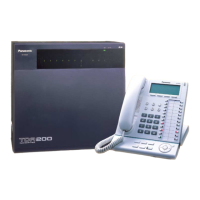
6. Click PREVIOUS.
7. Click 1.6.2 DN2IP Entry.
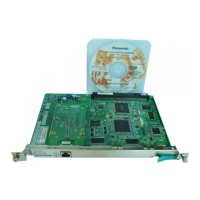
8. Do the following to configure the Los Angeles
extensions:
a. In the Leading Number box, type 352
(PBX code [35] + extension starting digit
[2]).
b. In the Remaining Number of Digits
box, type 2 (2 digits to dial [00 to 99]
following the leading number).
c. Click GW for GW No/Group No.
Selection.
d. In the GW No/Group No. box, type 0 (the
gateway entry for the card).
e. Click ENTRY.
9.
a. Referring to step 8, complete the
address translation table as shown on
the left.
b. Click OK.
c. Confirm your entry, and then click OK.



 To Next Page