4.1 Preparations
Getting Started 27
Notice When Programming the Card through an IP Network
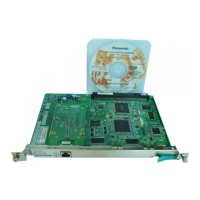
When the card is put in actual operation on an IP network, you can access and program the
card through the network. However, if the network has a proxy server installed, you must apply
appropriate proxy settings to your PC. In this case, follow the steps below in substitution for
step 5 above:
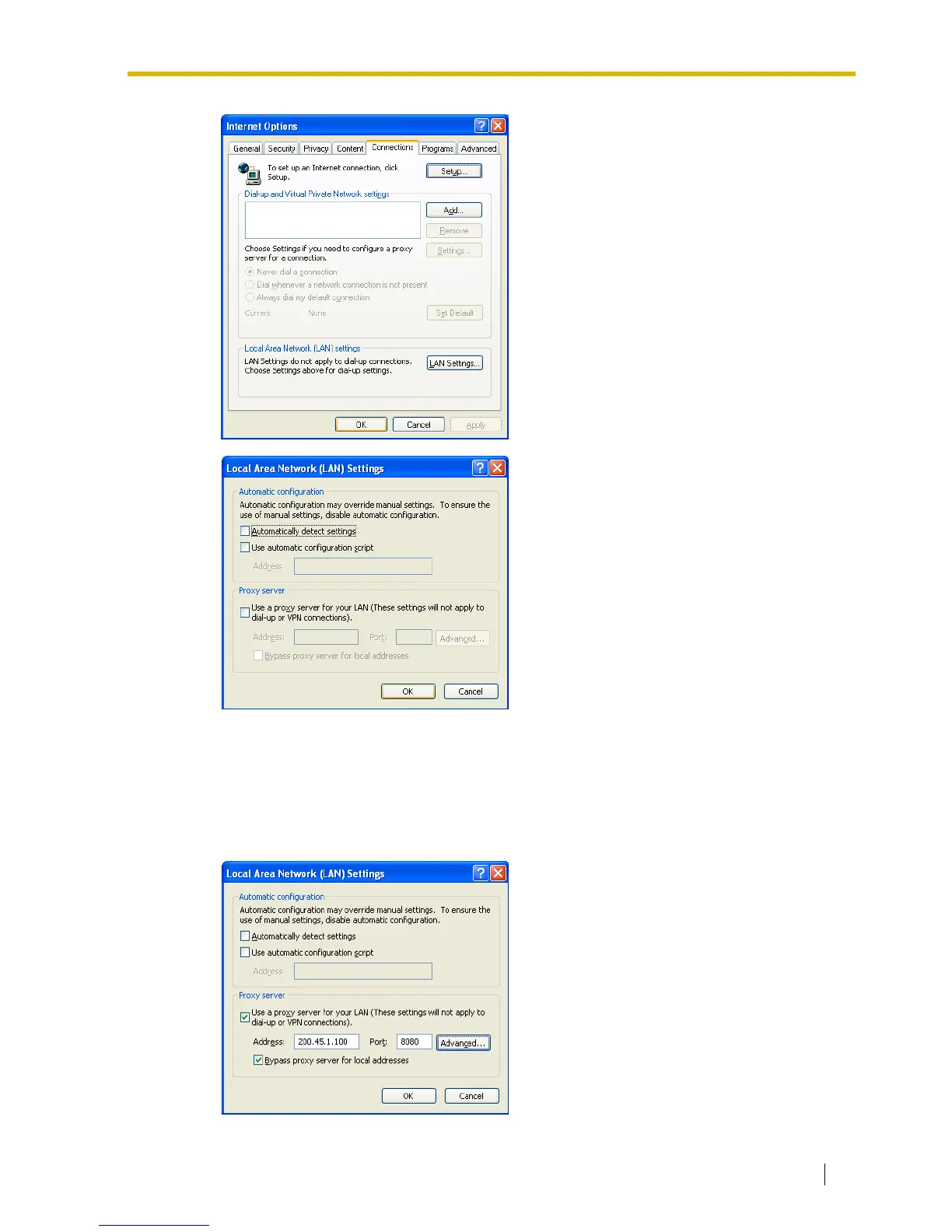
4.
a. Click the Connections tab.
b. Click Never dial a connection.
c. Click LAN Settings.
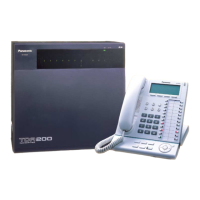
5.
a. Click to clear all check boxes.
b. Click OK.
Your PC is now ready for programming
through direct access to the card.
5. Click Advanced.



 To Next Page