EasyManua.ls Logo

Panasonic KX-TG6521 Series - User Manual

Panasonic KX-TG6521 Series
48 pages
Print Icon
To Next Page IconTo Next Page
Loading...
Thank you for purchasing a Panasonic product.
Please read these operating instructions before using the unit and save
them for future reference.
This unit is compatible with Caller ID. You must subscribe to the appropriate
service offered by your service provider/telephone company.
Before initial use, see “Getting
Started” on page 8.
Please access our online customer survey:
http://panasonic.net/pcc/tel/q
Operating Instructions
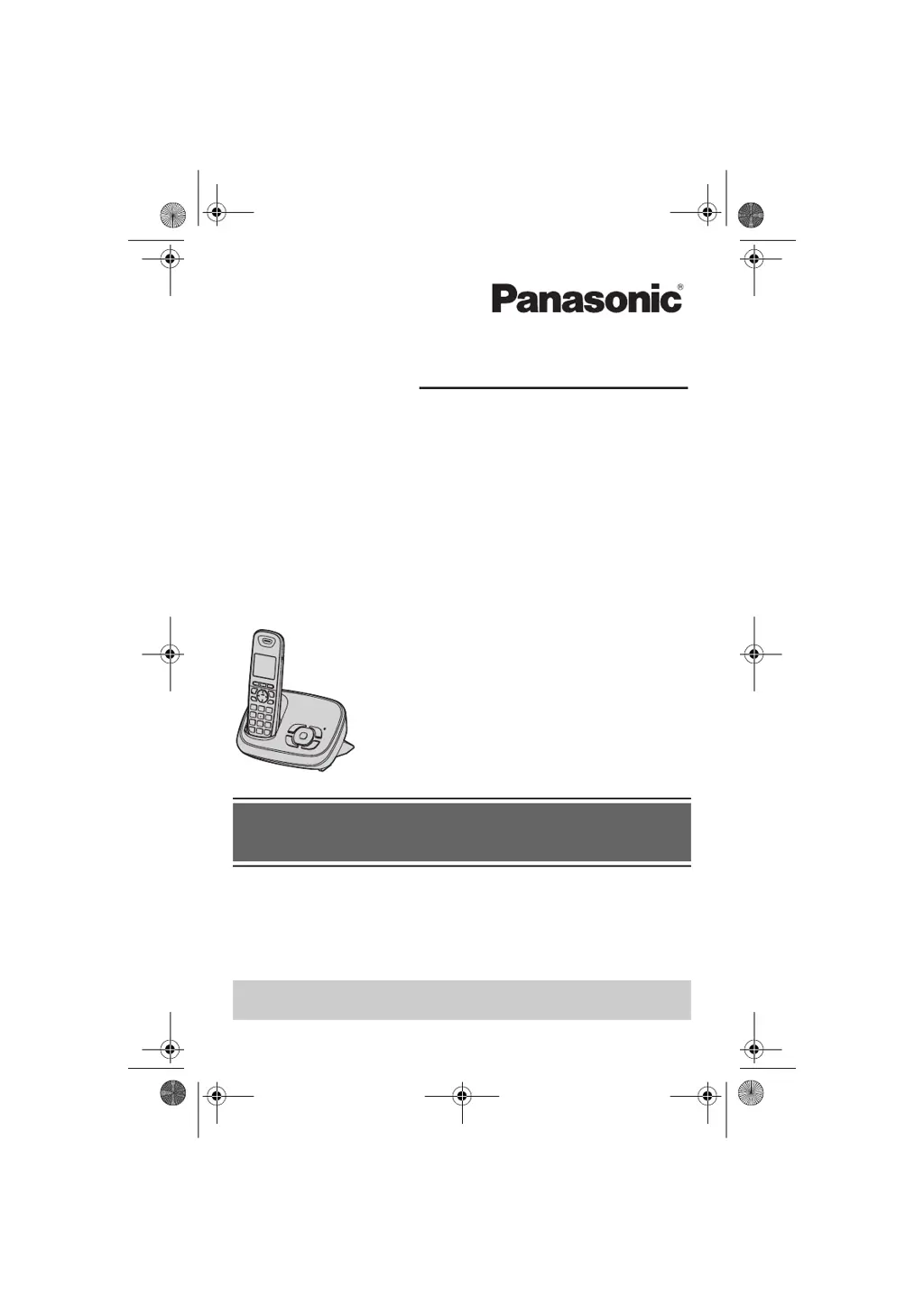
Model No. KX-TG6521AL
KX-TG6522AL
Digital Cordless Answering System
KX-TG6523AL
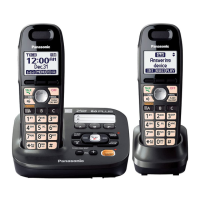
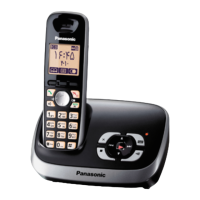
Model shown is KX-TG6521.
TG6521AL(e).book Page 1 Friday, February 26, 2010 5:07 PM

Questions and Answers

  • C
    Charles MccoySep 23, 2025
    What to do if my Panasonic Cordless Telephone got wet?
    • R
      Richard YangSep 23, 2025
      If liquid or other moisture has entered your Panasonic Cordless Telephone handset/base unit, disconnect the AC adaptor and telephone line cord from the base unit. Remove the batteries from the handset and leave to dry for at least 3 days. After drying, reconnect the AC adaptor and telephone line cord, insert the batteries, and charge fully before use. If it still doesn't work, contact an authorized service center.
  • K
    kelly57Aug 23, 2025
    How to fix no dial tone on Panasonic Cordless Telephone?
    • W
      wfreemanAug 25, 2025
      If you cannot hear a dial tone on your Panasonic Cordless Telephone, ensure the base unit’s AC adaptor or telephone line cord is properly connected. If the connections are correct, disconnect the base unit from the telephone line and connect the line to a known working telephone. If the working telephone operates properly, contact our service personnel to have the unit repaired. If the working telephone does not operate properly, contact your service provider/ telephone company.
  • G
    Gregg StoutAug 25, 2025
    Why is my Panasonic Cordless Telephone not ringing?
    • A
      April RiosAug 26, 2025
      If your Panasonic Cordless Telephone handset does not ring, check that the ringer volume is not turned off and adjust it. Also, make sure silent mode is turned off.
  • B
    Brittany MaloneAug 27, 2025
    What to do if my Panasonic Cordless Telephone is not working?
    • S
      Samantha HernandezAug 27, 2025
      If your Panasonic Cordless Telephone unit isn't working, ensure the batteries are installed correctly. Fully charge the batteries. Check all connections. Unplug the base unit’s AC adaptor to reset the unit, then reconnect it. Also, the handset may not be registered to the base unit, so register the handset.
  • K
    Kari DayAug 27, 2025
    How to correct the time on my Panasonic Cordless Telephone?
    • C
      Catherine EdwardsAug 27, 2025
      If the time on your Panasonic Cordless Telephone has shifted, it could be due to incorrect time information from incoming Caller ID. Set the time adjustment to “Manual” (off).
  • A
    Alisha GonzalezSep 16, 2025
    Why doesn't my Panasonic Cordless Telephone show the 2nd caller ID?
    • F
      fbowmanSep 16, 2025
      If the 2nd caller’s information is not displayed during an outside call on your Panasonic Cordless Telephone, you must subscribe to Caller ID, call waiting, or Call Waiting Caller ID (CWID) from your service provider. After subscribing, you may need to contact them again to activate the specific service.
  • S
    Stephanie AguilarSep 13, 2025
    Why is caller ID delayed on my Panasonic Cordless Telephone?
    • S
      Sean JohnsonSep 13, 2025
      If caller information is displayed or announced late on your Panasonic Cordless Telephone, it may be due to your service provider, who may display or announce the caller’s information at the 2nd ring or later. Also, try moving closer to the base unit.
  • N
    nancywilliamsSep 15, 2025
    Why can't I dial edited numbers on my Panasonic Cordless Telephone?
    • N
      Nicholas ChavezSep 15, 2025
      If you cannot dial the phone number edited in the caller list on your Panasonic Cordless Telephone, the phone number might have been edited incorrectly (for example, the long distance “1” or the area code is missing). Edit the phone number with another pattern.
  • U
    uharperSep 5, 2025
    Why is caller ID not announced on my Panasonic Cordless Telephone?
    • J
      jandrewsSep 6, 2025
      If caller information is not announced on your Panasonic Cordless Telephone, ensure the handset or base unit’s ringer volume is not turned off and adjust it. Also, verify that the Talking Caller ID feature is turned on. Check that the number of rings for the answering system is not set to “2 rings” or “Toll saver”, and select a different setting. If the base unit and another handset are having an intercom call, your handset will not announce caller information.
  • S
    Shawn BakerSep 3, 2025
    What to do if Panasonic Cordless Telephone handset does not turn on?
    • K
      Karen SantosSep 3, 2025
      If the handset of your Panasonic Cordless Telephone doesn't turn on even after installing charged batteries, place the handset on the base unit or charger to turn it on.

Panasonic KX-TG6521 Series Specifications

General IconGeneral
Number of Handsets1
Answering Machine Recording Time18 minutes
Caller IDYes
Phonebook Capacity50 entries
DisplayLCD
RingtonesPolyphonic
Frequency1.9 GHz
SpeakerphoneYes
Ringer IDYes
Call Waiting Caller IDYes
IntercomYes
ExpandableYes
TypeCordless Phone
Multiple HandsetsUp to 6
RangeUp to 1000 feet outdoors

Related product manuals