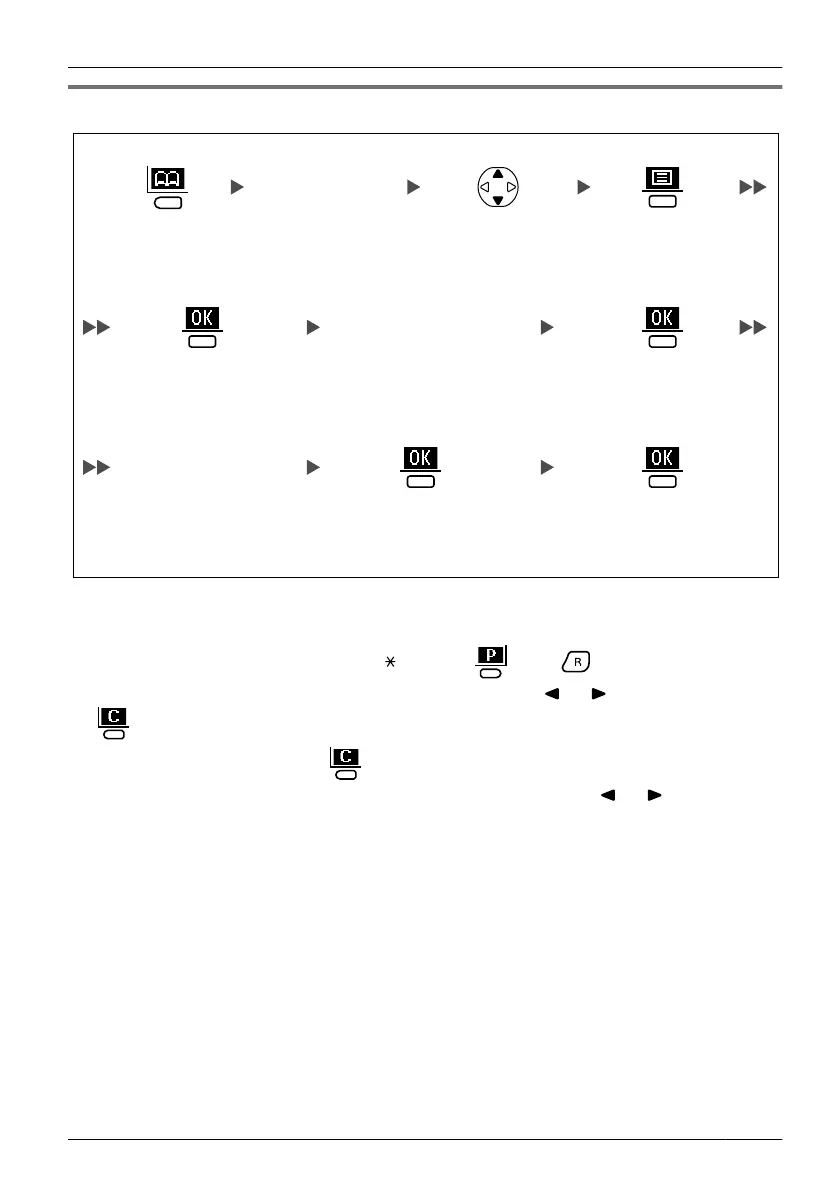
Editing a Stored Item
Edit phone number
(max. 24 digits).
Edit name
(max. 16 characters).
Select the
desired item
(if required).
Press the left
soft key.
Press the
centre soft key.
Enter the first
character of the
desired name
(if required).
Select "Edit",
and press the
centre soft key.
Press the
centre soft key.
Press the
centre soft key.
Press the
centre soft key
for "Save".
• To enter characters, see page 37.
• To search for an item in the Phonebook, see page 20.
•
The valid digits are "0" through "9", "
", "#", "P ( )", "R ( )".
• To change a character or digit, press the Navigator Key
or to highlight it, press
to delete it, then enter the new character or digit.
•
To clear an entire line, press for more than 1 second.
• To move the cursor to the left or right, press the Navigator Key or , respectively.
33
Using the Handset Phonebook












 To Next Page