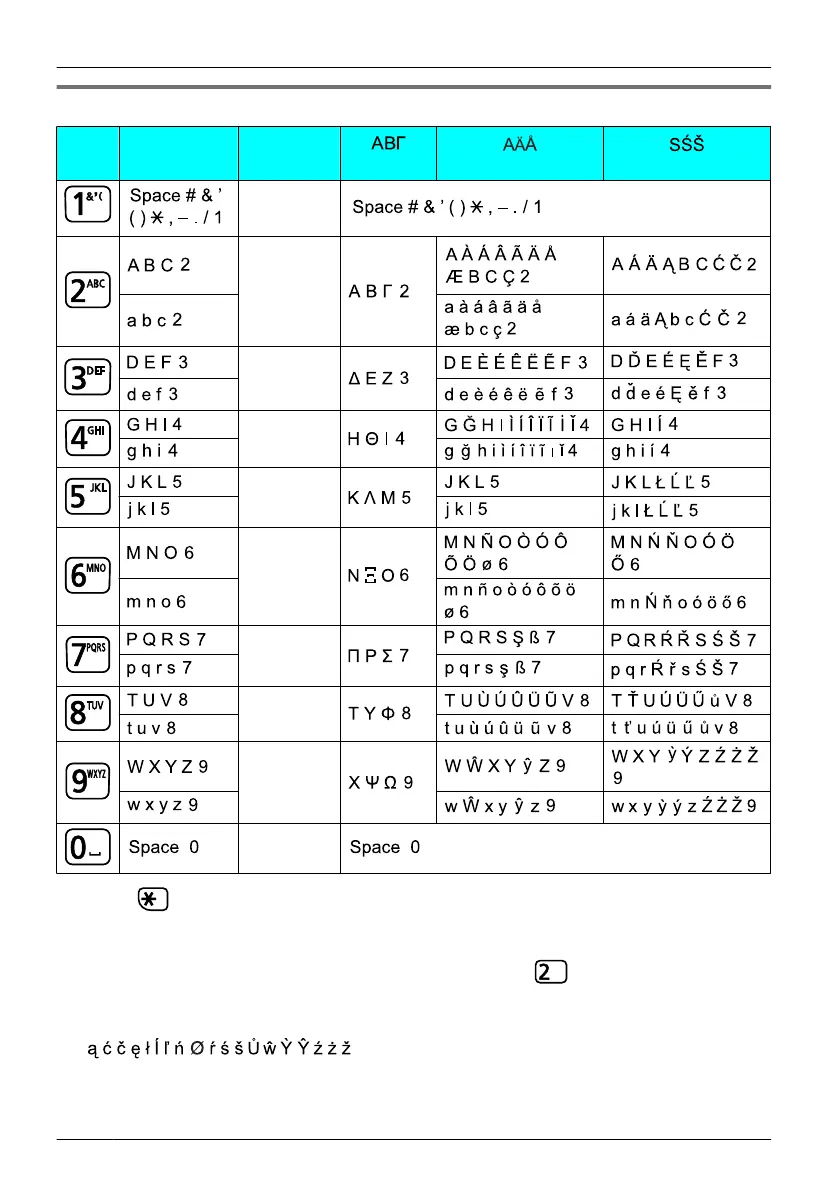
Character Mode Table
Keys
ABC
(Alphabetic)
0-9
(Numeric) (Greek) (Extended 1) (Extended 2)
1
2
3
4
5
6
7
8
9
0
• Press before or after entering a character to change between uppercase and
lowercase.
• Pressing a key repeatedly will cycle through the characters associated with that key. For
example, to enter the letter "C" in Alphabet Mode, press
3 times.
• The following letters are not available. They will be replaced by the uppercase or
lowercase version of the same letter.
• The illustrations of the keys in the table may differ in appearance from the actual keys
on the handset.
38
Using the Handset Phonebook












 To Next Page