Changing the Initial Settings
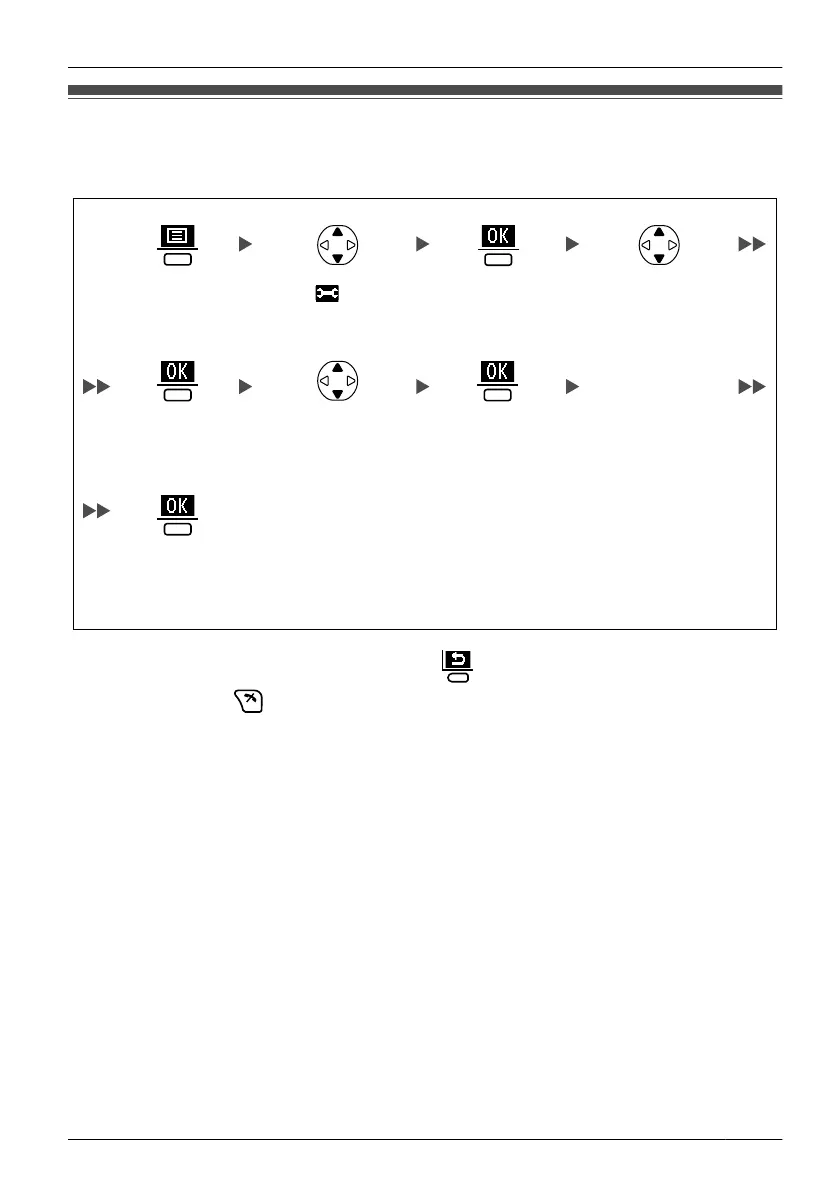
You can customise the handset by editing the settings found under "Setting Handset"
in the menu list, as follows:
Select the desired
main item.
Select " Setting
Handset".
Press the
centre soft key.
Press the
centre soft key.
Follow the setting.
Select the desired
sub item.
Press the
centre soft key.
Press the
centre soft key.
Press the
centre soft key.
• To return to the previous menu item, press .
• To cancel, press
at any time.
•
The handset will beep to indicate that the new settings have been saved.
43
Configuring Handset Settings
Configuring Handset Settings












 To Next Page