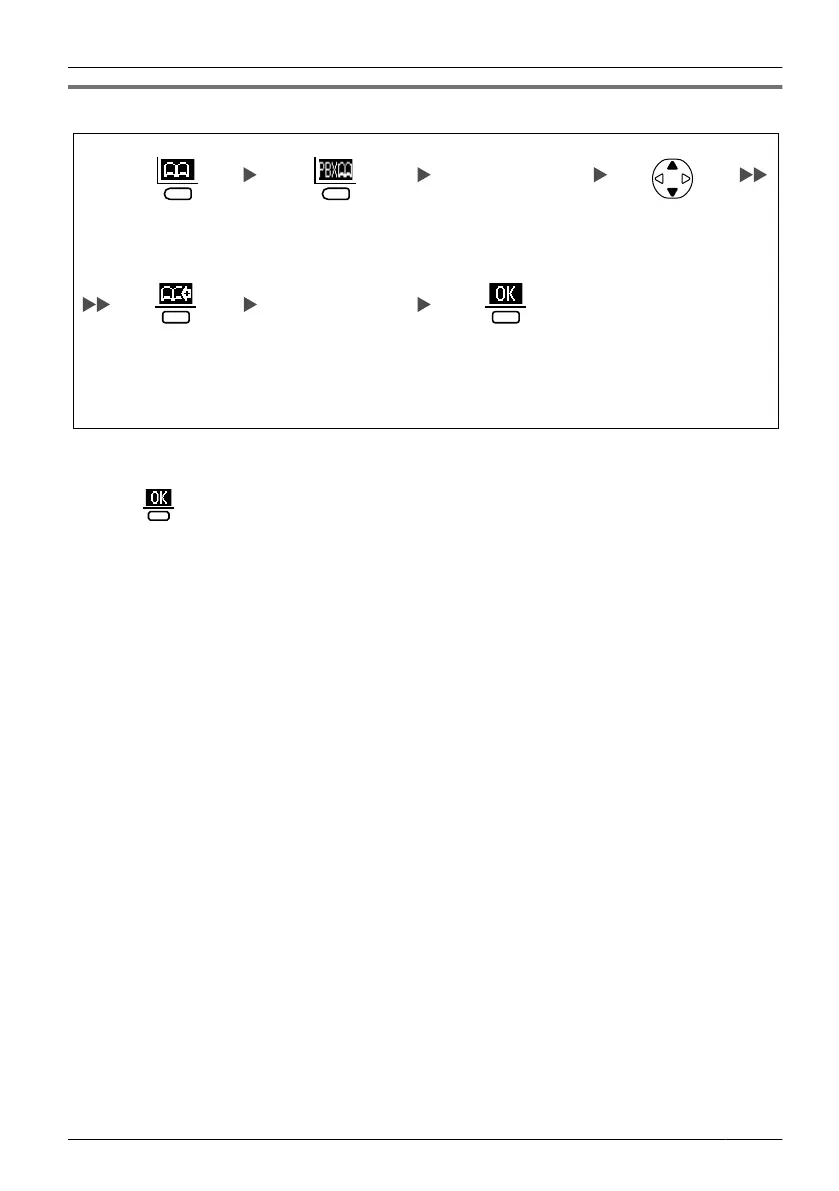
Storing an Item Using the PBX System Phonebook
Enter the first
character of the
desired name
(if required).
Press the left
soft key.
Select the
desired item
(if required).
Enter a name and
phone number.
*2
Press the left
soft key.
Press the centre
soft key.
*1
Press the
centre soft key
for "Save".
*1 If the phone number of an item in the PBX system phonebook is 25 digits or longer, an error tone
will sound and you cannot store the number.
*2
Press
to confirm each entry (name: max. 16 characters/phone number: max. 24 digits).
•
To search for an item in the Phonebook, see page
20.
35
Using the Handset Phonebook












 To Next Page