Locking the Handset Phonebook
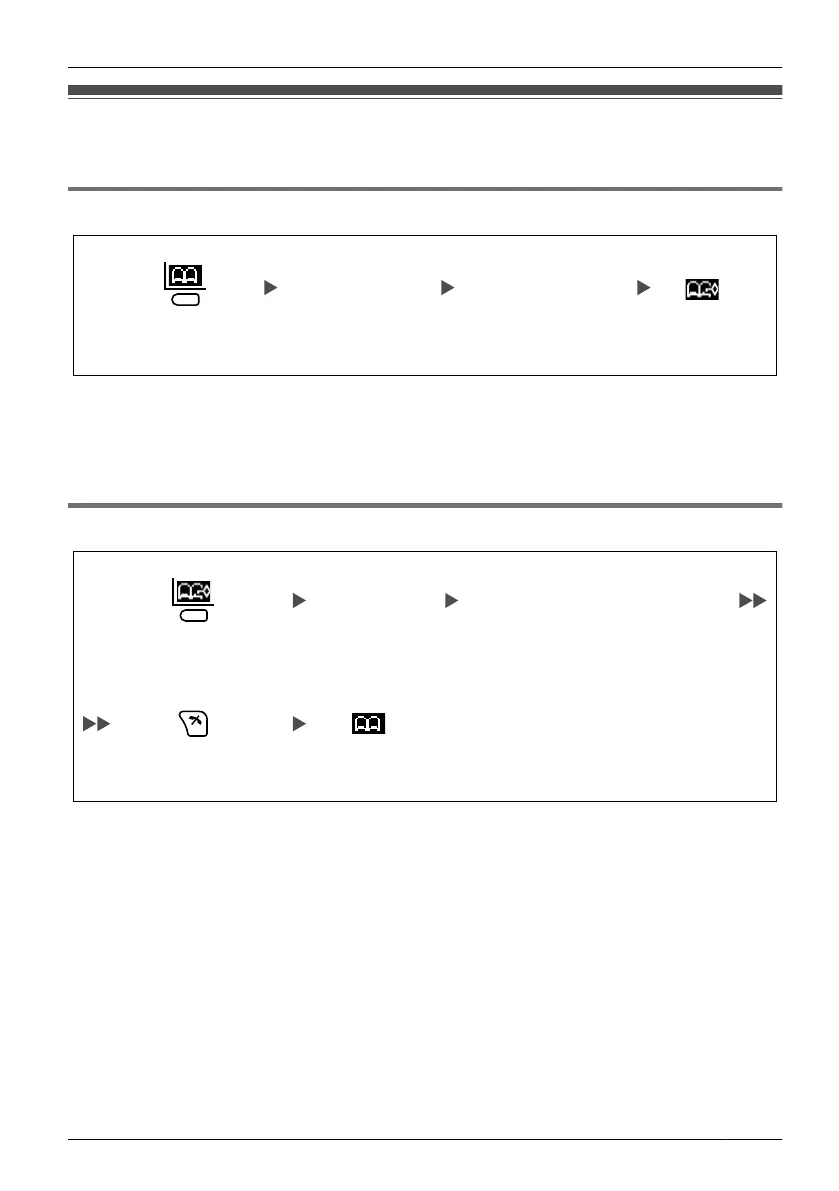
You can lock/unlock the Phonebook while the handset is in standby mode.
Locking the Handset Phonebook
Press the left soft key
for more than 2 seconds.
Locked.
Enter a password
(4 digits [0-9]).
*1*2
Verify the password.
*1 To avoid unauthorised access to this product:
– Set a password that is random and cannot be easily guessed.
– Change the password regularly.
*2
Make a note of the password so that you will not forget it.
Unlocking the Handset Phonebook
Press the left soft key for
more than 2 seconds.
Enter your
password.
You can view the Phonebook and
use it to make calls.
Press CANCEL. Unlocked.
39
Using the Handset Phonebook












 To Next Page