115
Writing to a memory card or DVD (AVCHD format/DVD-Video format)
Editing AVCHD/AVCHD Lite or MPEG2 motion pictures/copying to media
Tips
●
It takes time to record all the data. Do not operate the PC until the recording is completed.
●Motion pictures of less than one second or motion pictures without
sound cannot be written on.
●When playing back a recorded disc, the playback may be interrupted
between motion pictures.
●When recording fails due to a problem with the media, replace the
media as prompted by the message. The section of the data at which
the failure occurred will be re-recorded onto the new media.
●For DVD-R with dual layer on single side, motion pictures may be
frozen or sounds may be inaudible for a moment when shifting from
the first layer to the second layer, depending on the player.
●When writing in DVD-Video format
-
It may take several hours, because the motion pictures need to be converted into MPEG2 format.
- Because it is necessary to record at least about 1 GB of data in
DVD-R/RW due to the standard, when the produced data is less than
1 GB, dummy data will be added so that the data totals about 1 GB.
-
If a motion picture contains fast movements, the contours may lose their
focus or noise may occur when the motion picture is converted. Quality
may be improved if you select [Picture quality priority] as the picture quality
setting for conversion in the settings of the motion picture function. (→119)
16
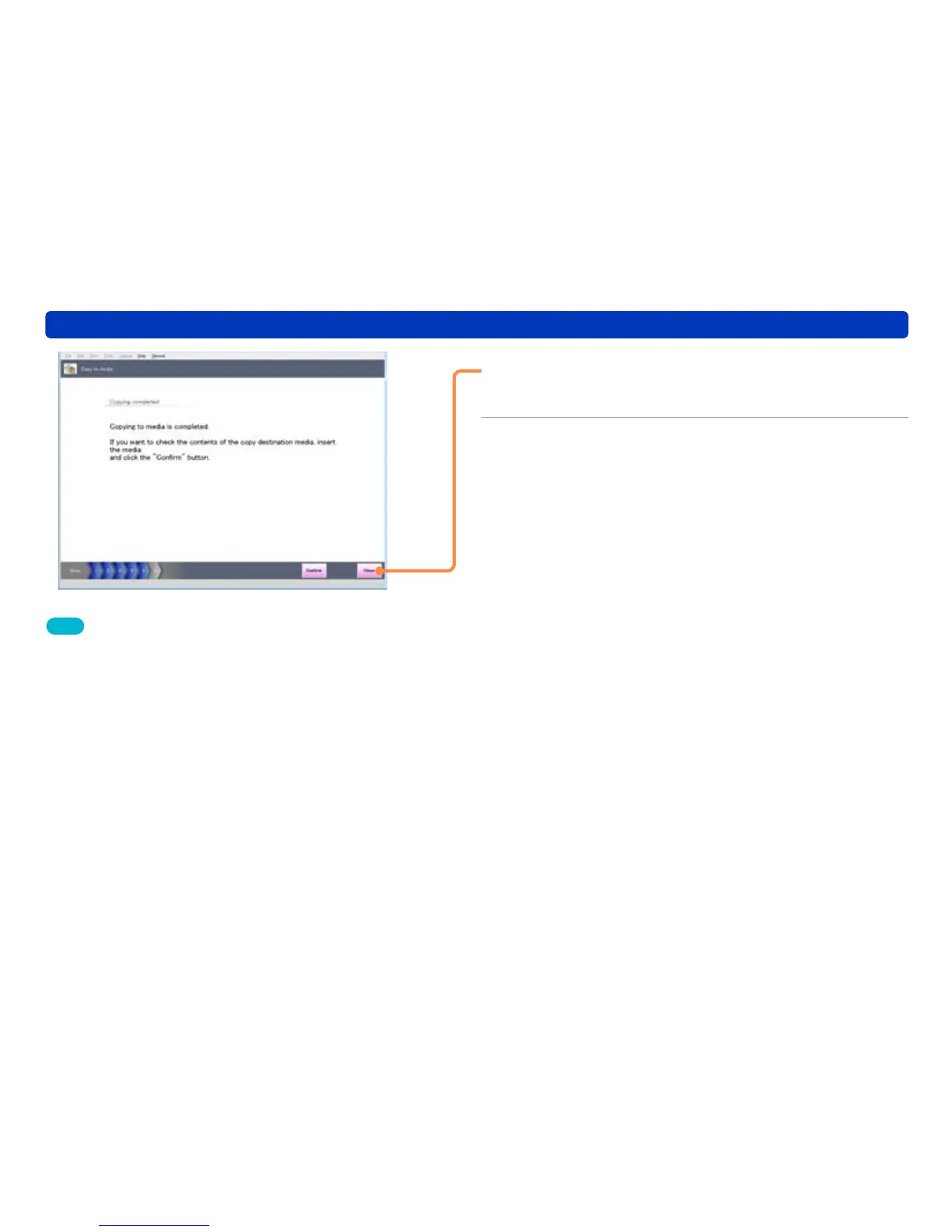
Click [Close].
●Click [Confirm] to display the pictures on the media.
17
When the confirmation message for
the completion of [Copy to media] is
displayed, click [Yes].


 To Next Page
 Loading...