Mini VRF SYSTEM
Remote Controller Functions
5 - 4
1. Simple Settings Function
5
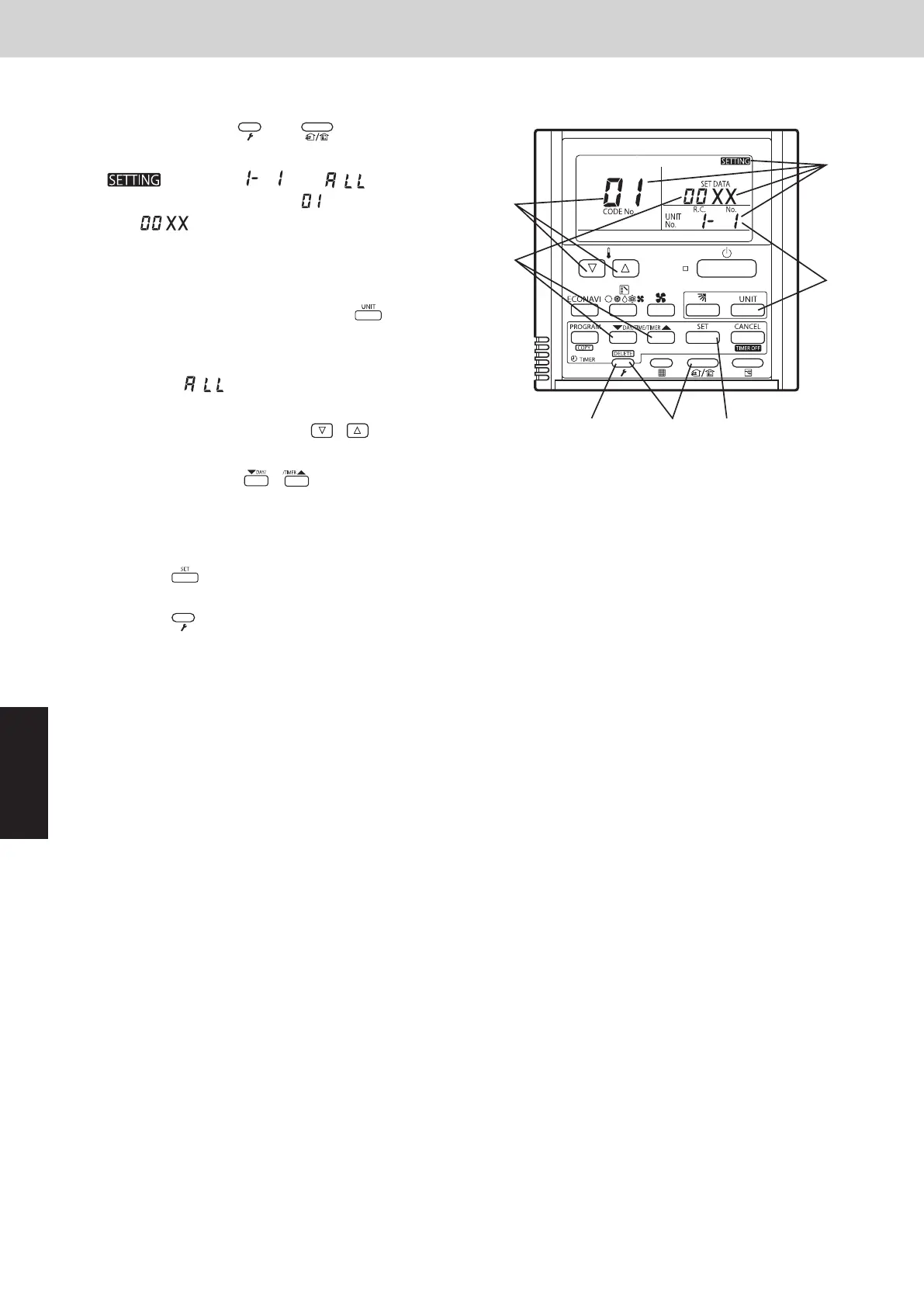
(1) Press and hold the and buttons
simultaneously for 4 seconds or longer.
(2) “ ”, unit No.“ ” (or “” in the case
of group control), item code “ ”, and settings
data “” are displayed blinking on the remote
controller LCD display. At this time, the indoor unit
fan (or all indoor unit fans in the case of group
control) begins operating.
(3)
If group control is in effect, press the
select the address (unit No.) of the indoor unit to set.
button and
At this time, the fan at the indoor unit begins operating.
*If unit No.“ ” is displayed, the same setting
will be made for all indoor units.
(4) Press the temperature setting /
select the item code to change.
buttons to
(5) Press the timer time / buttons to select the
desired setting data.
*For item codes and setting data, see the following
page.
(6) Press the button. (The display stops blinking
and remains lit, and setting is completed.)
(7) Press the button to return to normal remote
controller display.
<Procedure of CZ-RTC4>
A
°
°
(1)
(7)
(6)
(3)
(2)
(5)
(4)
SM830289-01_欧州向け R32 mini VRF 8,10HP SM&TRSM.indb 4SM830289-01_欧州向け R32 mini VRF 8,10HP SM&TRSM.indb 4 2021/05/07 10:16:112021/05/07 10:16:11



 To Next Page