EasyManua.ls Logo

Panasonic NV-SD350 - Auto Setup

Panasonic NV-SD350
48 pages
Print Icon
To Next Page IconTo Next Page
To Previous Page IconTo Previous Page
Loading...
Auto
Setup
Tuning
the
TV
to
your
VCR
Auto
Setup
Auto
Setup
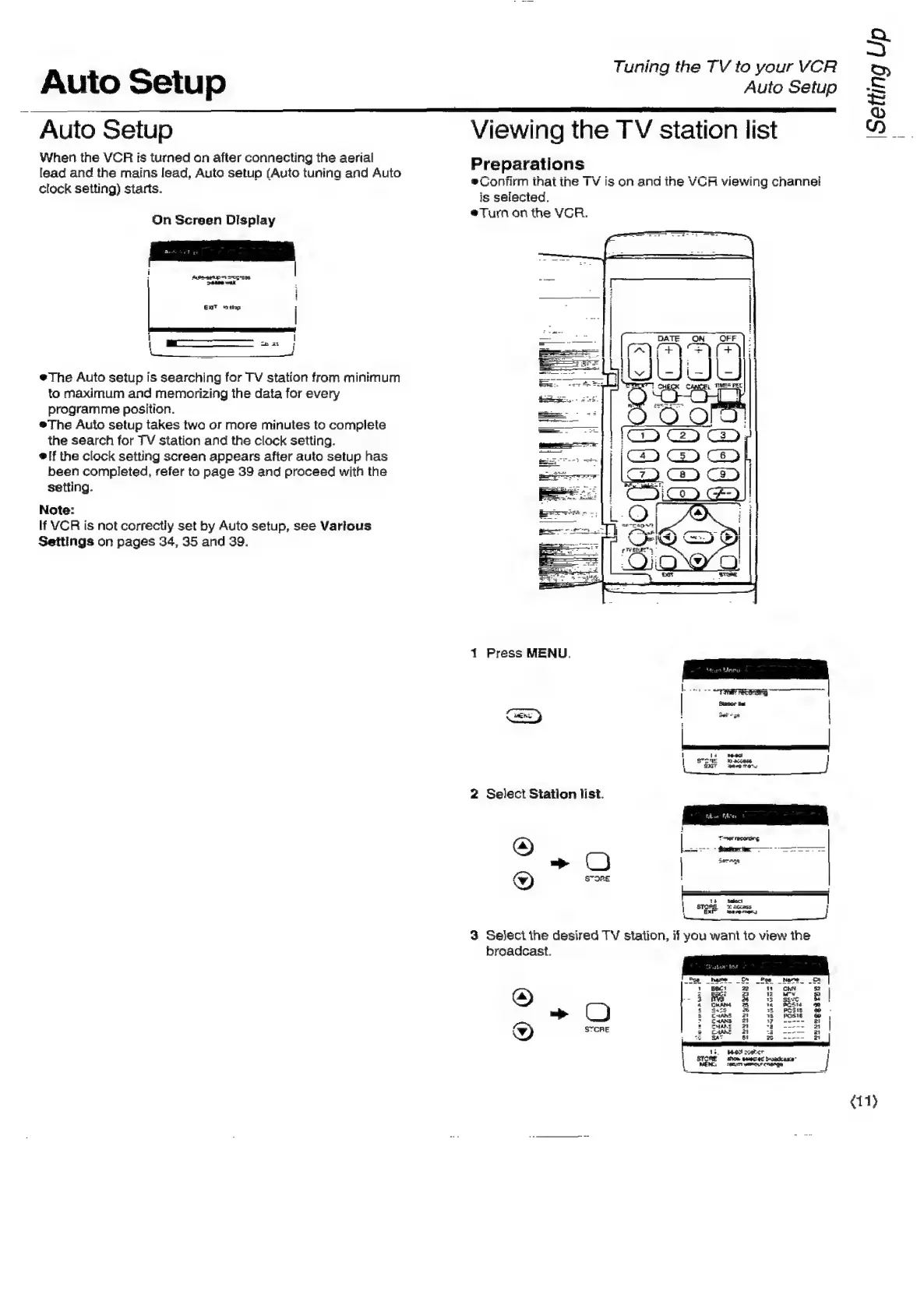
When
the
VCR
is
turned
on
after
connecting
the
aerial
lead
and
the
mains
lead,
Auto
setup
(Auto
tuning
and
Auto
clock
setting)
starts.
On
Screen
Display
Aubeaetup
91
Coss
eee
walk
ENT
“*hp
|
*The
Auto
setup
is
searching
for
TV
station
from
minimum
to
maximum
and
memorizing
the
data
for
every
programme
position.
*®The
Auto
setup
takes
two
or
more
minutes
to
complete
the
search
for
TV
station
and
the
clock
setting.
®!f
the
clock
setting
screen
appears
after
auto
setup
has
been
completed,
refer
to
page
39
and
proceed
with
the
setting.
Note:
If
VCR
is
not
correctiy
set
by
Auto
setup,
see
Various
Settings
on
pages
34,
35
and
39.
Viewing
the
TV
station
list
Preparations
®Confirm
that
the
TV
is
on
and
the
VCR
viewing
channel
is
selected.
@Turn
on
the
VGR.
1
Press
MENU.
=
2
2
Select
Station
list.
3
Seject
the
desired
TV
Staion,
if
you
want
to
view
the
broadcast.
; .
Setting
Up
(11)

Related product manuals