EasyManua.ls Logo

Panasonic NV-SD350 - Automatic Clock Setting; Manual Clock Setting

Panasonic NV-SD350
48 pages
Print Icon
To Next Page IconTo Next Page
To Previous Page IconTo Previous Page
Loading...
Settings
Using
On
Screen
Display
Setting
the
Clock
of
your
VCR
Sotting
the
Clock
of
your
VCR
The
built-in
clock
is
used
to
activate
the
timer
for
automatic
recording
and
must
be
set
to
the
correct
time.
The
built-in
digital
clack
employs
the
24-hour
system.
If
VCR
is
not
correctly
set
by
Auto
setup,
follow
the
procedure
below.
Preparations
*Confirm
that
the
TV
is
on
and
the
VCR
viewing
channel
is
selected.
®Turn
on
the
VCR.
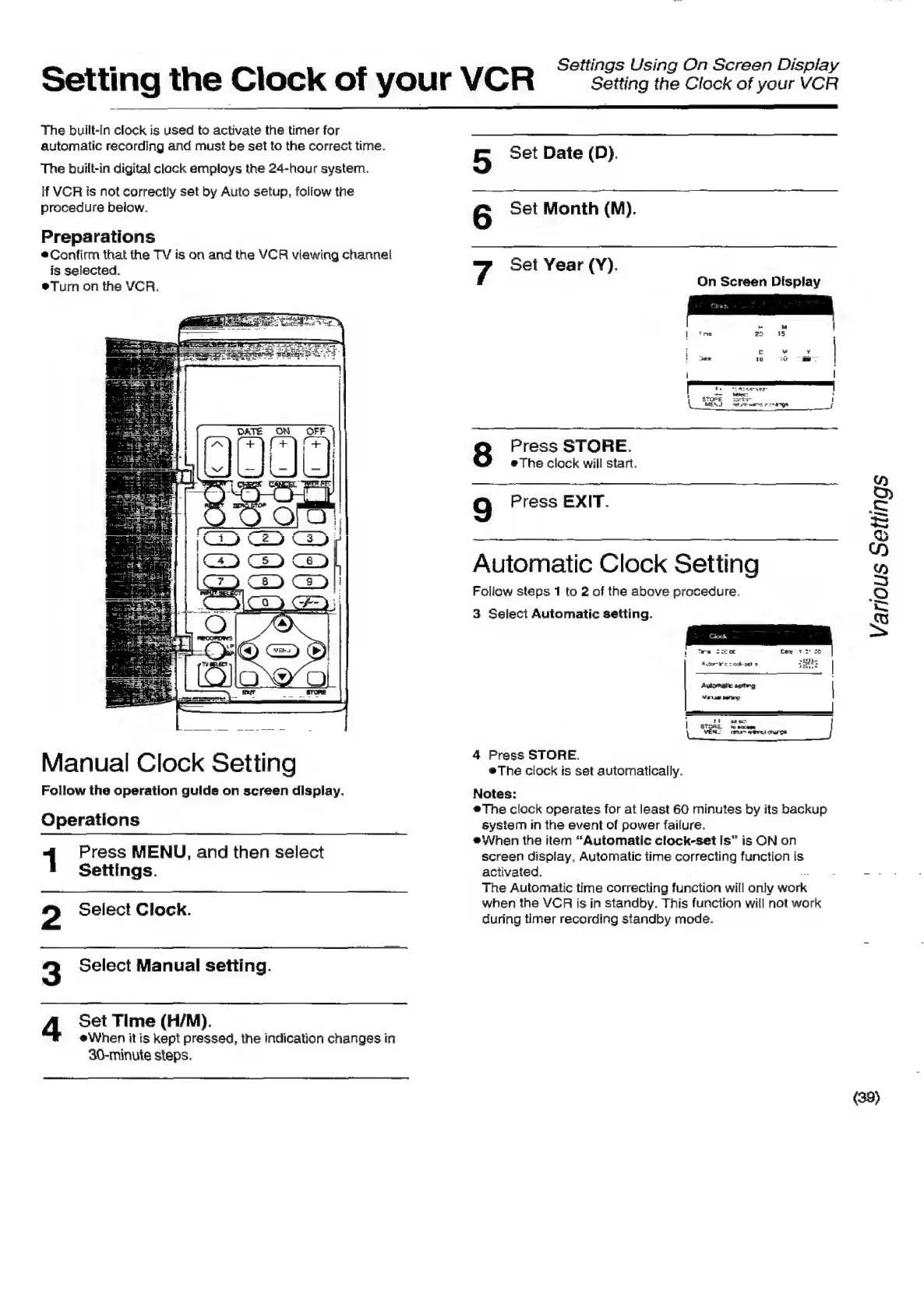
Manual
Clock
Setting
Follow
the
operation
guide
on
screen
display.
Operations
1
Press
MENU,
and
then
select
Settings.
Select
Clock.
Set
Time
(H/M).
eWhen
itis
kept
pressed,
the
indication
changes
in
30-minute
steps.
2
3
Select
Manual
setting.
4
5
Set
Date
(D).
6
Set
Month
(M).
7
Set
Year
(Y).
On
Screen
Display
Press
STORE.
#The
clock
will
start.
9
Press
EXIT.
Automatic
Clock
Setting
Follow
steps
1
to
2
of
the
above
procedure.
3
Select
Automatic
setting.
Various
Settings
Automatic
spthrg
|
Mansa
eho
tio
sese
1
|
stone.
\
VENT
pene
j
4
Press
STORE.
The
clock
is
set
automatically.
Notes:
@The
clock
operates
for
at
least
60
minutes
by
its
backup
system
in
the
event
of
power
failure.
®When
the
item
“Automatic
clock-set
Is”
is
ON
on
screen
display.
Automatic
time
correcting
function
is
activated.
ar
=
The
Automatic
time
correcting
function
will
only
work
when
the
VCR
is
in
standby.
This
function
will
not
work
during
timer
recording
standby
mode.
(39)

Related product manuals