EasyManua.ls Logo

Panasonic NV-SD350 - Other Functions; On Screen Display; VHS Index Search System

Panasonic NV-SD350
48 pages
Print Icon
To Next Page IconTo Next Page
To Previous Page IconTo Previous Page
Loading...
Other
Functions
Editing
Other
Functions
On
Screen
Display
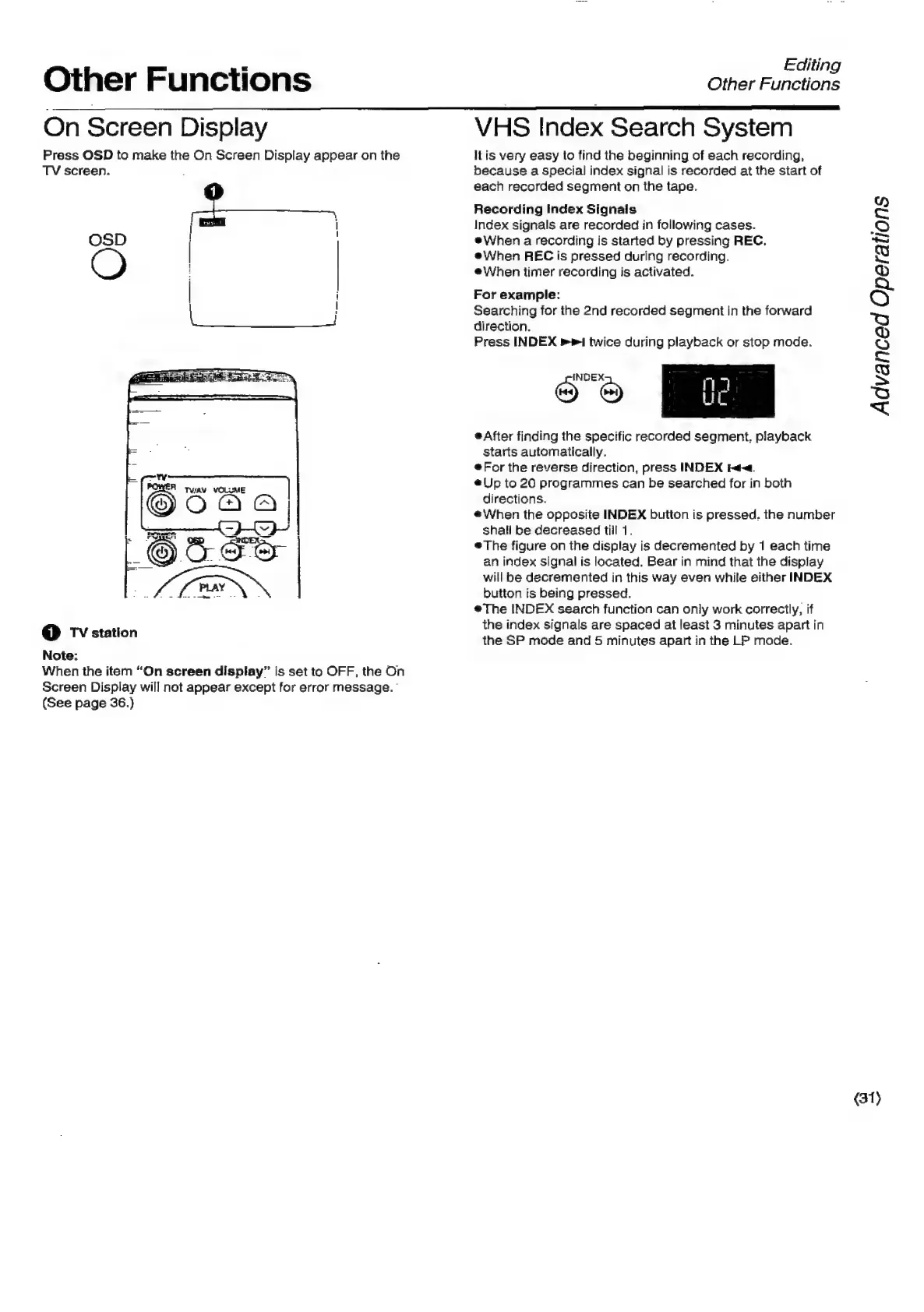
Press
OSD
to
make
the
On
Screen
Display
appear
on
the
TV
screen.
OSD
|
|
@
TV
station
Note:
When
the
item
“On
screen
display”
is
set
to
OFF,
the
On
Screen
Display
will
not
appear
except
for
error
message.
(See
page
36.)
VHS
Index
Search
System
Itis
very
easy
to
find
the
beginning
of
each
recording,
because
a
special
index
signal
is
recorded
at
the
start
of
each
recorded
segment
on
the
tape.
Recording
Index
Signals
Index
signals
are
recorded
in
following
cases.
®When
a
recording
is
started
by
pressing
REC.
When
REC
is
pressed
during
recording.
e\VWhen
timer
recording
is
activated.
For
example:
Searching
for
the
2nd
recorded
segment
in
the
forward
direction.
Press
INDEX
»1
twice
during
playback
or
stop
mode.
e
After
finding
the
specific
recorded
segment,
playback
starts
automatically.
For
the
reverse
direction,
press
INDEX
4.
@Up
to
20
programmes
can
be
searched
for
in
both
directions.
#When
the
opposite
INDEX
button
is
pressed.
the
number
shali
be
decreased
till
1.
The
figure
on
the
display
is
decremented
by
1
each
time
an
index
signal
is
located.
Bear
in
mind
that
the
display
will
be
decremented
in
this
way
even
while
either
INDEX
button
is
being
pressed.
The
INDEX
search
function
can
only
work
correctly,
if
the
index
signals
are
spaced
at
least
3
minutes
apart
in
the
SP
mode
and
5
minutes
apart
in
the
LP
mode.
Advanced
Operations
(31)

Related product manuals