EasyManua.ls Logo

Panasonic NV-SD350 - Using on Screen Display

Panasonic NV-SD350
48 pages
Print Icon
To Next Page IconTo Next Page
To Previous Page IconTo Previous Page
Loading...
Timer
Recording
eee
Using
On
Screen
Display
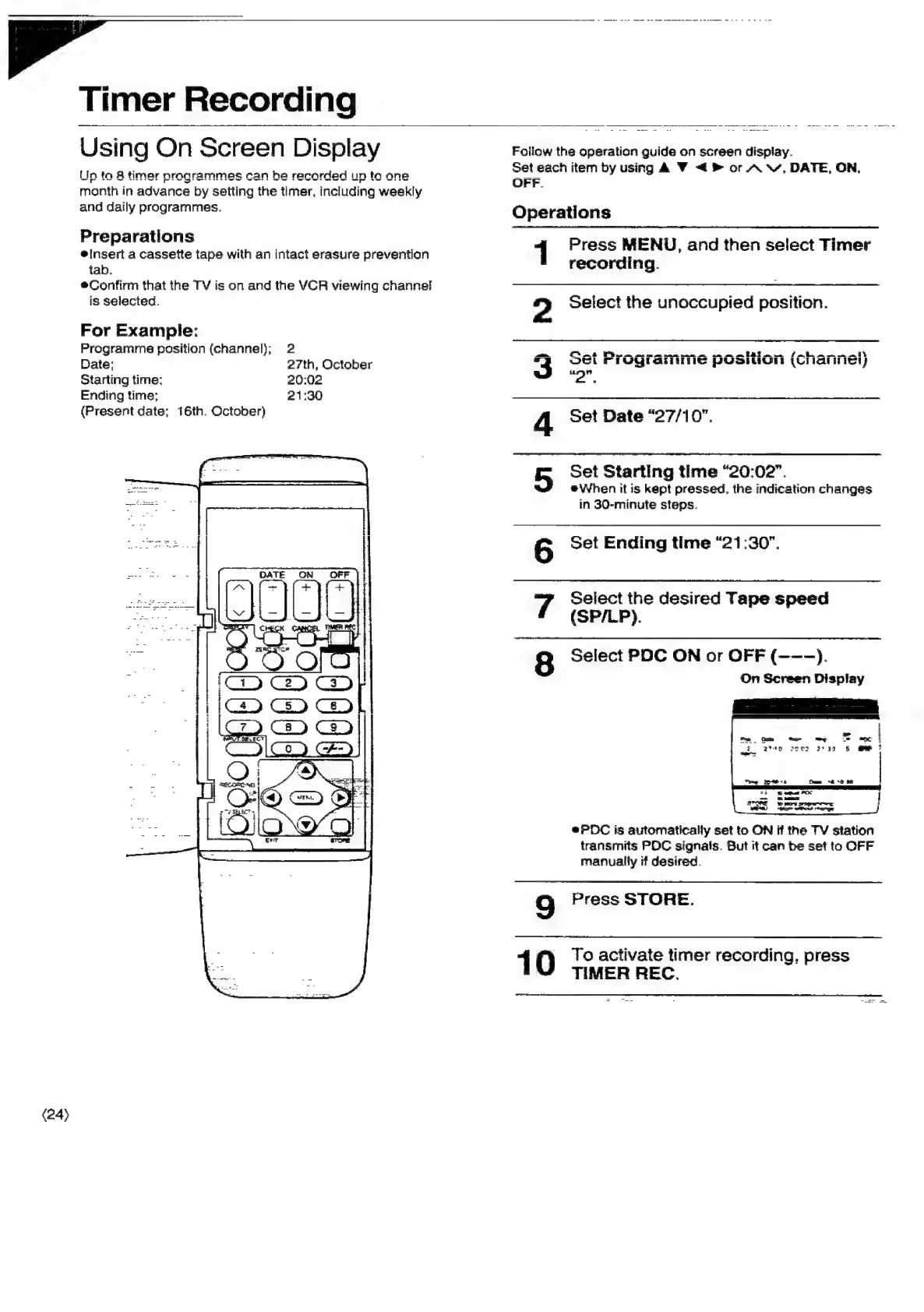
Follow
the
operation
guide
on
screen
display.
Set
each
item
by
using
A
<4
®
or
A
Vv,
DATE,
ON,
OFF.
Un
ta
&
timer
programmes
can
be
recorded
un
to
one
month
in
advance
by
setting
the
timer,
including
weekly
and
daily
programmes.
Operations
Preparations
Press
MENU,
and
then
select
Timer
einsert
a
cassette
tape
with
an
intact
erasure
prevention
rdi
tab.
recording.
*®Confirm
that
the
TV
is
on
and
the
VCR
viewing
channel
is
selected.
Select
the
unoccupied
position.
NO
For
Exampie:
Programme
position
(channel);
2
i
ee
ee
ee
ee
ee
ee
fk
eh
Date:
27th,
October
Ol
FrOgGramMmmMme
posuogn
(Cnannéesy
it
¢
"
Starting
time:
20:02
2".
Ending
time;
21:30
(Present
date;
16th.
October)
Set
Date
“27/10”.
Set
Starting
time
“20:02”.
®When
it
is
kapt
pressed,
the
indication
changes
in
30-minute
steps.
Set
Ending
time
“21:30".
Select
the
desired
Tape
speed
(SP/LP).
Select
PDC
ON
or
OFF
(--—).
On
Screen
Display
On
oo,
C1]
BW
®PDC
is
automatically
set
to
ON
if
the
TV
station
transmits
POC
signals.
But
it
can
be
set
to
OFF
manually
if
desired.
9
Press
STORE.
1
0
To
activate
timer
recording,
press
TIMER
REC.
(24)

Related product manuals