EasyManua.ls Logo

Panasonic NV-SD350 - Shipping Condition

Panasonic NV-SD350
48 pages
Print Icon
To Next Page IconTo Next Page
To Previous Page IconTo Previous Page
Loading...
Storing
TV
Broadcasts
into
your
VCR
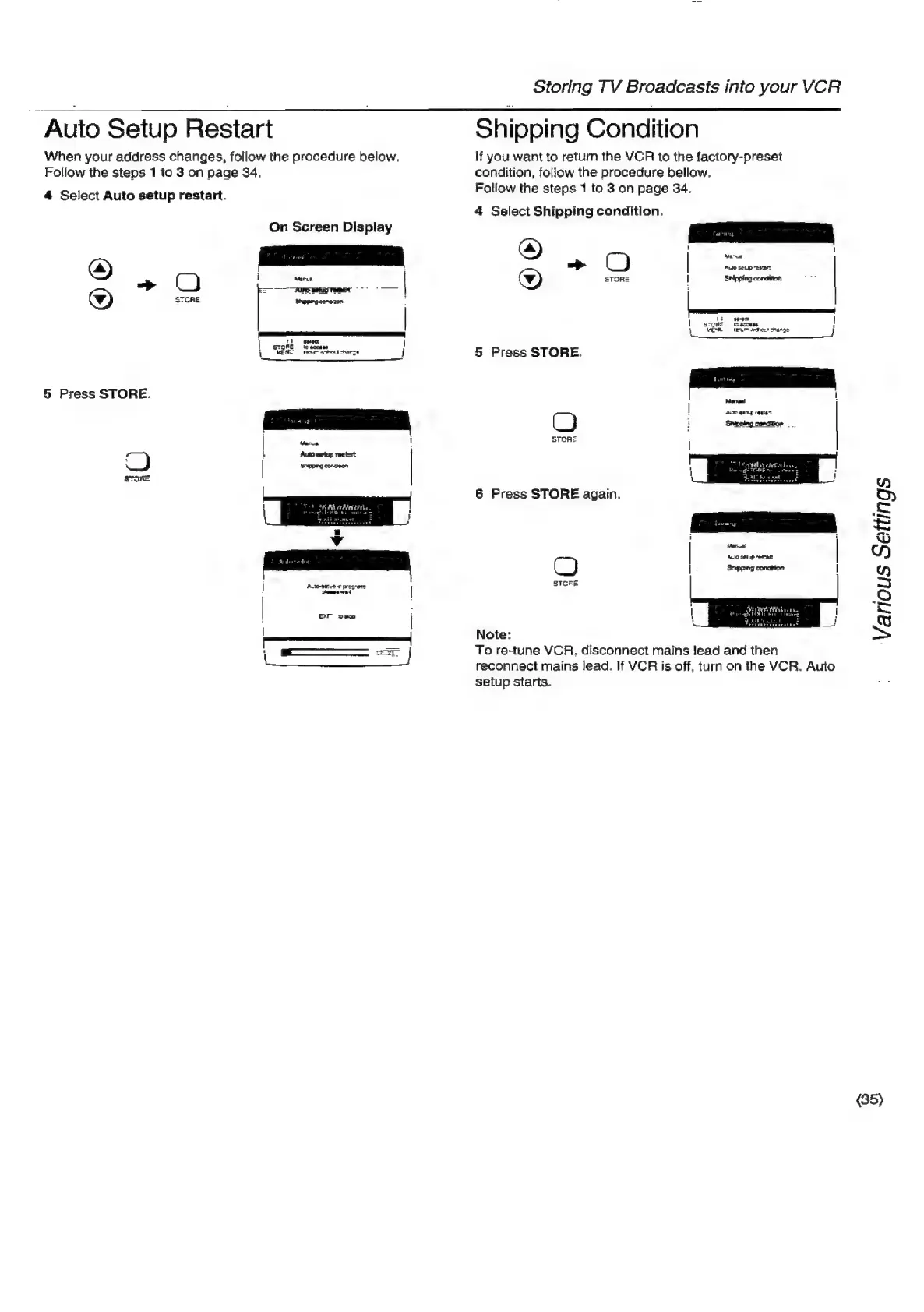
Auto
Setup
Restart
|
Shipping
Condition
When
your
address
changes,
follow
the
procedure
below.
lf
you
want
to
return
the
VCR
to
the
factory-preset
Follow
the
steps
1
to
3
on
page
34.
condition,
follow
the
procedure
bellow.
4
Select
Auto
setup
restart.
Follow
the
steps
1
to
3
on
page
34.
4
Select
Shipping
condition.
On
Screen
Display
&)
oO
—_
Q*
=
Manus
Auio
selup
esar:
Sipping
conciton
i
5
4
in
la
I
STORE
ames
Ly
1
ESL
TEL
setae!
hangs
H
|
stone
(ateane
|
__
MENS
renew
tent
cherse
j
5
Press
STORE.
5
Press
STORE.
|
Manual
|
Aactc
aLp
ree
P|
2
————s
|
ied
1
STORZ
“)
4
Auto
petup
reeiart
ig
|
Shaping
conepon
=
|
1
Various
Settings
STORE
6
Press
STORE
again.
STGRE
ne
Note:
oo
sf
To
re-tune
VCR.
disconnect
mains
!ead
and
then
reconnect
mains
lead.
If
VCR
is
off,
turn
on
the
VCR.
Auto
setup
starts.
(35)

Related product manuals