EasyManua.ls Logo

Panasonic NV-SD350 - One-Touch-Editing

Panasonic NV-SD350
48 pages
Print Icon
To Next Page IconTo Next Page
To Previous Page IconTo Previous Page
Loading...
(30)
One-Touch-Editing
With
this
editing,
it
is
easy
to
perform
repeated
assemble
editing,
insert
editing
or
audio
dubbing
operations.
Preparations
*Before
the
VCR
is
connected
to
a
movie
camera
or
another
VCR,
select
One-Touch-Edit
to
ON.
(See
page
37.)
The
playback
VCR
display
or
movie
camera
viewfinder
image
may
be
abnormal
if
the
edit
cable
is
connected
with
One-Touch-Edlt
left
OFF.
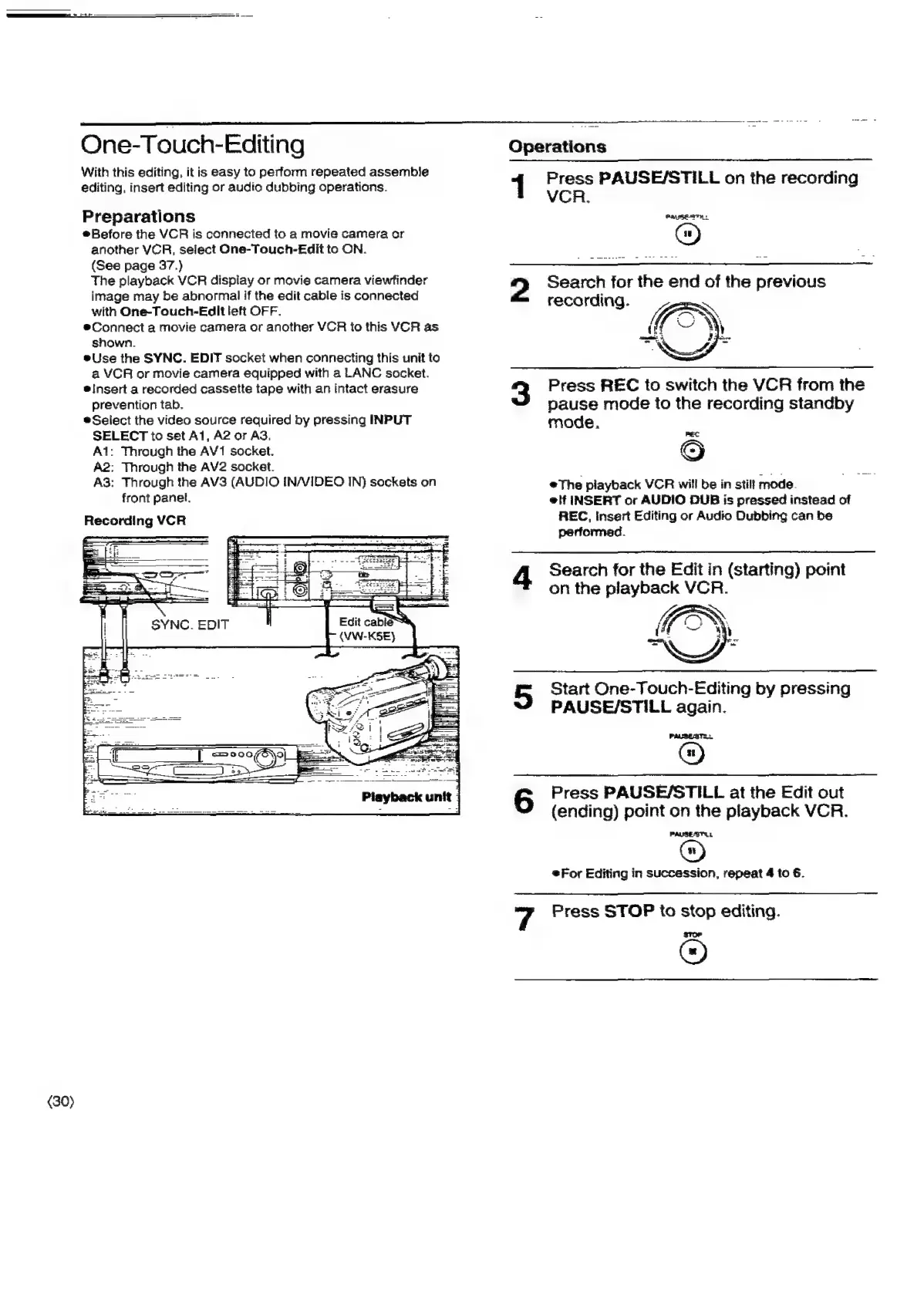
®Connect
a
movie
camera
or
another
VCR
to
this
VCR
as
shown.
eUse
the
SYNC.
EDIT
socket
when
connecting
this
unit
to
a
VCR
or
movie
camera
equipped
with
a
LANC
socket.
e!nsert
a
recorded
cassette
tape
with
an
intact
erasure
prevention
tab.
Select
the
video
source
required
by
pressing
INPUT
SELECT
to
set
A1,
A2
or
AS.
A1:
Through
the
AV1
socket.
A2:
Through
the
AV2
socket.
A3:
Through
the
AV3
(AUDIO
IN/VIDEO
IN}
sockets
on
front
panel.
Recording
VCR
Li.
i
ASPET
An
i
a
= a
=
--
aie
SYNC.
EDIT
Operations
|
Press
PAUSE/STILL
on
the
recording
VCR.
Pauses
2
Search
for
the
end
of
the
previous
recarding.
3
Press
REC
to
switch
the
VCR
from
the
pause
mode
to
the
recording
standby
mode.
6
The
playback
VCR
will
be
in
still
mode.
e@lf
INSERT
or
AUDIO
DUB
is
pressed
instead
of
REC,
Insert
Editing
or
Audio
Dubbing
can
be
performed.
4
Search
for
the
Edit
in
(starting)
point
on
the
playback
VCR.
5
Start
One-Touch-Editing
by
pressing
PAUSE/STILL
again.
PASSESTS
@)
S
Press
PAUSE/STILL
at
the
Edit
out
(ending)
point
on
the
playback
VCR.
PAMSEATU
*For
Editing
in
succession,
repeat
4
to
6.
7
Press
STOP
to
stop
editing.
Stuer
©

Related product manuals