EasyManua.ls Logo

Panasonic NV-SD350 - Connection to a Decoder

Panasonic NV-SD350
48 pages
Print Icon
To Next Page IconTo Next Page
To Previous Page IconTo Previous Page
Loading...
Connections
Setting
Up
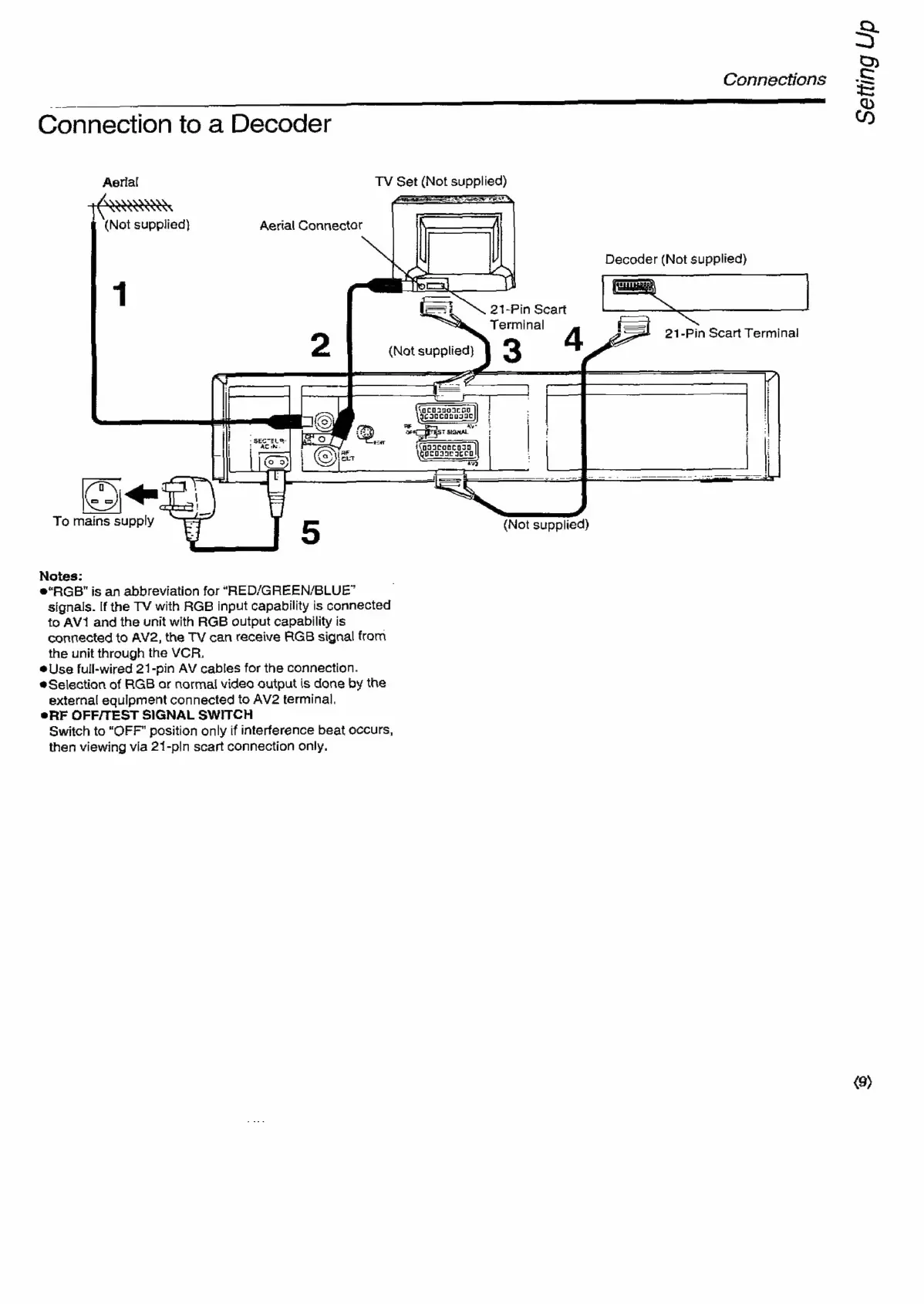
Connection
to
a
Decoder
Aerial
TV
Set
(Not
supplied)
ae
ere
(Not
supplied)
Aerial
Connector
Decoder
(Not
supplied)
Seat
1
21-Pin
Scart
Terminal
(Not
supplied}
3
4
3S)
-—-21-Pin
Scart
Terminal
Ca
KR,
moet
To
mains
supply
E}
5
(Not
supplied)
Notes:
®“RGB"
is
an
abbreviation
for
“RED/GREEN/BLUE*
signals.
If
the
TV
with
RGB
input
capability
is
connected
to
AV1
and
the
unit
with
RGB
output
capability
is
connected
to
AV2,
the
TV
can
receive
RGB
signal
from
the
unit
through
the
VCR.
Use
full-wired
21-pin
AV
cables
for
the
connection.
@Selection
of
RGB
or
normal
video
output
is
done
by
the
external
equipment
connected
to
AV2
terminal,
eRF
OFF/TEST
SIGNAL
SWITCH
Switch
to
“OFF”
position
only
if
interference
beat
occurs,
then
viewing
via
21-pln
scart
connection
only.
<9)

Related product manuals