EasyManua.ls Logo

Panasonic NV-SD350 - Page 15

Panasonic NV-SD350
48 pages
Print Icon
To Next Page IconTo Next Page
To Previous Page IconTo Previous Page
Loading...
©
S)
©
6
6
86
@
©
CVC
(Crystal
View
Control)
ON:
Using
the
CVC
function,
playback
and
recording
are
performed
In
the
state
which
achieves
ontimu
wm
nicture
quality
in
light
of
characteristics
of
a
tape.
#The
CVC
indicator
is
lit.
*This
control
should
normally
be
left
in
the
ON
position.
Turn
off
the
CVC
function.
@The
CVC
indicator
is
not
lit.
TIMER
REC
To
turn
the
timer
recording
function
on
and
off.
[5
is
iit
or
not
fit.
Once
operating
timer
record
ing
WOO
Annarsatinn
te
nnt
vwvwsie
pres
SALIWZIE
IW?
TIME
to
off.
AUDIO
DUB
To
set
up
the
VCR
for
audio
dubbing.
A
DUB
is
appeared
on
screen
display.
INSERT
To
set
up
the
VCR
for
insert
editing.
INSERT
is
appeared
on
screen
display.
PICTURE
To
make
picture
sharper
(SHARP)
or
softer
(SOFT).
COUNTER
RESET
To
reset
the
tape
counter
(elapsed
time)
to
“0:00.00”.
The
tape
counter
is
automatically
reset
to
“0:00.00”
when
a
video
cassette
is
inserted.
RF
tN
To
corinect
to
the
external
aerial.
CH
ADJ.
To
adjust
the
RF
transmitting
channel
30—42.
a
RF
OFF/TEST
SIGNAL
RF
OFF:
Set
to
this
position
when
the
VCR
is
connected
to
the
TV
via
the
21-pin
scart
cable.
TEST
SIGNAL
OFF.
Set
to
this
position
when
the
VCR
is
connected
to
the
TV
via
the
RF
coaxial
cable
only.
TEST
SIGNAL
ON:
Set
to
this
position
when
tuning
the
TV
into
the
VCR.
The
test
signal
is
transmitted
on
channel
36
initially.
OFF:
®
6
ing
Up
Controls
and
Connection
Sockets
Sett
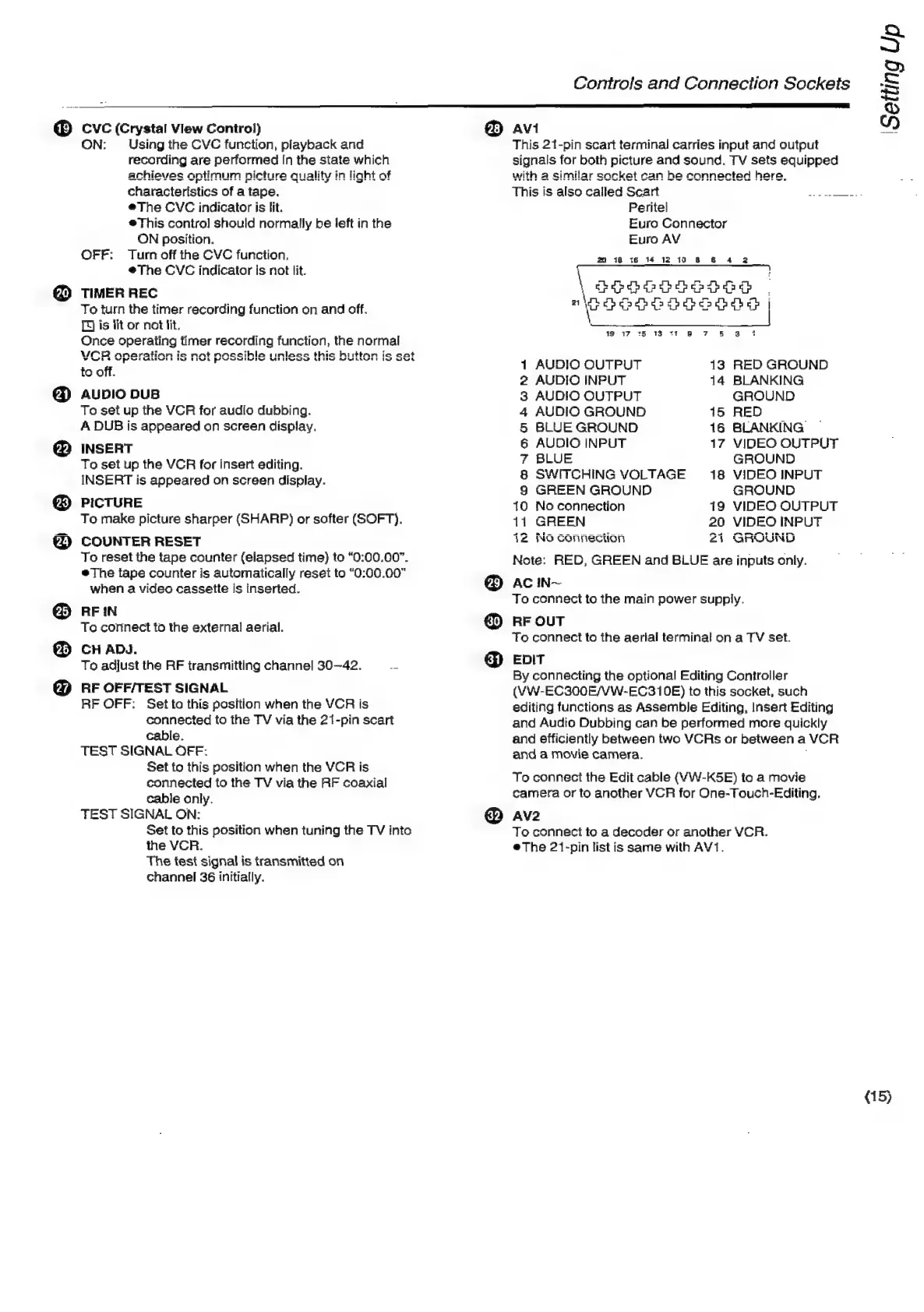
AVI
This
21-pin
scart
terminal
carries
input
and
output
signals
for
both
picture
and
sound.
TV
sets
equipped
with
a
similar
socket
can
he
connected
here,
This
is
also
called
Scart
sy
eRe
Peritel
Euro
Connector
Euro
AV
22
18
i6
14
12
10
8
&
4
2
ee
Repdbdpapepde
spa
"\eSeoe:
(enpean
me
hey:
I
Cees
Ole
eed
19 17
15 13
*1
9
7
&
38
1
AUDIO
OUTPUT
13
RED
GROUND
2
AUDIO
INPUT
14
BLANKING
3
AUDIO
OUTPUT
GROUND
4
AUDIO
GROUND
15
RED
5
BLUE
GROUND
16
BLANKING
6
AUDIO
INPUT
17
VIDEO
OUTPUT
7
BLUE
GROUND
8
SWITCHING
VOLTAGE
18
VIDEO
INPUT
S
GREEN
GROUND
GROUND
10
No
connection
19
VIDEO
OUTPUT
11
GREEN
20
VIDEO
INPUT
12
No
connection
21
GROUND
Note:
RED,
GREEN
and
BLUE
are
inputs
only.
AC
In~
Toe
connect
to
the
main
power
supply.
RF
OUT
To
connect
to
the
aerial
terminal
on
a
TV
set.
EDIT
By
connecting
the
optional
Editing
Controller
(VW-EC300E/VW-EC310E)
to
this
socket,
such
editing
functions
as
Assemble
Editing,
Insert
Editing
and
Audio
Dubbing
can
be
performed
more
quickly
and
efficiently
between
two
VCRs
or
between
a
VCR
and
a
movie
camera.
To
connect
the
Edit
cable
(VW-K5E)
to
a
movie
camera
or
to
another
VCR
for
One-Touch-Editing.
AV2
To
connect
to
a
decoder
or
another
VCR.
#The
21-pin
list
is
same
with
AV1.
(15)

Related product manuals