EasyManua.ls Logo

Panasonic NV-SD350 - Page 21

Panasonic NV-SD350
48 pages
Print Icon
To Next Page IconTo Next Page
To Previous Page IconTo Previous Page
Loading...
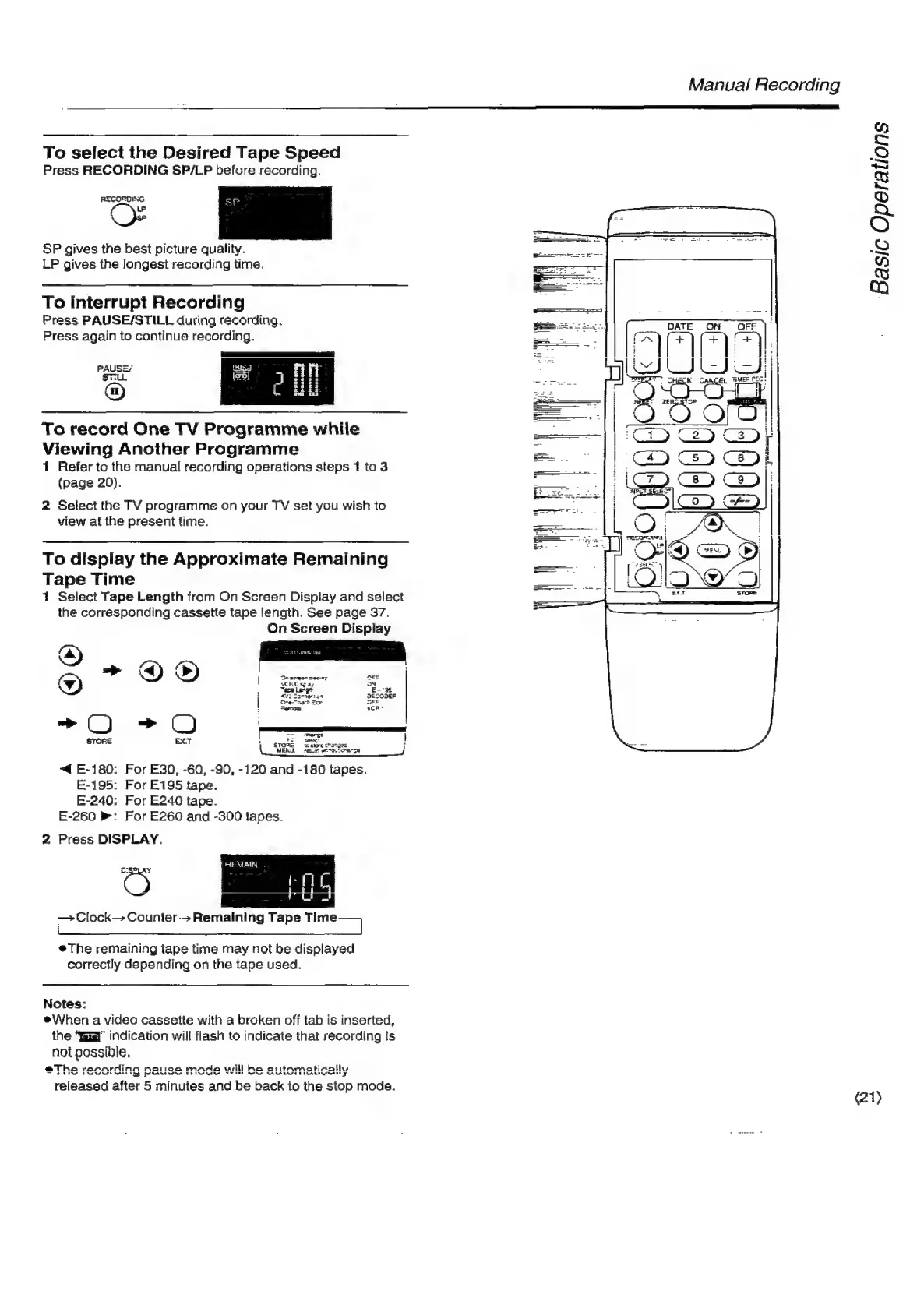
To
select
the
Desired
Tape
Speed
Press
RECORDING
SP/LP
before
recording.
RESORTING
sp
LP
SP
gives
the
best
picture
quality.
LP
gives
the
longest
recording
time.
To
interrupt
Recording
Press
PAUSE/STILL
during
recording.
Press
again
to
continue
recording.
To
record
One
TV
Programme
while
Viewing
Another
Programme
1
Refer
to
the
manual
recording
operations
steps
1
to3
(page
20).
2
Select
the
TV
programme
on
your
TV
set
you
wish
to
view
at
the
present
time.
To
display
the
Approximate
Remaining
Tape
Time
1
Select
Tape
Length
from
On
Screen
Display
and
select
the
corresponding
cassette
tape
length.
See
page
37.
On
Screen
Display
>
7
-~O
=O
:
_
STORE
EXT
TOE
Spore
ctanges
MEN.
soto
“DL
oA
58
“fq
E-180:
For
E30,
-60,
-90,
-120
and
-180
tapes.
E-195:
For
E195
tape.
E-240:
For
E240
tape.
E-260
:
For
E260
and
-300
tapes.
2
Press
DISPLAY.
HE
MAIN,
C>
Loc
PA
Ane
ot
|
Clock
Counter
>
Remaining
Tape
ne]
#The
remaining
tape
time
may
not
be
displayed
correctly
depending
on
the
tape
used.
Notes:
eWhen
a
video
cassette
with
a
broken
off
tab
is
inserted,
the
“fag”
indication
will
flash
to
indicate
that
recording
Is
not
possible,
@Tha
rannrdina
Sica
rm
EEN
TR
NEE
bg
a
anda
will
ha
artamatically
RAN
ERIN
AY
OF
Nr
CARE
ECARD
NtEE
7
p
released
after
5
minutes
and
be
back
to
the
stop
mode.
Manual
Recording
ations
é
Basic
Oper.
(21)

Related product manuals