10
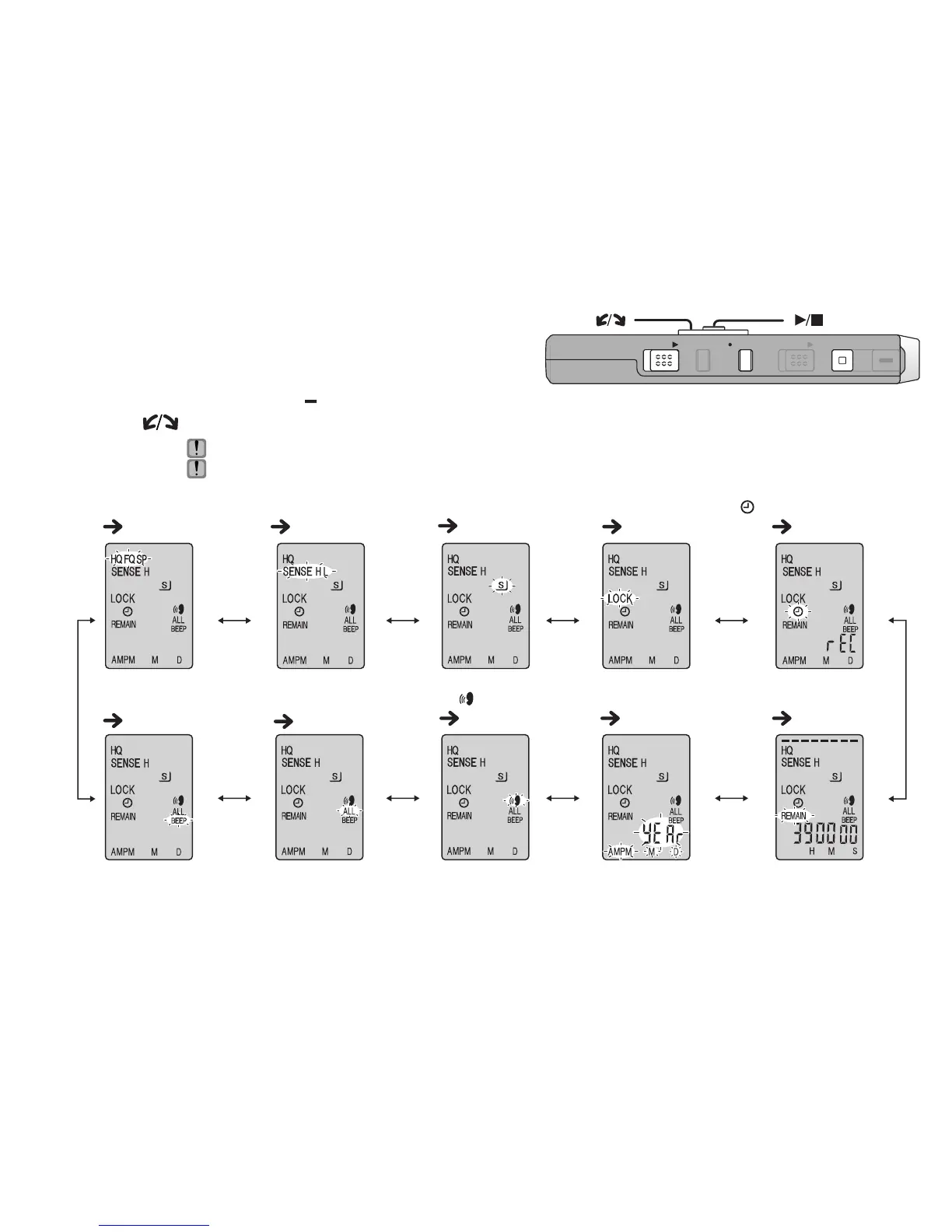
RQT8824
1 Press and hold
[
*
FOLDER/ MENU]
for 1 second or longer (while stopped) to display menus.
2 Tu r n [ ] and press [
q
/
g
] to confirm.
Ú1 Displayed only when a Meeting Recording folder (A, B, C or S) is selected.
Ú2 Displayed only when there is a recorded file.
Ú3 Displayed only when the clock is set.
List of menus
Press [STOP] to stop an operation midway/cancel the setting.
If an operation is not started within 60 seconds, unfinished settings are canceled.
Setting the time
(
page 11)
VAS
( page 15)
Successive play
( page 18)
Operation beep
( page 11)
Remaining recording time
( page 13)
Microphone sensitivity
Ú1
( page 12)
Timer recording
Ú3
( page 15)
Lock
Ú2
( page 19)
Recording mode
Ú1
( page 12)
Security
(
page 20)
ZOOMHOLD
ERASE FOLDER
STOP
REC
/
PAU S E
[]
[]















 To Next Page