16
RQT8824
Press
[
*
FOLDER/ MENU].
Each time you press
g While a file is being played
Adjusting the volume
Tilt the joystick to [[
/
]]. (Volume range is 0 to 20. Factory setting is 13.)
Moving forward
Tilt the joystick to [o].
Tilt and hold to search (
page 17).
Moving backward
Tilt the joystick to [p].
Tilt it twice to play the previous file. (Tilting once starts the playback of the previous
file when it has been playing for less than 3 seconds.)
Tilt and hold to search (
page 17).
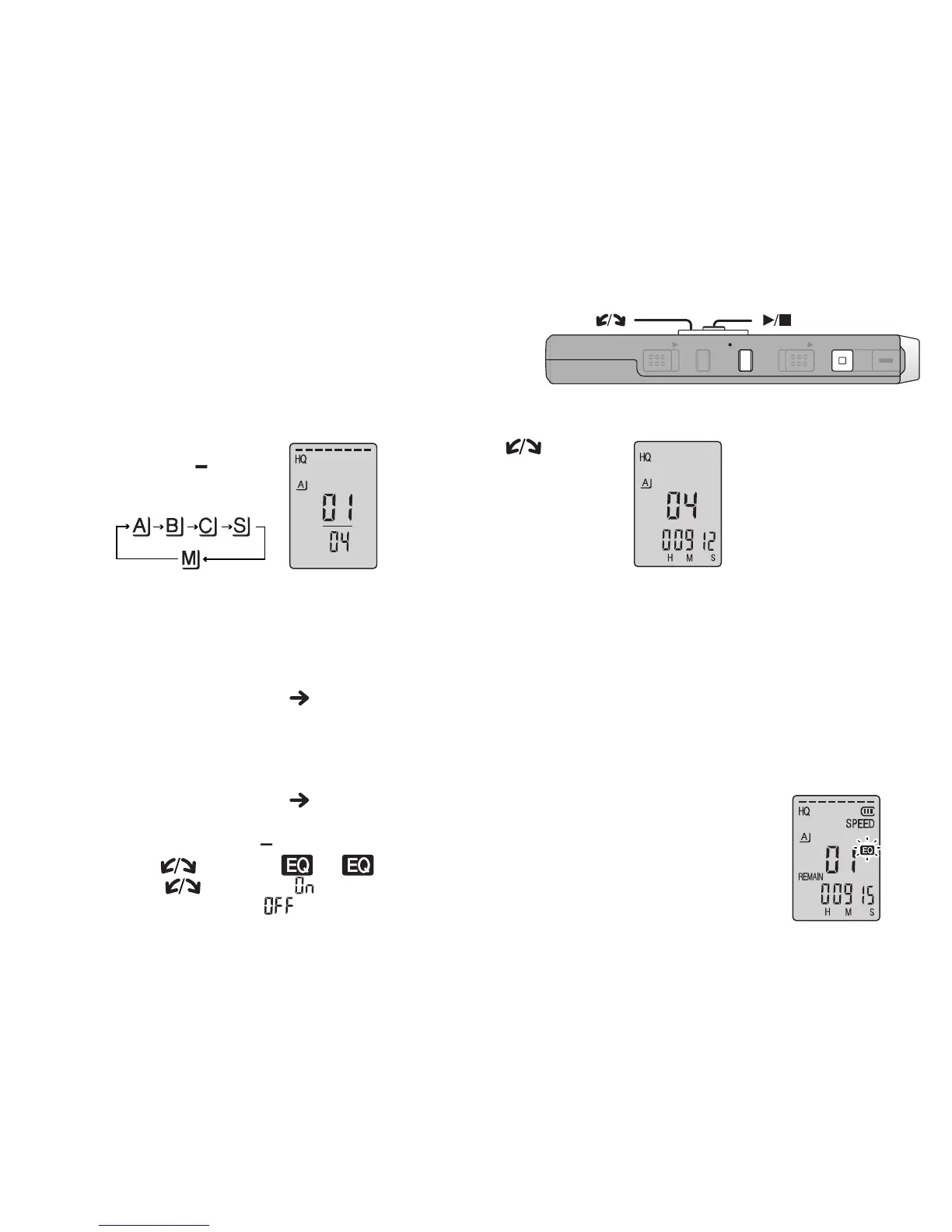
Making recorded sounds easier to catch (reducing noise)
1Press [
*
FOLDER/ MENU] while playing.
2
Tu r n [ ] to select “ ” (“ ” flashes when selected) and press [
q
/
g
] to confirm.
3Tu r n [ ] to select “ ” and press [
q
/
g
] to confirm.
*To cancel, select “
” in step 3.
Playing
1
Select the folder
2
Select the file
3
Play
Tu r n [ ].
Press
[
q
/
g
].
*After selection,
information at the
time of recording
is displayed.
* When you press
[
q
/
g
] again,
playback pauses.
Press once
more to resume
playback.
ZOOMHOLD
ERASE FOLDER
STOP
REC
/
PAU S E
[]
[]
[[/]][p/o]















 To Next Page