25
RQT8824
3
Starting Voice Editing
1
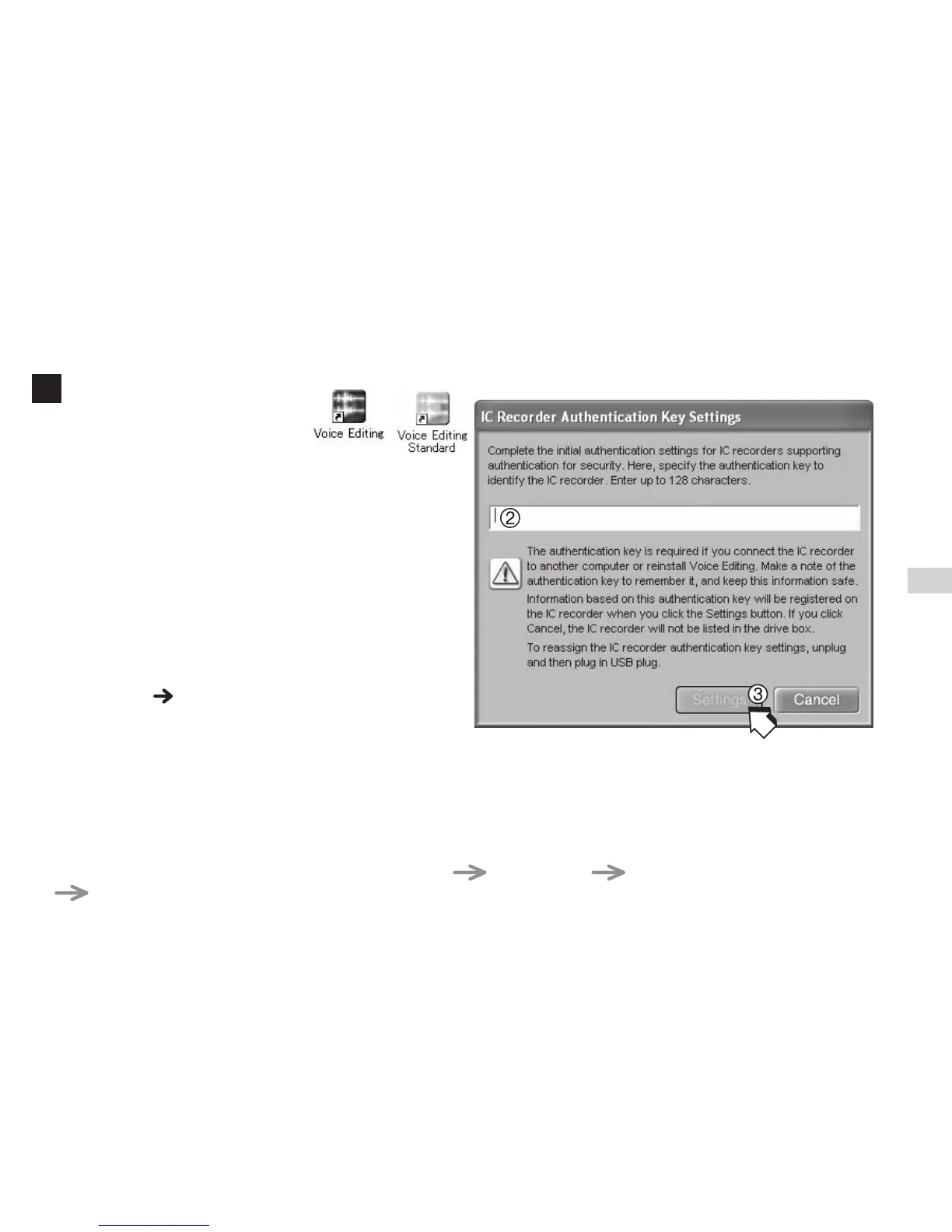
Double-click the “Voice
Editing” icon on the desktop.
After double clicking, a dialog box for entering
the authentication key appears.
2Enter the “authentication key”.
• Enter an “authentication key” that has 1 to
128 characters.
•
We recommend that you use a phrase that is
easy to remember for the “authentication key”.
Example:
Good morning, this is Matsushita
Electric Industrial Co., Ltd. How
can I help you?
•
Write down the authentication key in the MEMO
space ( page 20) to keep it in memory.
3
Click “Settings” in the “IC Recorder
Authentication Key Settings” dialog box
.
4
Click “Yes” in the confirmation dialog box.
See Voice Editing Ver. 2.0 Operating Instructions (PDF file) for how to use Voice Editing and other
information not provided in this manual.
g Using the Operating Instructions (PDF file)
In the Windows “Start” menu, click “All Programs” “Panasonic” “Voice Editing”
“Voice Editing Operating Instructions” or in the “Help (H)” menu in the Voice Editing main screen,
click “Operating Instructions (H)”.
Reference















 To Next Page