31
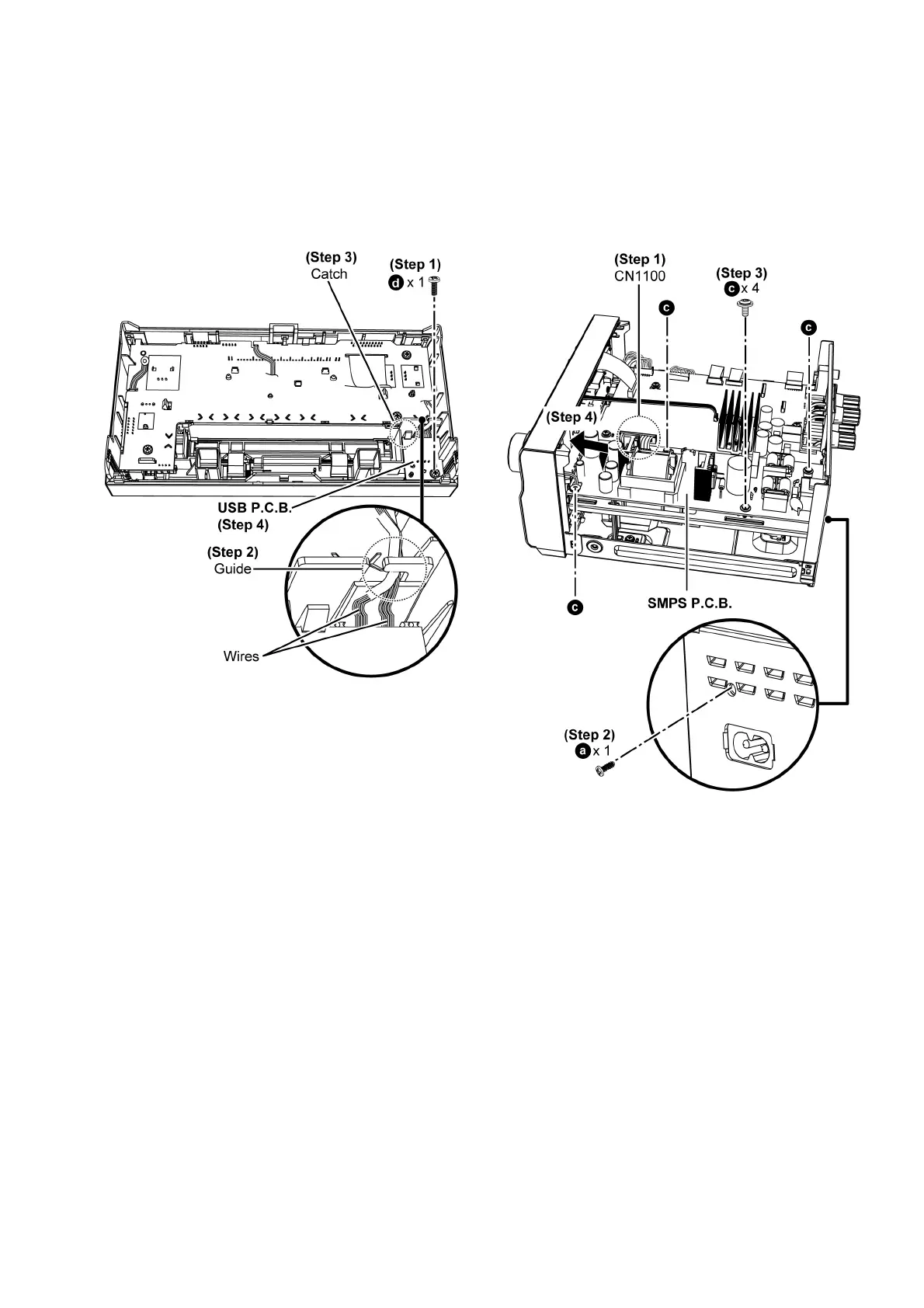
8.9. Disassembly of USB P.C.B.
• Refer to “Disassembly of Top Cabinet”
• Refer to “Disassembly of Front Panel Unit”
Step 1 : Remove screw.
Step 2 : Release wires from the guide.
Step 3 : Release catch.
Step 4 : Remove USB P.C.B..
8.10. Disassembly of SMPS P.C.B.
• Refer to “Disassembly of Top Cabinet”
Step 1 : Detach 15P Wire at connector (CN1100) on Main
P. C .B . .
Step 2 : Remove screw.
Step 3 : Remove 4 screws.
Step 4 : Lift up to remove SMPS P.C.B..





 To Next Page