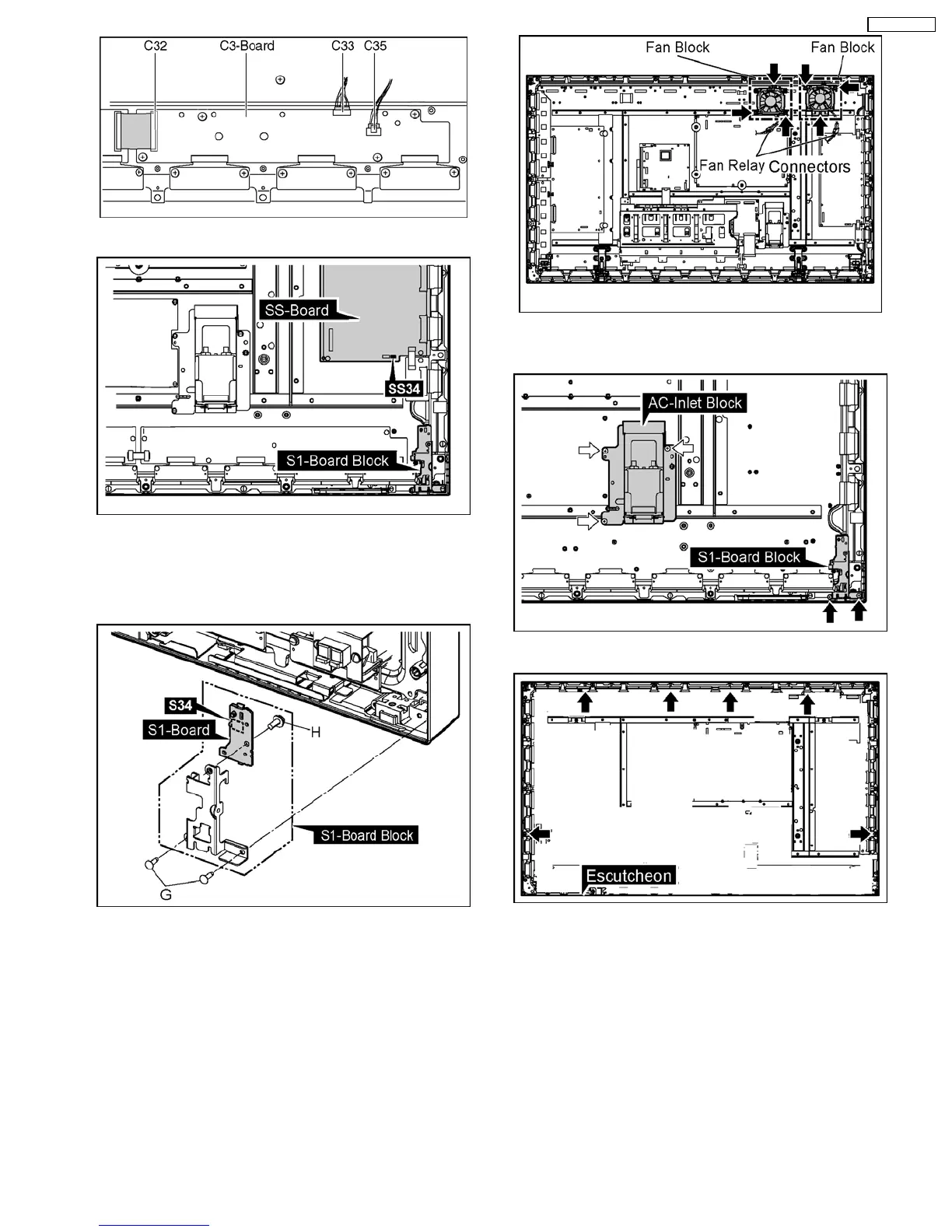
37. Disconnect the connector (SS34).
38. Remove 2 screws(G) and then remove the S1-Board Block.
39. Disconnect the connector (S34).
40. Remove 1 screw(H) and then remove the S1-Board.
41. Remove the Flexible Cable from the connectors (C20, C21,
C22).
42. Disconnect the Fan Relay Couplers.
43. Remove each 3 screws and then remove 2 Fan Blocks.
44. Remove 2 screws and then remove the S1-Board Block.
45. Remove 3 screws and then remove the AC-Inlet Block.
46. Remove 6 screws of the Escutcheon.
47. Pull the bottom of the Plasma Panel forward (arrow1).
48. Slide the Plasma Panel and then remove the Plasma Panel
(arrow2).
17
TH-50PH10UK






 To Next Page