41
1
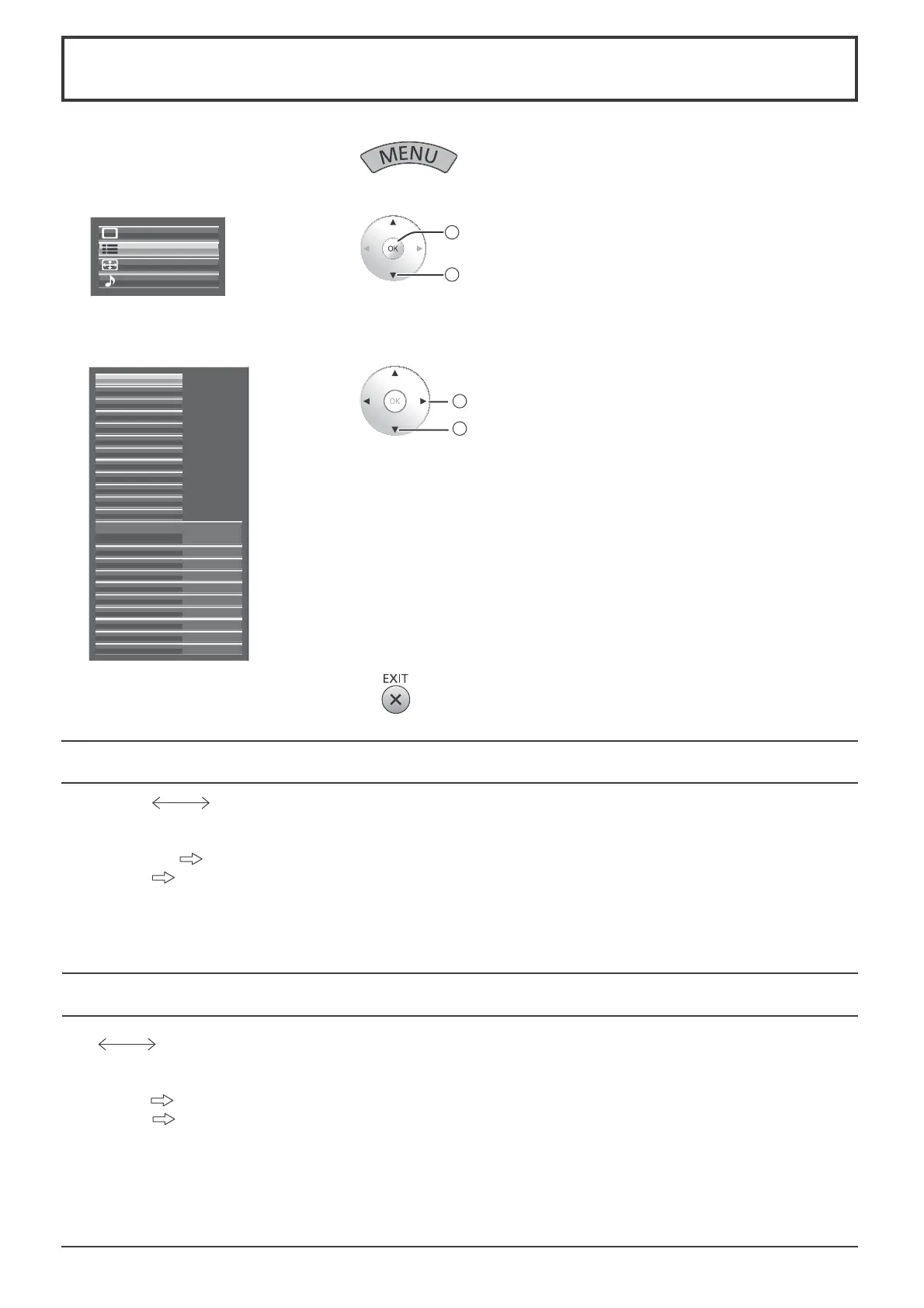
Display the menu screen.
2
Select “Setup”.
Setup
Pos. /Size
Sound
Picture
2
access
1
select
3
Select the item and set.
External scaler mode
Power save
PC Power management
No signal power off Disable
No activity power off Enable
Off
Off
Standby save On
Off
OSD design Type1
OSD position Upper left
OSD Language English (UK)
Signal
Waveform Monitor
Marker settings
RGB/MONO settings
Extended life settings
Screensaver
Network Setup
Input label
Function Button Settings
On/Off Timer Setup
Day/Time Setup
Component/RGB-in select
RGB
3D Settings
2
adjust
1
select
4
Exit the menu.
Setup menu
Component / RGB-in select
Component RGB
Select to match the signals from the source connected to the Component / RGB or PC input terminals.
Y, P
B
, P
R
signals “Component”
RGB signals
“RGB”
Note:
Make setting of the selected input terminal (COMPONENT RGB IN or PC IN).
YUV / RGB-in select
YUV RGB
Select to match the signals from the source connected to the DVI input terminals.
YUV signals
“YUV”
RGB signals
“RGB”
Notes:
• Selection may not be possible, depending on which optional board is installed.
• Make setting of the selected input terminal (SLOT).









 To Next Page