64
Using Network Function
This unit has a network function to control the network connected display with your computer.
Note:
To use the network function, set each “Network Setup” setting and make sure to set the “Control I/F Select” to “LAN”.
(see page 59)
When “LAN” is set, power is supplied to LAN circuit, and power indicator is lit orange under the condition of power
“Off” with remote control (stand-by state).
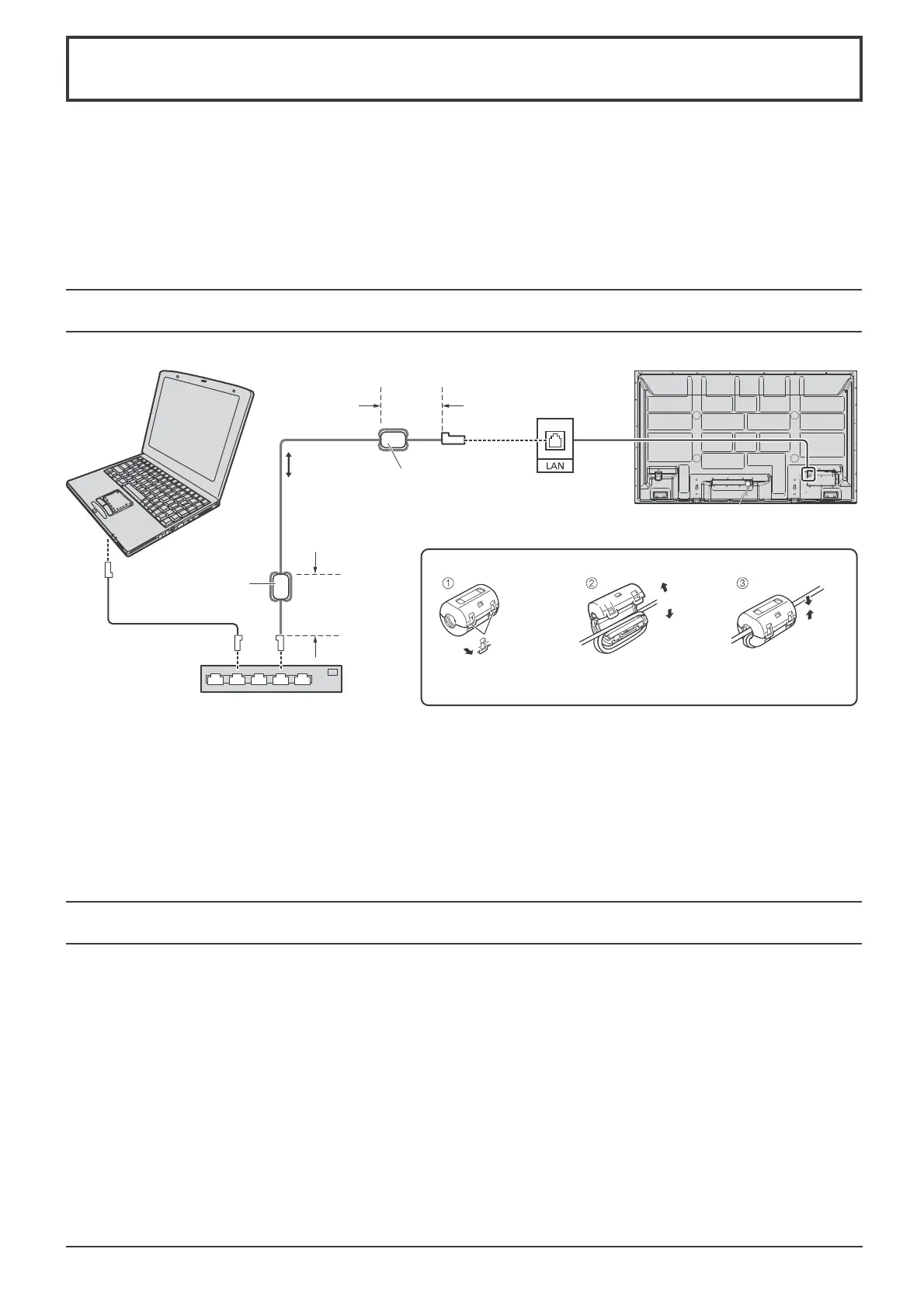
Example of Network Connection
Command Control
Notes:
• Make sure the broadband router or hub supports 10BASE-T/100BASE-TX.
• To connect a device using 100BASE-TX, use “category 5” LAN cable.
• Touching the LAN terminal with a statically charged hand (body) may cause damage due to its discharge.
Do not touch the LAN terminal or a metal part of the LAN cable.
• For instructions on how to connect, consult your network administrator.
Network function of the unit can control the unit in the same way as serial control from a network.
Supported commands
Commands used in the serial control are supported. (see page 14)
Note:
Consult your local Panasonic dealer for detail instructions on command usage.
Display (main unit, rear)
Hub or broadband router
LAN cable
(not supplied)
COMPUTER
Less
than
10 cm
Less
than
10 cm
Ferrite core
(supplied)
Ferrite core
(supplied)
Installing the Ferrite core
Pull back the tabs
(in two places)
Wind the cable
twice
Open
Press the cable
through and close









 To Next Page