52
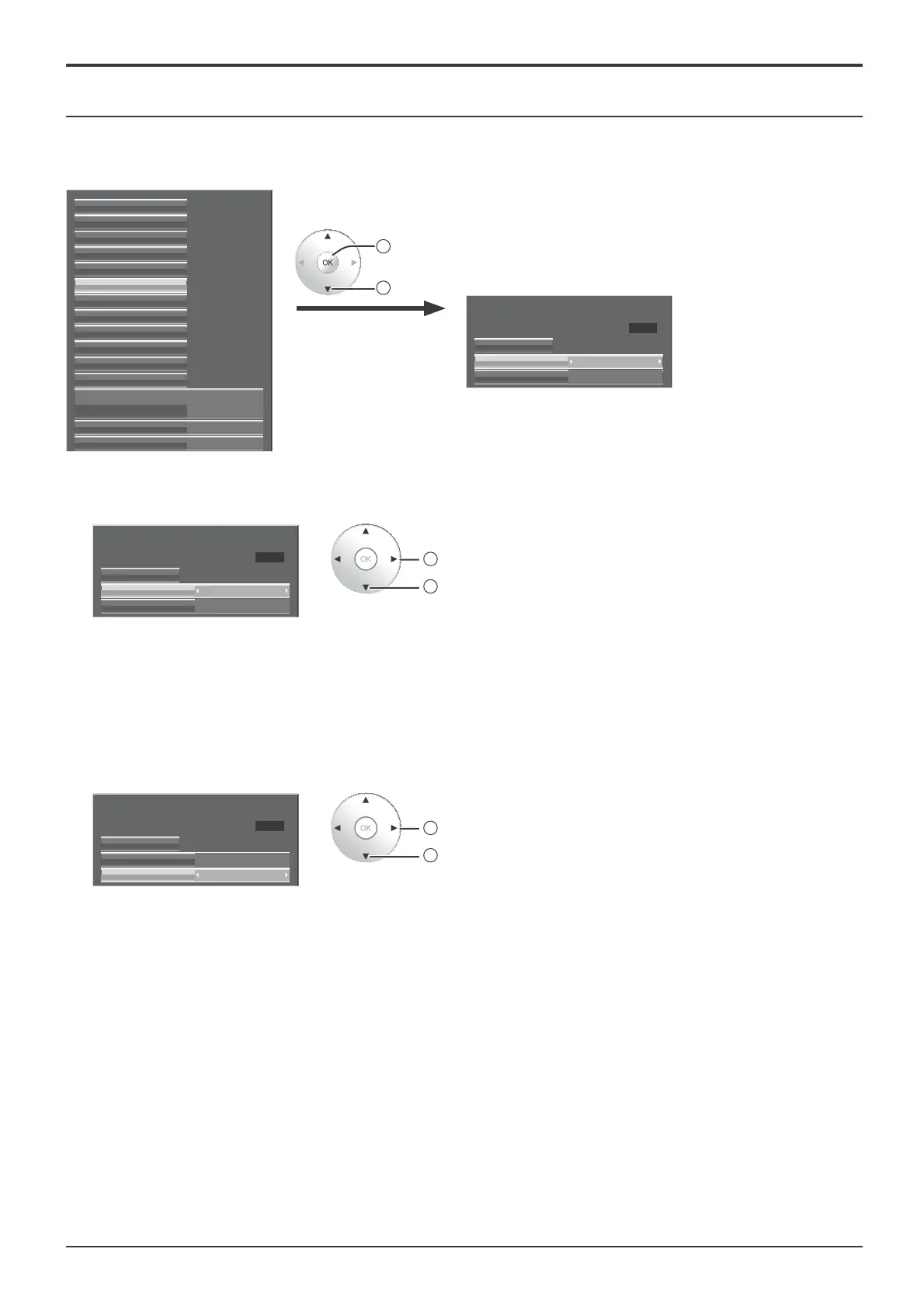
Screensaver
Setup menu
Do not display a still picture, especially in 4:3 mode, for any length of time.
If the display must remain on, a Screensaver should be used.
External scaler mode
Power save Off
Off
Signal
Waveform Monitor
Marker settings
RGB/MONO settings
Extended life settings
Screensaver
Network Setup
Input label
Function Button Settings
On/Off Timer Setup
Day/Time Setup
Component/RGB-in select
RGB
3D Settings
2
access
1
select
Screensaver
Negative image
Start
Function
Time 15:00
Mode Off
1
Function selection
Screensaver
Negative image
Start
Function
Time 15:00
Mode Off
2
change
1
select
Negative image : Negative image will be displayed on the screen.
Scrolling bar only : A white bar will scroll from left to right. The image won't
be displayed.
Overlay scrolling bar : The brightness of the image will be decreased and a
white bar will scroll on it.
White screen : The whole screen will be white.
2
Mode selection
Screensaver
Negative image
Start
Function
Time 15:00
Mode
On
2
change
1
select
Off
Interval: Operates when Periodic Time and Operating Time are setup and
those times arrive.
Time Designation: Operates when Start Time and Finish Time are setup
and those times arrive.
Standby after SCR Saver: Operates while Screensaver duration, and
display enters standby mode.
On: Operates when Start is selected and the OK button is pressed.









 To Next Page