50
Setup menu
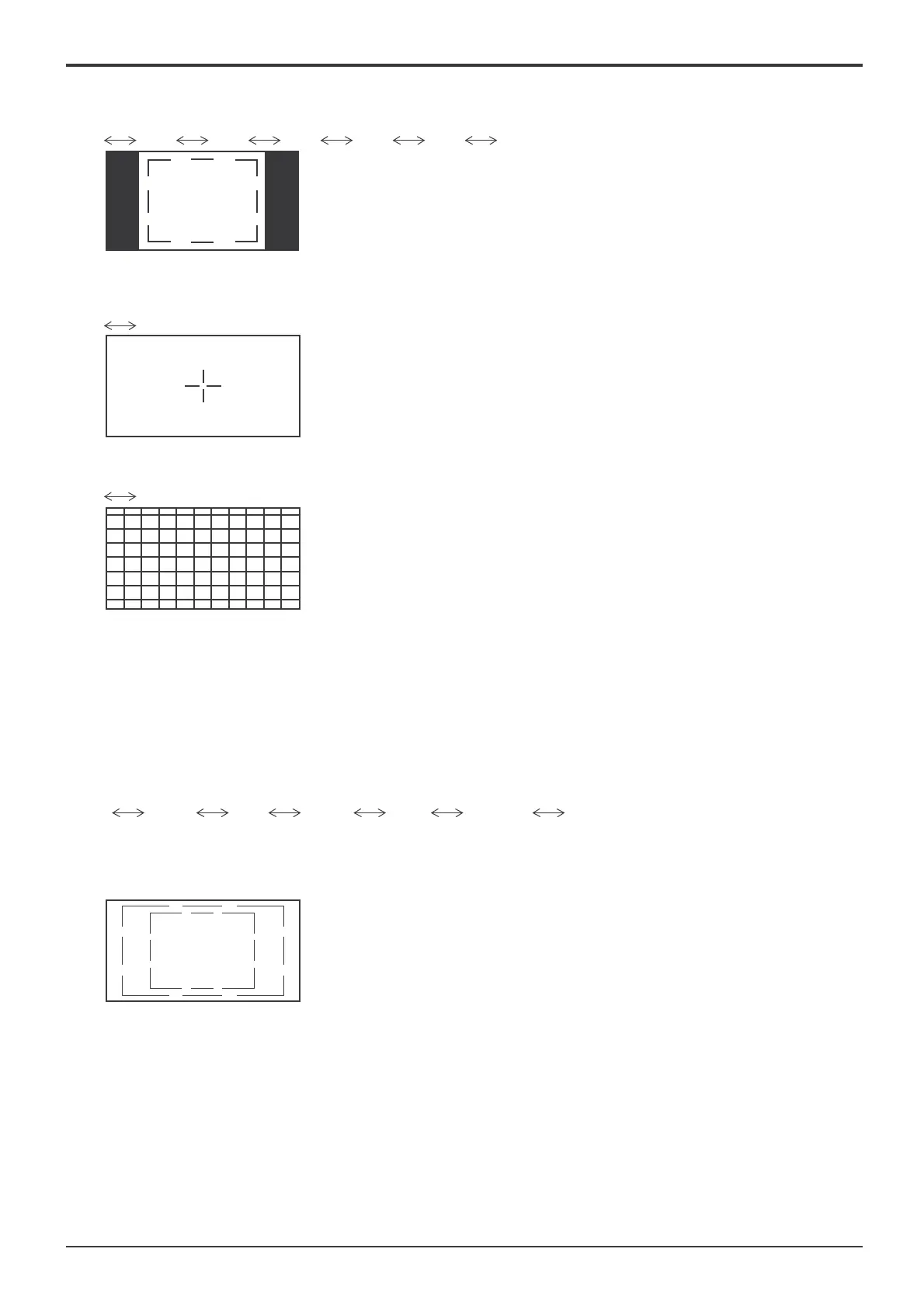
• 4 : 3
Select 4:3 marker display and the safe area marker type.
Off
95% 93% 90% 88% 80% User
• Selecting User allows the marker area set in 1% increments
in “Marker Size (%)” to be reÀ ected in the con¿ guration of
safe area marker.
90% Area marker
• Centre
The centre marker is displayed.
Off
On
• Cross Hatch
The markers at regular vertical and horizontal intervals are displayed.
Off
On
• Marker Size (%)
User setting for the marker area can be con¿ gured.
80% - 100%
This setting is valid for the selection of “User” in “16:9” or “4:3.”
• Brightness
Brightness is set for each marker.
1 – 5
• Colour
Colour is set for each marker.
Red
Green Blue Yellow Cyan Magenta Gray
Note:
Several markers can be displayed at once.
(Example)
16:9 marker:
95% safe area marker
4:3marker: 80% safe area marker









 To Next Page