13
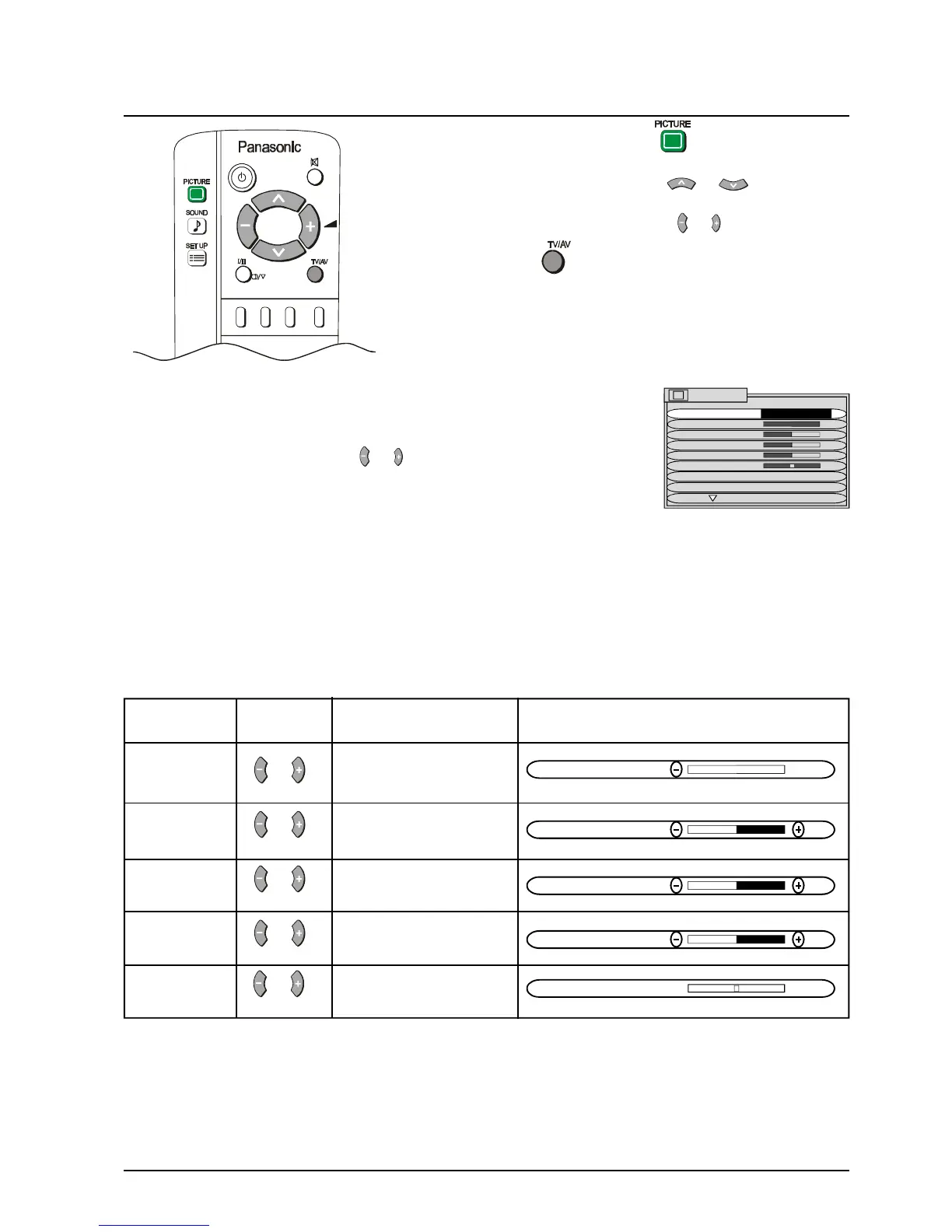
Picture Menu Operation
Notes:
1. You can change the level for each function (Contrast, Brightness, Colour, Sharpness and NTSC-Tint) for
each picture menu option.
2. Picture menu levels can be set for TV, AV1, AV2, AV3 and AV4 modes.
3. NTSC-TINT only appears when the TV is receiving NTSC signals.
4. Only CONTRAST will be displayed in TELETEXT mode.
1 Push the PICTURE button.
2 Select the option menu using or .
3 Adjust the chosen option using or
Push the TV/AV at any time to return to watching TV.
CONTRAST, BRIGHTNESS, COLOUR, SHARPNESS, NTSC-TINT
MENU The MENU control allows you to change the
Picture setting between Dynamic, Standard and
Soft.
Use the or buttons to switch between
settings.
DYNAMIC For viewing in brightly lit rooms. This menu selects higher than
normal levels of Brightness and Contrast.
STANDARD For viewing in normal (evening lighting) environments. This
menu selects the normal levels of Brightness and Contrast.
SOFT For viewing in a dark room. This menu selects reduced levels of
Brightness and Contrast.
Adjust for best picture
CONTRAST contrast.
Less More
Adjust for easier viewing
BRIGHTNESS of dark pictures such as
Darker Brighter night scenes.
COLOUR Adjust the level of colour
Less More in the picture.
SHARPNESS Adjust to make the
Softer Sharper picture sharper or softer.
NTSC-TINT Adjust for best skin
Redish Greenish tones.
CONTRAST
BRIGHTNESS
COLOUR
SHARPNESS
NTSC-TINT
Item Effect Function On-Screen Indication
PICTURE
MENU DYNAMIC
CONTRAST
BRIGHTNESS
COLOUR
SHARPNESS
NTSC-TINT
C. TEMP STANDARD
P-NR AUTO



 To Next Page