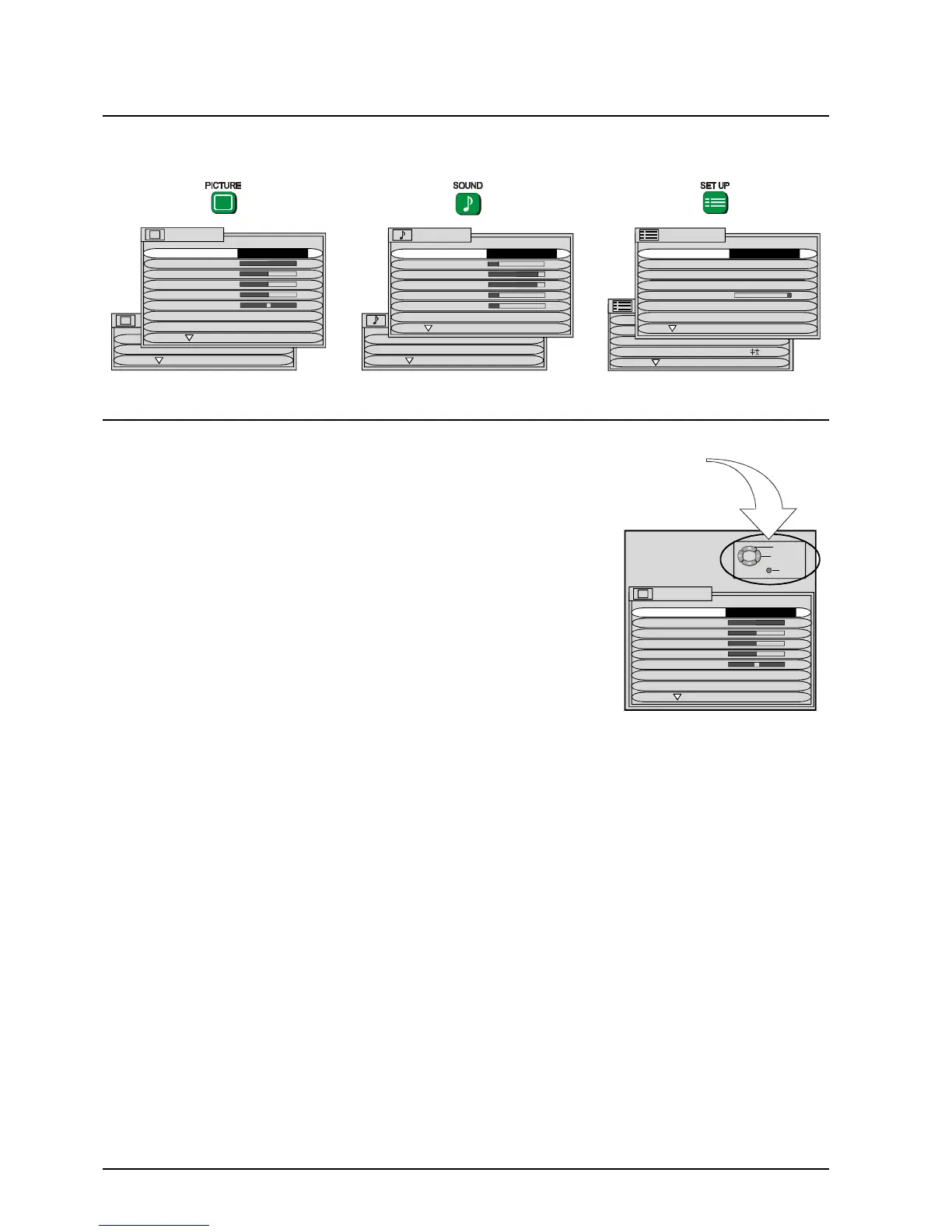
12
PICTURE
AI ON
SCAN MODE AUTO
PICTURE
MENU DYNAMIC
CONTRAST
BRIGHTNESS
COLOUR
SHARPNESS
NTSC-TINT
C. TEMP STANDARD
P-NR AUTO
Using The On Screen Displays
Many features available on this TV can be accessed via the On Screen Display menu
system. Use the remote control to access and adjust features as required.
An on screen help box is displayed whenever a menu is displayed on
the TV. This help box indicates which keys on the remote control are
used to navigate the menu shown. See above for descriptions of button
functions.
Note:
The help box is not shown in the menu pictures in this manual due to
space limitations.
ON SCREEN HELP
Instruction box
SELECT
CHANGE
TV/AV EXIT
PICTURE
MENU DYNAMIC
CONTRAST
BRIGHTNESS
COLOUR
SHARPNESS
NTSC-TINT
C. TEMP STANDARD
P-NR AUTO
CHILD LOCK OFF
TUNING MENU
GEOMAGNETIC
LANGUAGE ENGLISH
SET UP MENU
SET UP MENU
TELETEXT TOP
OFF TIMER OFF
FLICKER REDUC OFF
STROBE
CH COLOUR SET
VCR/GAME OFF
TEXT SELECT ENGLISH
SOUND
DIGITAL AUDIO
SURROUND MENU
SOUND
MENU DYNAMIC
VOLUME
BASS
TREBLE
HEADPHONE VOL
SUBHEADPHONE
SUB WOOFER NORMAL







 To Next Page