99
ENTERTAINMENT
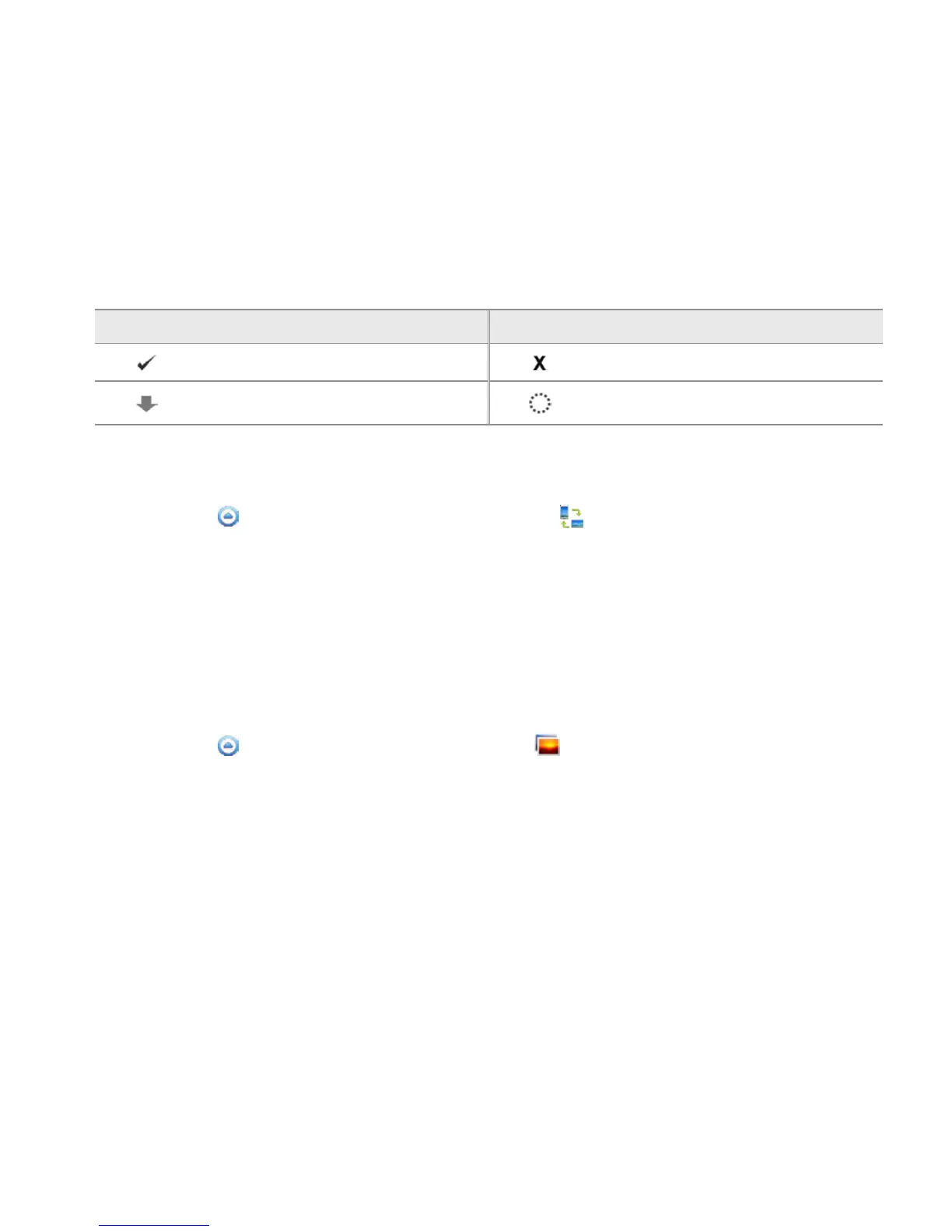
ICONS FOR DOWNLOAD STATUS DISPLAY
Icon Selected to Icon Selected to
A file is completely downloaded A file is not downloaded
A file is being downloaded A file is waiting for download
PLAYING MEDIA FILES ON ANOTHER DEVICE
1 Touch Apps from the Home Screen. Touch Net Media .
2 Touch My phone. You can see the player list that includes devices which can play contents.
3 Select a device and touch Save. Now the selected device is set as a player.
4 Touch Photos, Songs or Videos that you want to play.
5 Touch the media file to play.
PLAYING FILES FROM MY PHONE ON ANOTHER DEVICE
1 Touch Apps from the Home Screen. Touch Gallery .
2 Touch and hold files to share and touch Share.
3 Touch Net Media.
4 In the list:
x Touch Remote if you want to play files on another device such as TV, PC, and laptop.
x Touch Upload if you want to upload files to another device, touch the upload server and follow
the instructions.
x Touch Print if you want to print files using another device and follow the instructions.



 To Next Page