17
GETTING STARTED
CHARGING THE BATTERY
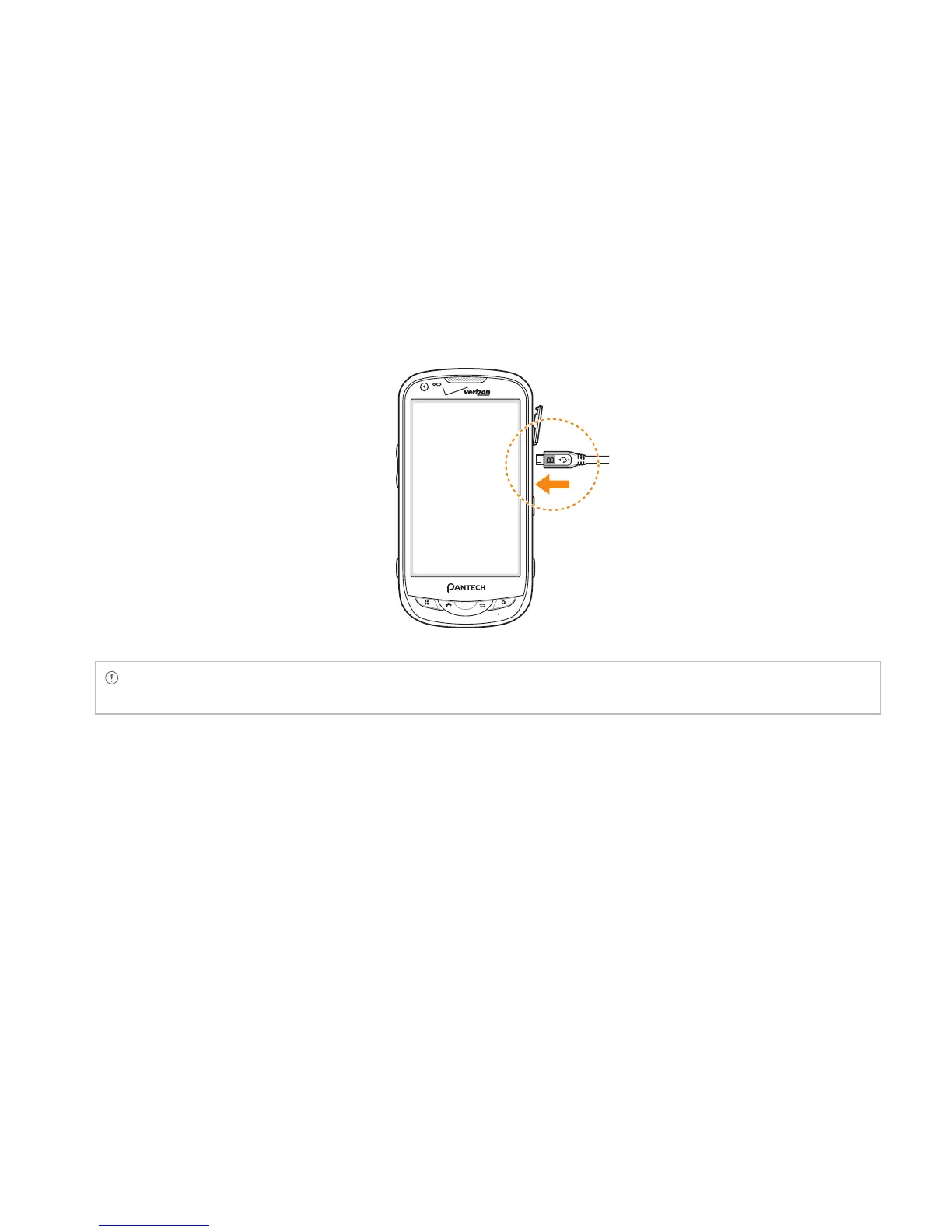
1 Connect the USB cable into the Wall/USB Charger.
Note Make sure to align the connector as indicated in the image. Otherwise, the charging connector will be
damaged and the battery will not be charged.
2 Plug the USB cable into the phone’s Charging Port. Plug the Wall/USB Charger into an electrical
outlet. The battery starts charging.
3 Disconnect the charger when the battery is fully charged.
POWERING YOUR PHONE ON/OFF
It’s important to fully charge the battery before turning on your phone.
1 Ensure that the 4G SIM card and the battery are safely installed in your phone.
2 Press and hold the Power/Lock Key F E for a few seconds until the screen lights up.
3 To turn off the phone, press and hold the Power/Lock Key F E until the pop-up menu appears.



 To Next Page