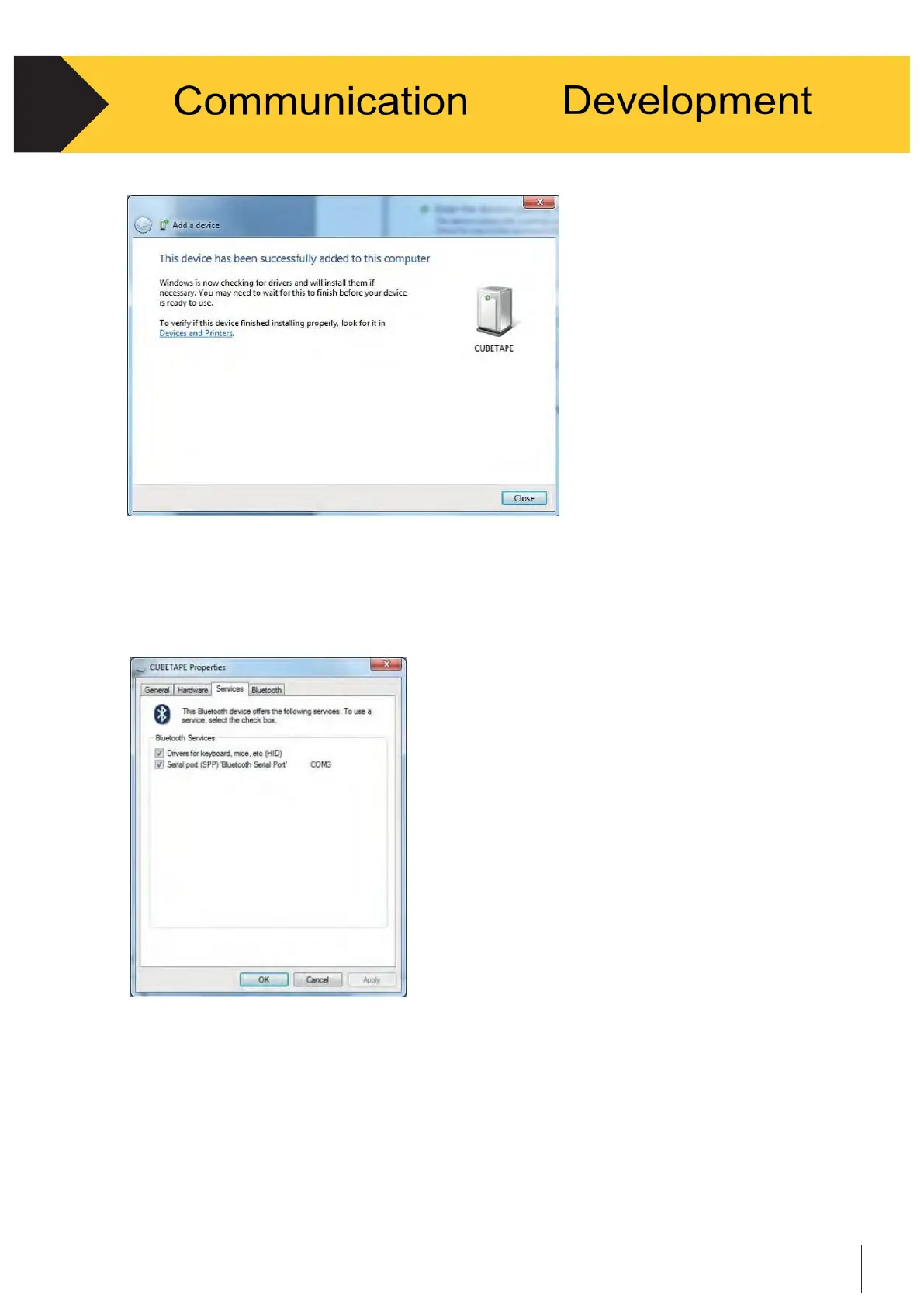
Figure 4-4
•
To confirm which services and ports are in use right click on Cubetape in
“Bluetooth Devices” and select “Properties.” The “Services” tab displays the
services and the COM port in use. See Figure 4-5.
Figure 4-5
•
Cubetape is now connected and data can be transferred under the
Serial Port Profile (SPP).
* Please note that the above instructions must be followed in sequence
strictly, otherwise the application might not respond or breakdown.


 To Next Page