4.2.2.2
iOS Connection
•
Turn on C190CubetapePRO.
•
Enter Settings on Cubetape, inside the Bluetooth option, select “BT HID” by pressing
.
See Chapter 3 Section 3.2.1.1 for more detail, or configure from Cubetape Manager.
•
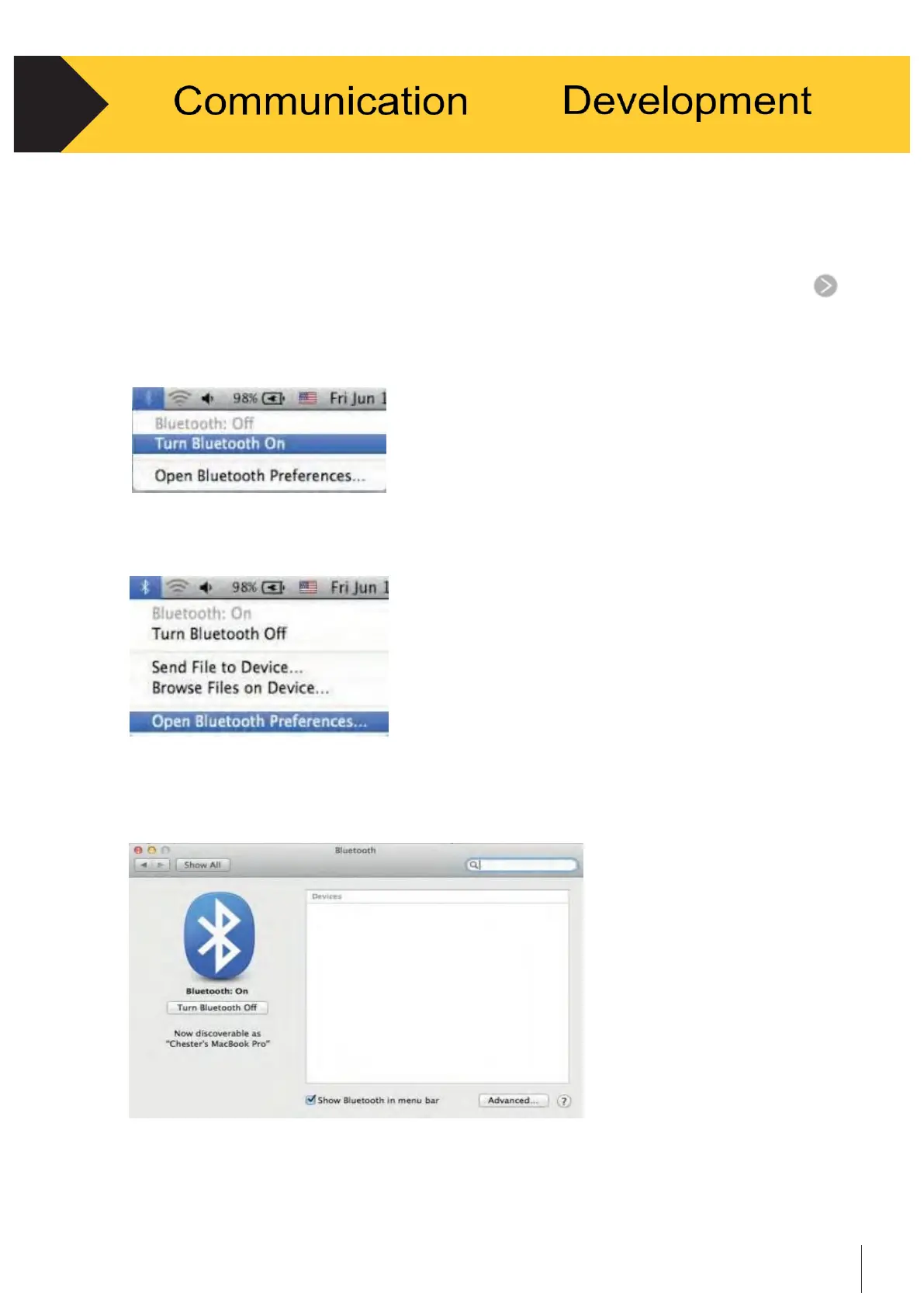
Turn on the Bluetooth switch on the upper right corner of the task bar. See Figure 4-6.
Figure 4-6
•
Select “Open Bluetooth Preferences.” See Figure 4-7.
Figure 4-7
•
Find Cubetape in the searching window, this may take a while or be repeated if
not successful at first. See Figure 4-8.
Figure 4-8


 To Next Page