•
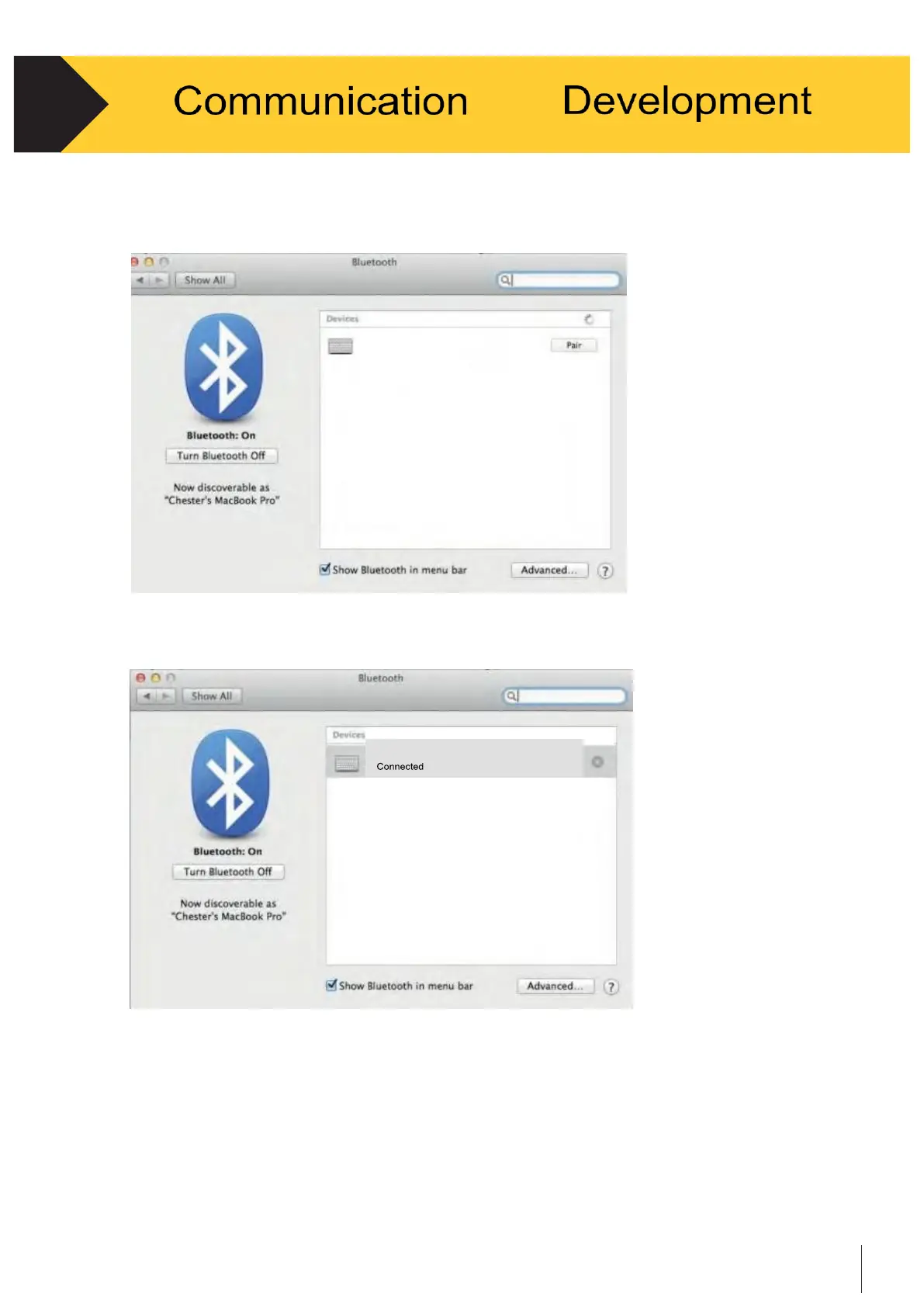
When Cubetape is discovered by the system, select “Pair” to connect with Cubetape.
See Figure 4-9.
Figure 4-9
•
When pairing is successful, a small subtext indicating “connected” will be displayed
underneath the Cubetape icon. See Figure 4-10.
Figure 4-10
•
Cubetape is now connected and data can be transferred under the Human Interface
Device Profile (HID).
* Please note that the above instructions must be followed in sequence otherwise the
application might not respond or breakdown.
Cubetape
Cubetape –


 To Next Page