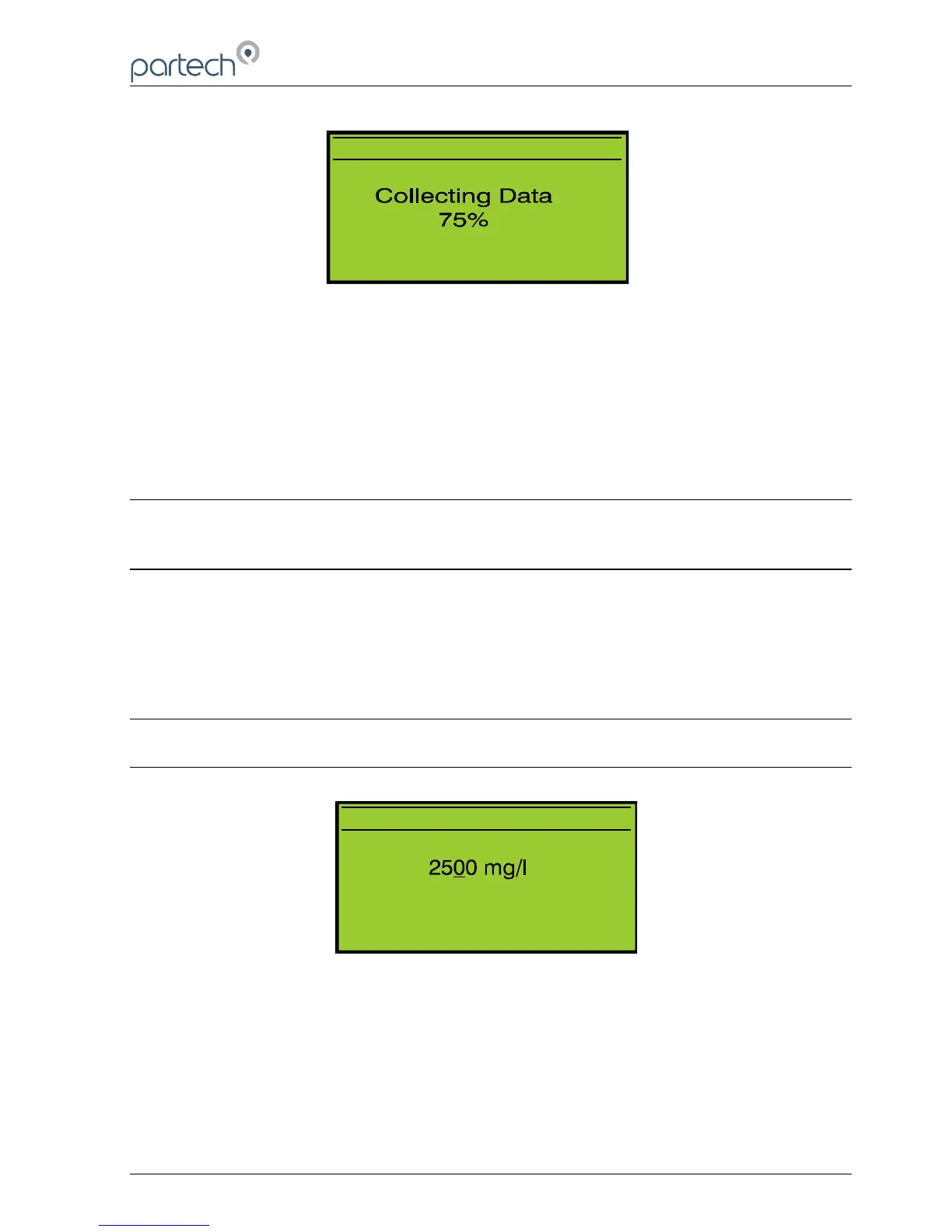
Figure 13 Zero - Collecting Data
10.6 Set Span
The Set Span function is used to set the calibration point for the instrument, which is
used in the calculation of the displayed value. To calibrate the instrument, go to the
Calibration menu, select Set Span and press the OK key.
Note: If an online calibration is being carried out, whilst in measure mode check
that the display value is stable – it may be necessary to increase the damping
level to stabilise the display value.
10.6.1 Step 1. Calibration Value Entry
The calibration value can be set to a value between 3 – 100% of the currently selected
measuring range using the keys. This value should be set to the value of the
calibration solution. Once the correct value has been set press the OK key. Pressing
the MENU key will exit the Set Span operation.
Note: The calibration value can only be set between 3 to 100% of the display
range.
10.6.2 Step 2. Calibrating
As indicated by the on display instructions, immerse the sensor into the calibration
solution and press the OK key. The 740 Monitor collects data for the spanning
operation for approximately 10 seconds to ensure that the span is set accurately.
Page 28 of 46 172430IM-Iss07 Issue Date 23/10/2014
C A L I B R A T E
P r e s s M E N U t o c a n c e l
P r e s s O K t o a c c e p t
U s e t o s e t v a l u e



 To Next Page