8200w² Monitor Instruction Manual
5 Basic Operation
5.1 Keys and Screen Navigation
All menus and parameter settings are accessed using the 8200w² Monitor membrane keypad.
5.1.1 Menu Button
From the measurement display screen press to show the Main Menu. While in sub menus, acts as a
return to the previous menu.
5.1.2 Navigation Buttons
Use the navigation buttons to move the cursor up, down or across menus. For example, when setting the
“Time” press or to move the cursor over the number to be changed, and press or to change
the number. These buttons can also be used to change the display screen for multi measurement displays.
5.1.3 OK Button
Press to accept a value or to select a sub menu.
5.2 Measurement Screen
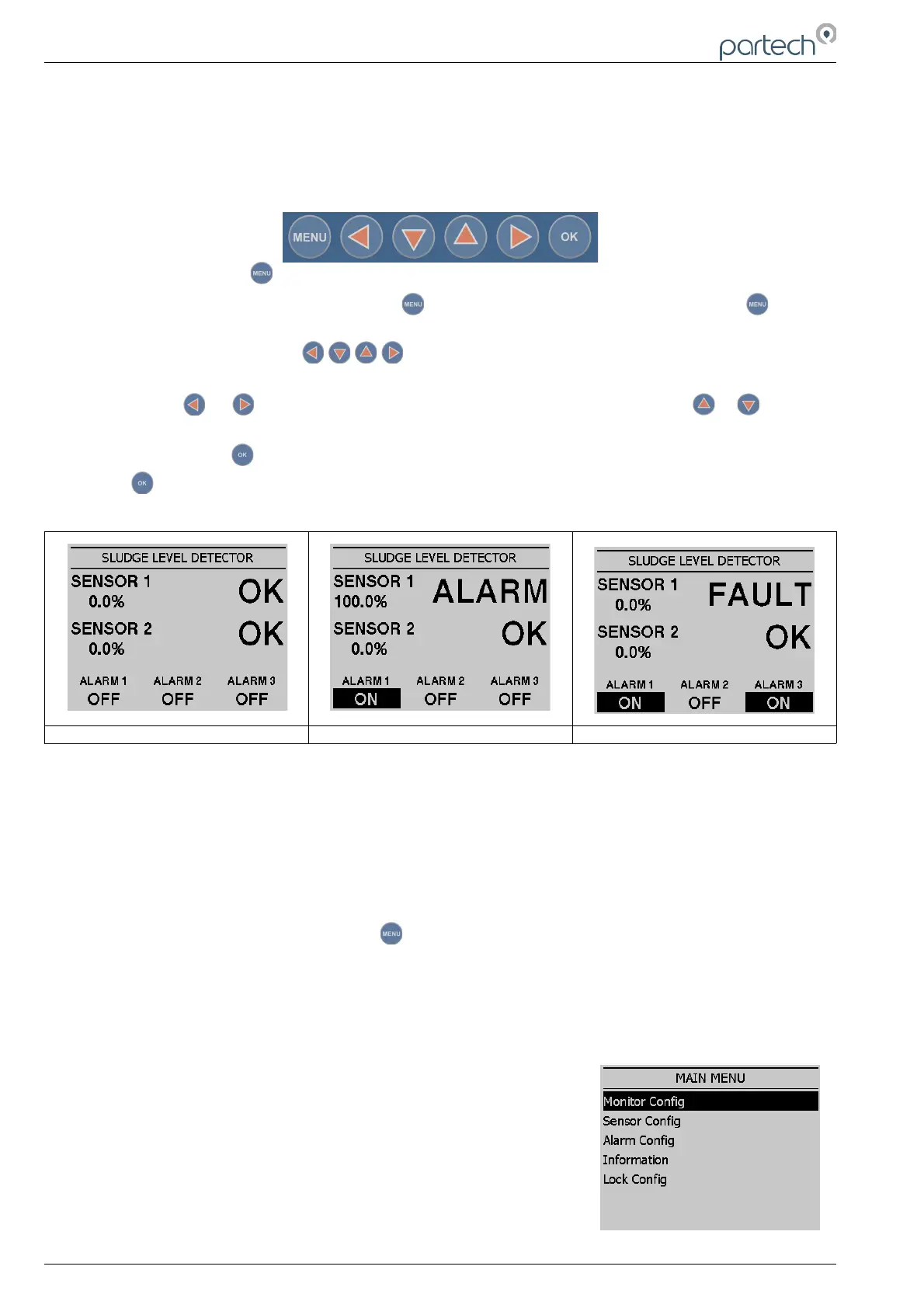
Screenshot 1 Screenshot 2 Screenshot 3
The screen shots above show the 8200w² monitor main display in various conditions.
Screenshot 1 illustrates two sensors installed and no alarms asserted.
Screenshot 2 illustrates sensor 1 has detected the sludge blanket and alarmed. The associated alarm 1
relay will also activate in this example.
Screenshot 3 illustrates sensor 1 with a fault. The associated alarm 1 relay will activate as normal, but in
addition the alarm 3 fault relay will activate
5.3 System Configuration.
From the Measurement Display press to enter the “MAIN MENU”. From this menu, all
configurations and parameters are defined.
Setting up the monitor is a simple and intuitive process. The menu structure has been designed to lead
the operator through the configuration process. Simply start with the menu at the top and work down
through the menus.
Menu options are:
Monitor Config.
Sensor Config.
Alarm Config.
Information
Lock Config.
Page 16 of 34 229844IM Issue 01 Issue Date 24/06/2019



 To Next Page