8200w² Monitor Instruction Manual
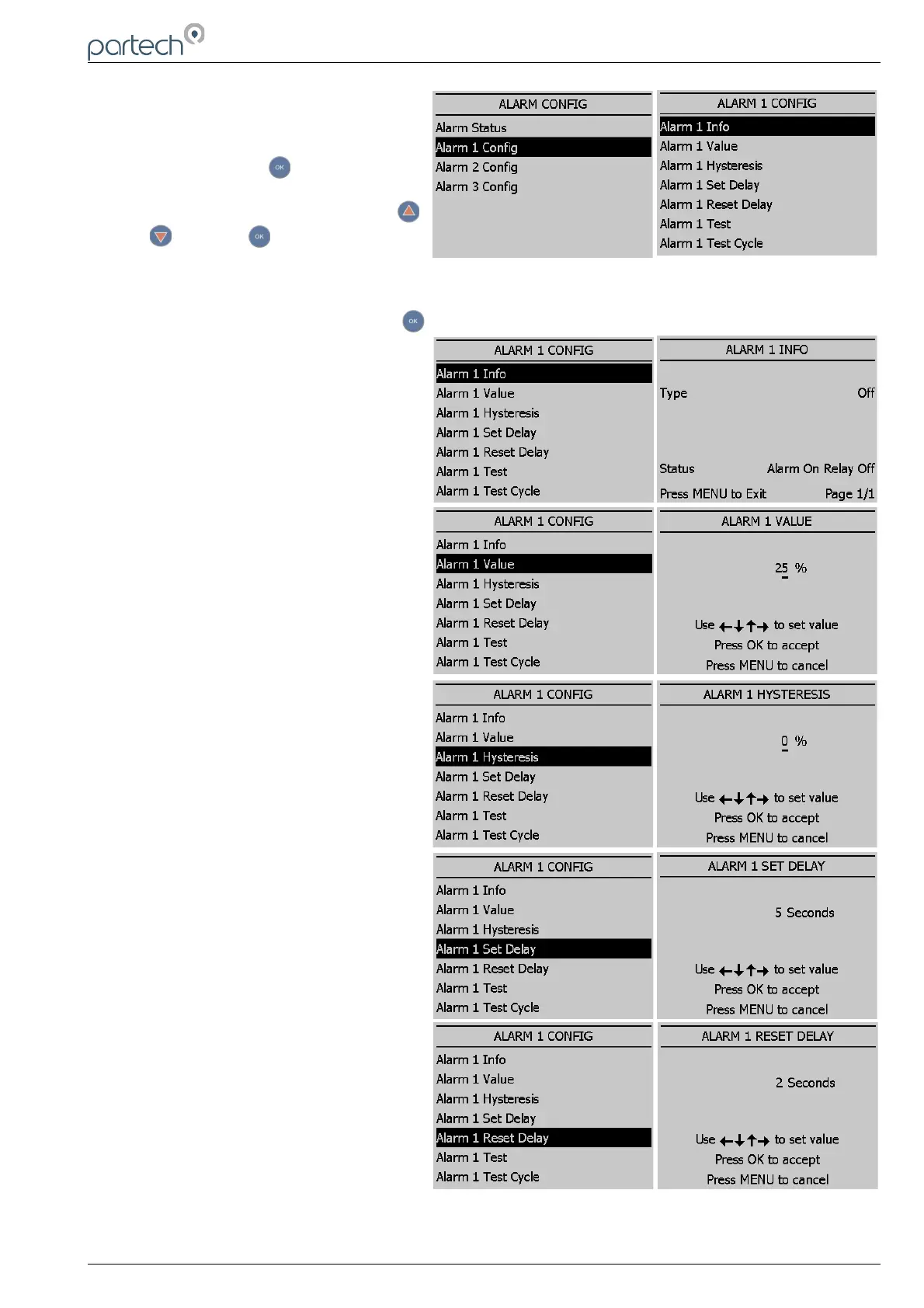
6.3.2 Alarm x Config
From the MAIN MENU, select ALARM
CONFIG and press .
Highlight ALARM (X) CONFIG using
or and press .
A list will be displayed showing the available options to configure the alarm selected.
Highlight the required option and press .
Listed below are the descriptions of each
option. Configure as required.
Info
List configuration details for the alarm.
Value
The alarm set point; the alarm will
activate at a measurement higher than
the actual read sensor value.
Hysteresis
The value entered for Hysteresis is the
dead band where the Alarm will not reset
on a falling value. e.g. A HIGH alarm
value of 50% and a Hysteresis of 5%
would trigger an alarm on a rising value of
50%, but will not reset the alarm until the
reading falls below 45%.
Set Delay
The value entered for the Set Delay is
used to filter spurious measurements and
spikes from giving a false alarm. e.g. for a
HIGH alarm value of 50% and a delay of
10 seconds, the alarm will not activate
until the monitor has read a continuous
measurement of 50% or higher for more
than 10 seconds. If the measurement falls
below 50% during the 10 seconds delay
the timer will reset.
Reset Delay
The reset delay is the opposite to the Set
Delay, whereas the reading must remain
below the set point value for the duration
of the delay before the alarm will reset.
229844IM Issue 01 Issue Date 24/06/2019 ` Page 23 of 34



 To Next Page