8200w² Monitor Instruction Manual
6 Operational Menus
6.1 Monitor Config Menu
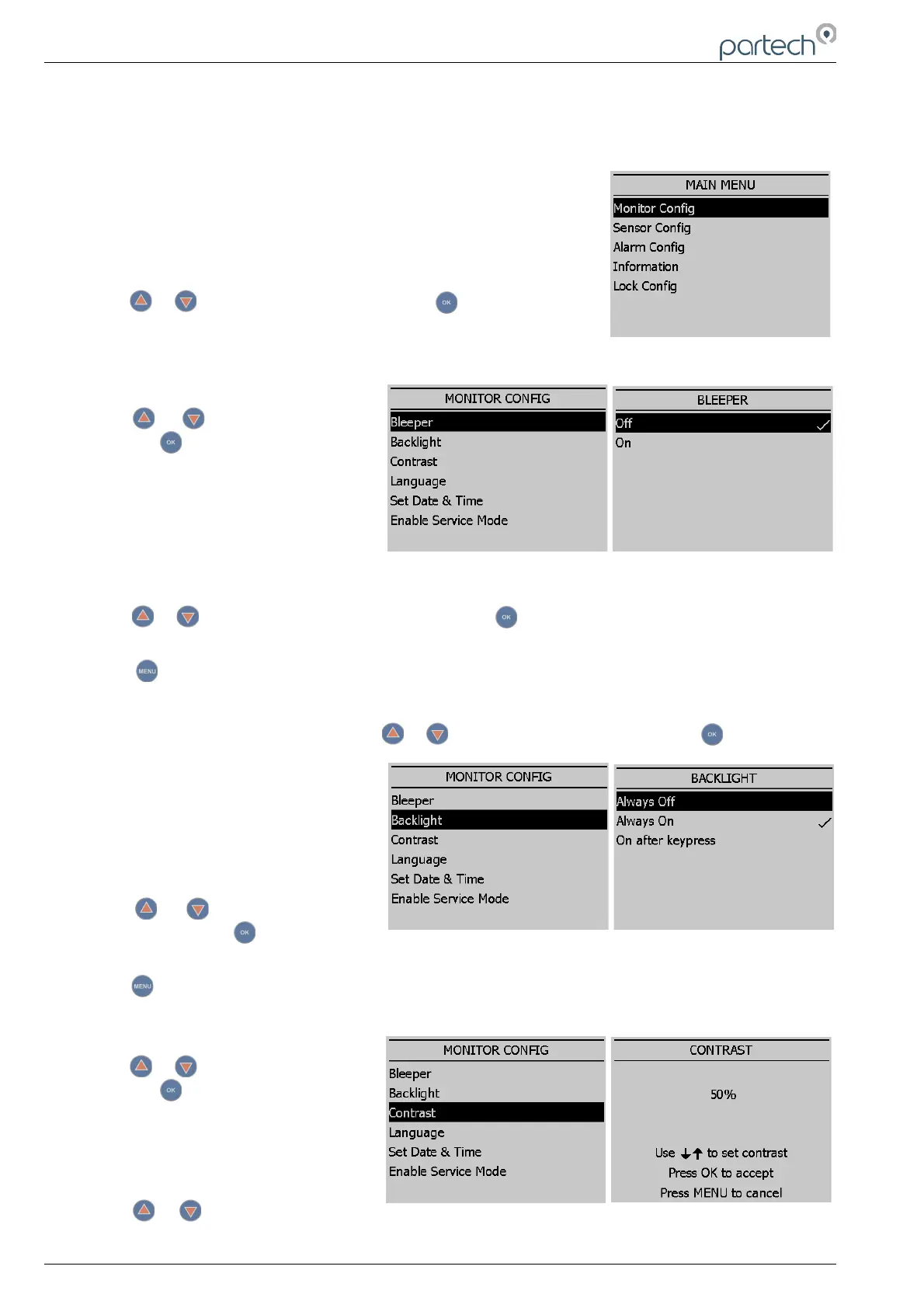
The MONITOR CONFIG menu is used to set up the core monitor
functions, including backlight, bleeper function, time and date. This menu
option also provides access to some advanced configuration and reset
functions.
From the MAIN MENU, ensure MONITOR CONFIG is highlighted (if not,
press or to highlight the option) then press . The six options of
Bleeper, Backlight, Contrast, Language, Date & Time, and Service Mode
are now available.
6.1.1 Bleeper
From the MONITOR CONFIG menu
press or to highlight BLEEPER,
and press to select.
The bleeper (button pressed
acknowledgement bleep) can be turned
on or off as desired. Under normal
circumstances it is preferable to leave the
bleeper turned on as it provides an
audible feedback of key presses and a triple bleep is confirmation that a function has been
successfully changed or selected.
Press or to highlight the option required, and press to select. A tick will appear next to your
selection.
Press to exit this option.
6.1.2 Backlight
From the MONITOR CONFIG menu press or to highlight BACKLIGHT, and press to select.
The backlight can be set to always ON,
always OFF or ON after key press
(backlight will switch off again after a
period of inactivity). There is a marginal
power saving by having the backlight
switched off, otherwise this setting is
down to user preference.
Press or to highlight the option
required, and press to select. A tick
will appear next to your selection.
Press to exit this option.
6.1.3 Contrast
From the MONITOR CONFIG menu
press or to highlight CONTRAST,
and press to select.
The factory setting of 50% should be
sufficient for most ambient light
conditions. For different conditions the
contrast can be altered.
Press or to increase or decrease
the Contrast by 5% (the screen contrast will react with each press of the buttons).
Page 18 of 34 229844IM Issue 01 Issue Date 24/06/2019



 To Next Page