56 CHAPTER 5 REPLACING FIELD REPLACEABLE UNITS (FRUs)
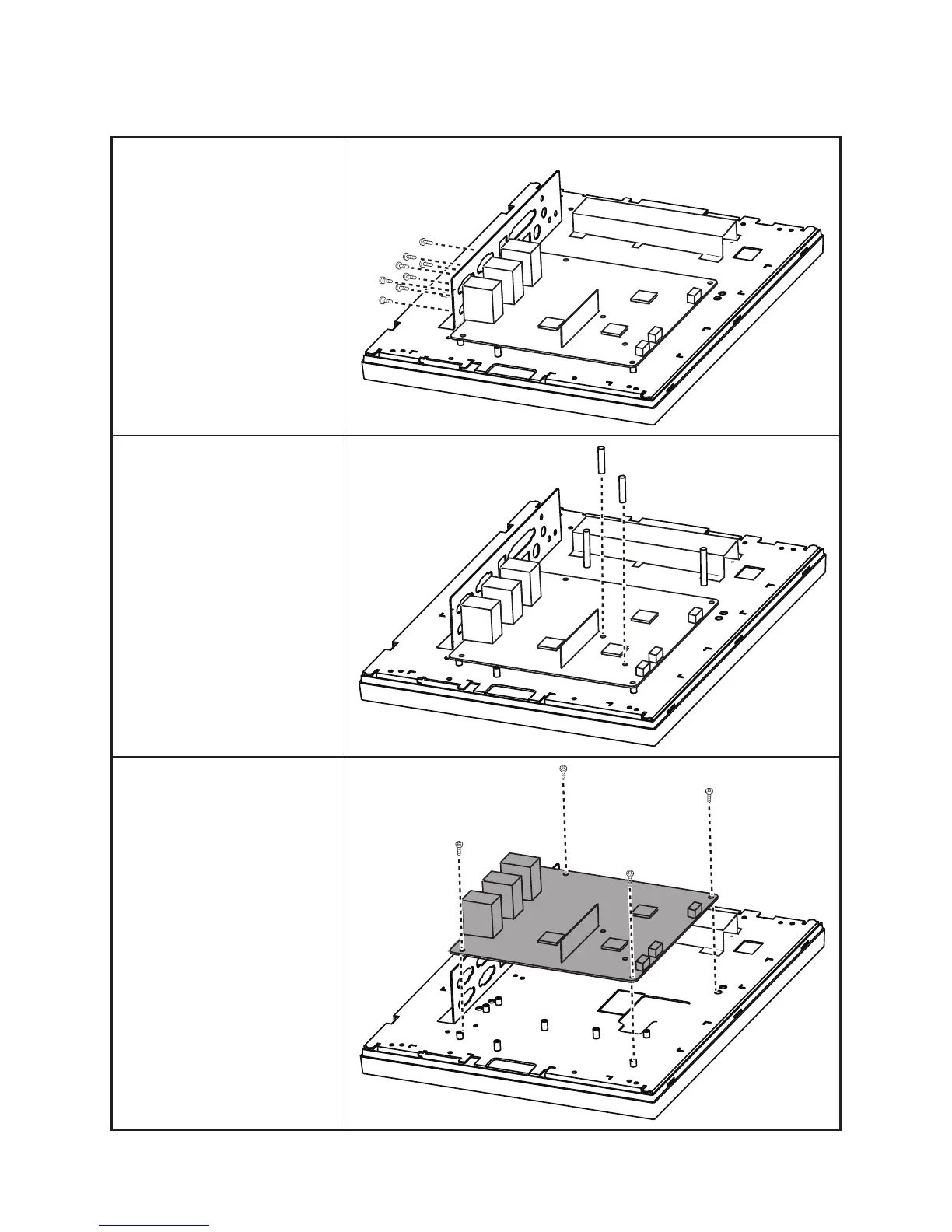
Mainboard Board
Before proceeding, remove the
following FRUs.
• “Front Cover” on page 60.
• “LPT port, PS/2 port, DC
12V connector and the audio
jacks” on page 63.
1. Disconnect all cables from
the mainboard.
2. Remove all screws from com
ports and the VGA port.
3. Remove two hex screws.
4. Remove four screws.
5. Remove the mainboard.



 To Next Page