57
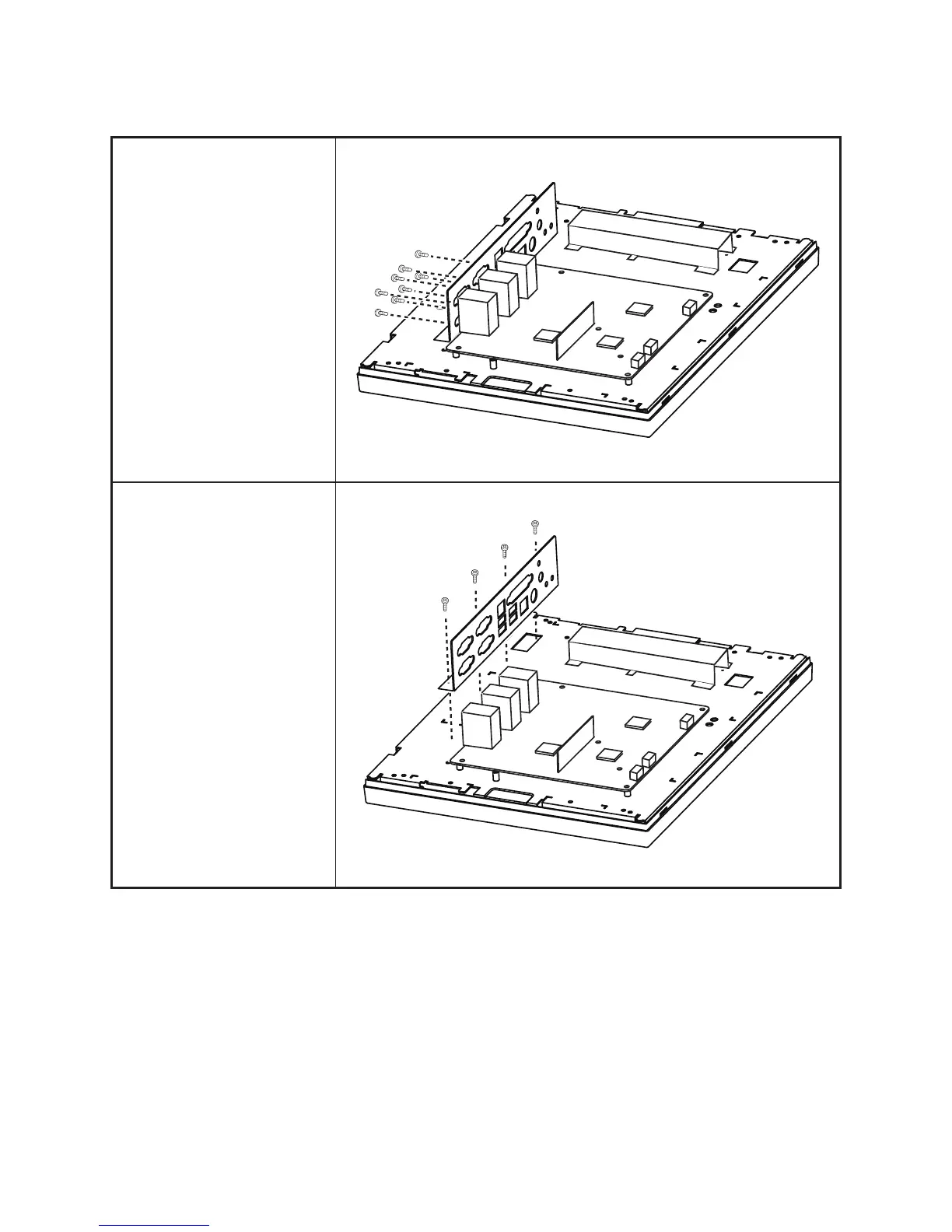
I/O Shield
Before proceeding, remove the
following FRUs.
• “Front Cover” on page 60.
• “LPT port, PS/2 port, DC
12V connector and the
audio jacks” on page 63.
1. Remove all screws from
com ports and the VGA
port.
2. Remove four screws.
3. Remove the I/O shield.



 To Next Page