v2.2 | 21
A920 REFERENCE GUIDE
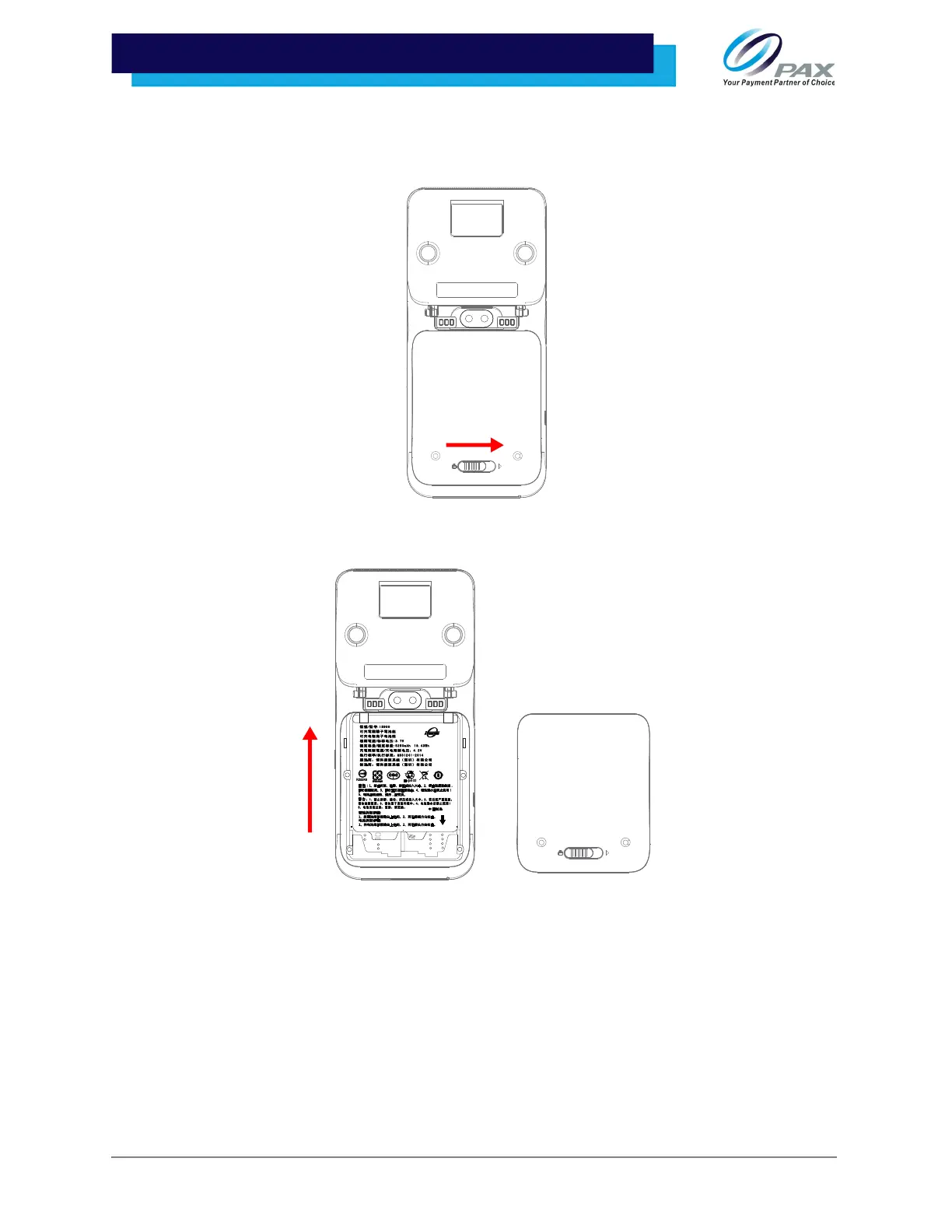
6.2 Removing Battery
1. Slide the battery hatch tab to the right to unlock and remove the battery cover.
2. Gently push the battery up to unlatch and remove it from the device.
6.3 Charging Battery
The A920 will charge the battery until 100% full and then it will stop charging to avoid damage to the
battery. If the battery is running low often, please check the following for background usage:
• Brightness, Vibration, and Power-Saving Mode
• Location Services, Apps, and Notifications
• Wi-Fi



 To Next Page