v2.2 | 35
A920 REFERENCE GUIDE
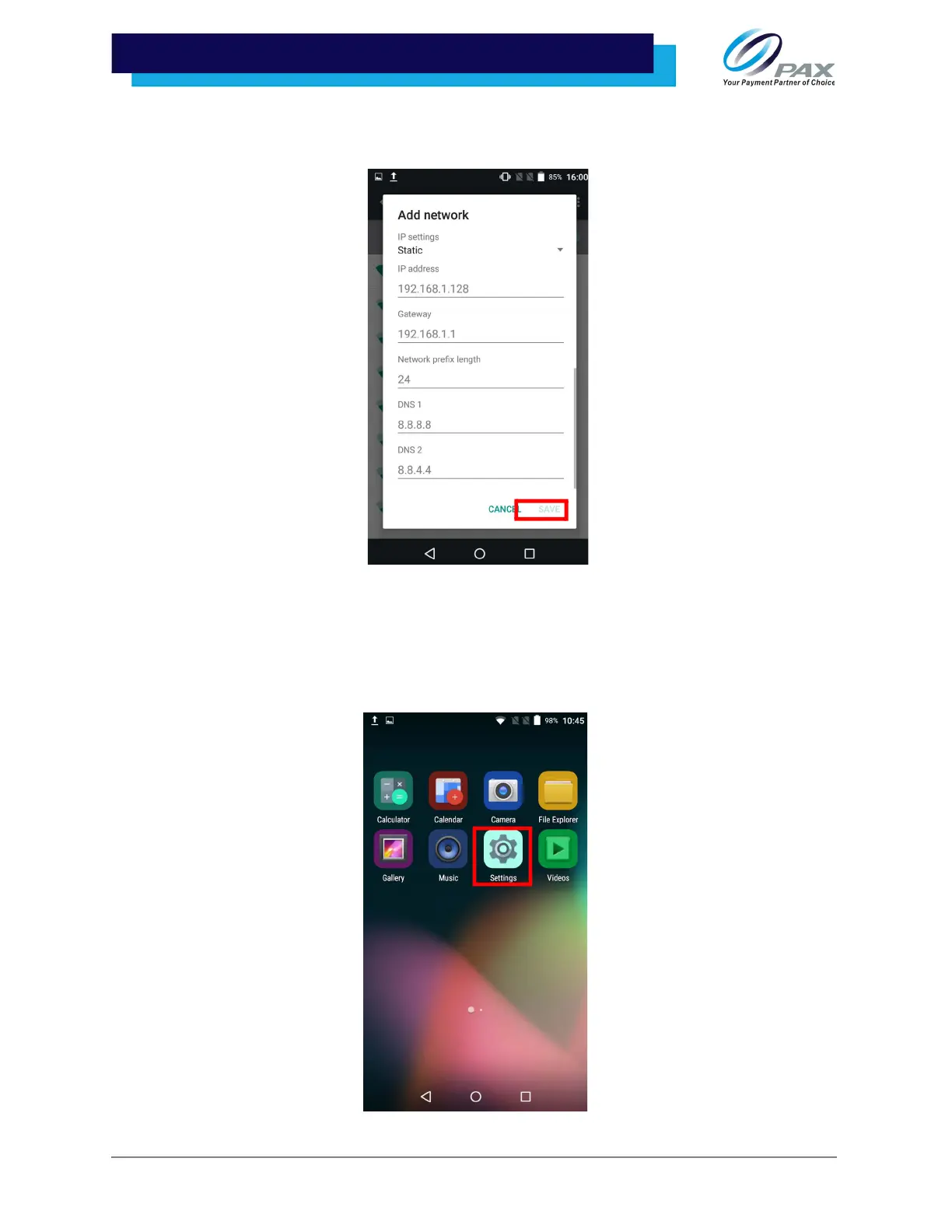
7. Enter the IP address, Gateway, Network prefix length, DNS 1, and DNS 2. Tap
[Connect] when done.
10.3 Manual Static IP
If the broadcast SSID is disabled on an access point, the terminal will not display the SSID under available
Wi-Fi network listings. In this case, it is necessary to manually configure the terminal for Static IP
connection types.
1. Select [Settings].



 To Next Page