v2.2 | 51
A920 REFERENCE GUIDE
11.2 L920-BM Connection
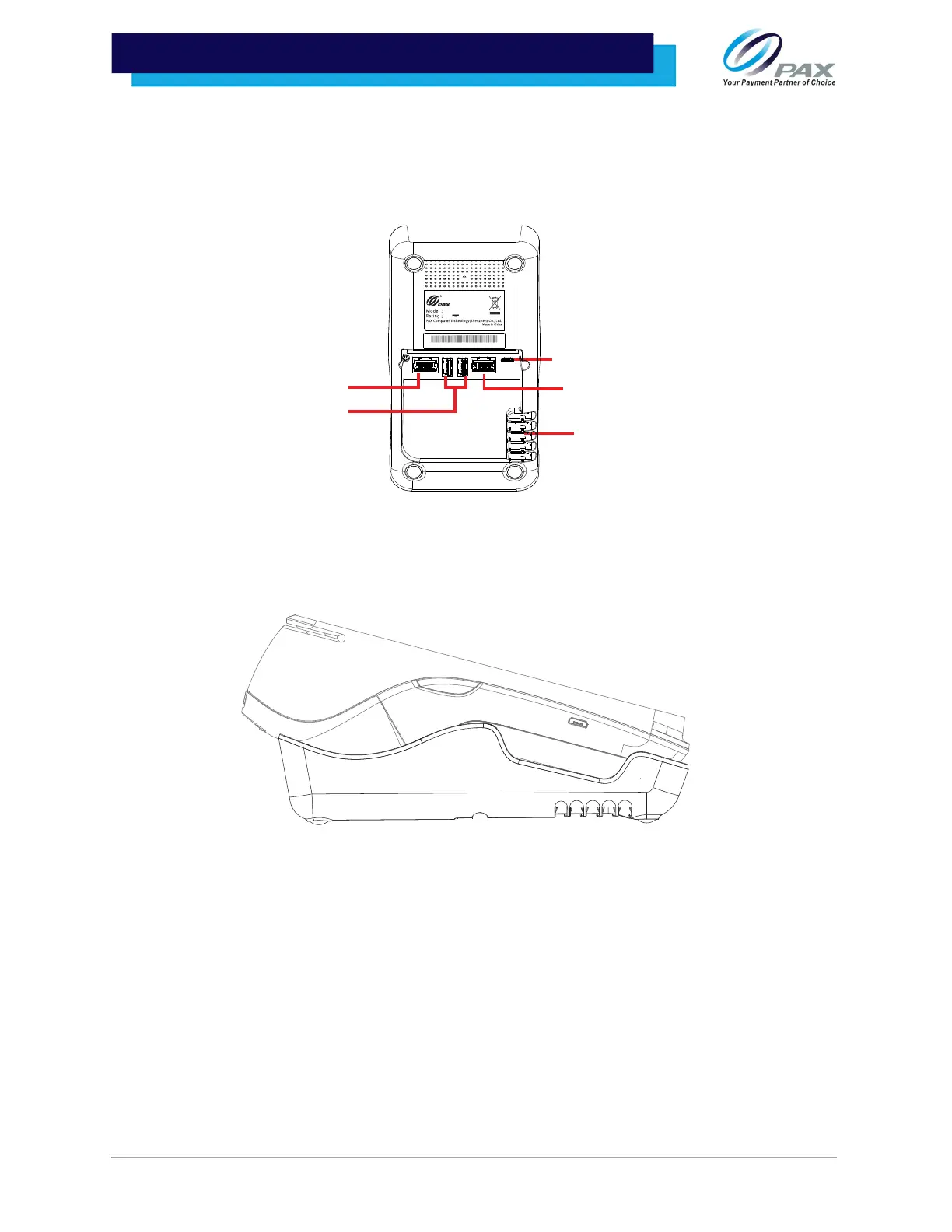
1. Plug the provided A920 power cable and supply into the L920-BM charging port
and then route the cable through the cable guides on the right side of the base.
2. Gently place the A920 into the base, from bottom to top, until the terminal sits
firmly in place.
Please Note:
• When Ethernet connection is supplied through the base, the A920 will
automatically switch its data communication to the Ethernet connection through
the base.
• Do not shake or vibrate either the base or the terminal when the A920 is seated
on the base. This could interrupt data connection between the base and terminal
and/or charging.
• For more details on part numbers and/or shipping information, please see the
A920 Ordering Guide.
Charging Port
Cable Guides
2(3+
9
4
L920-BM
5.0V
2.0A
RS232
LAN
USB (2)



 To Next Page