v2.2 | 46
A920 REFERENCE GUIDE
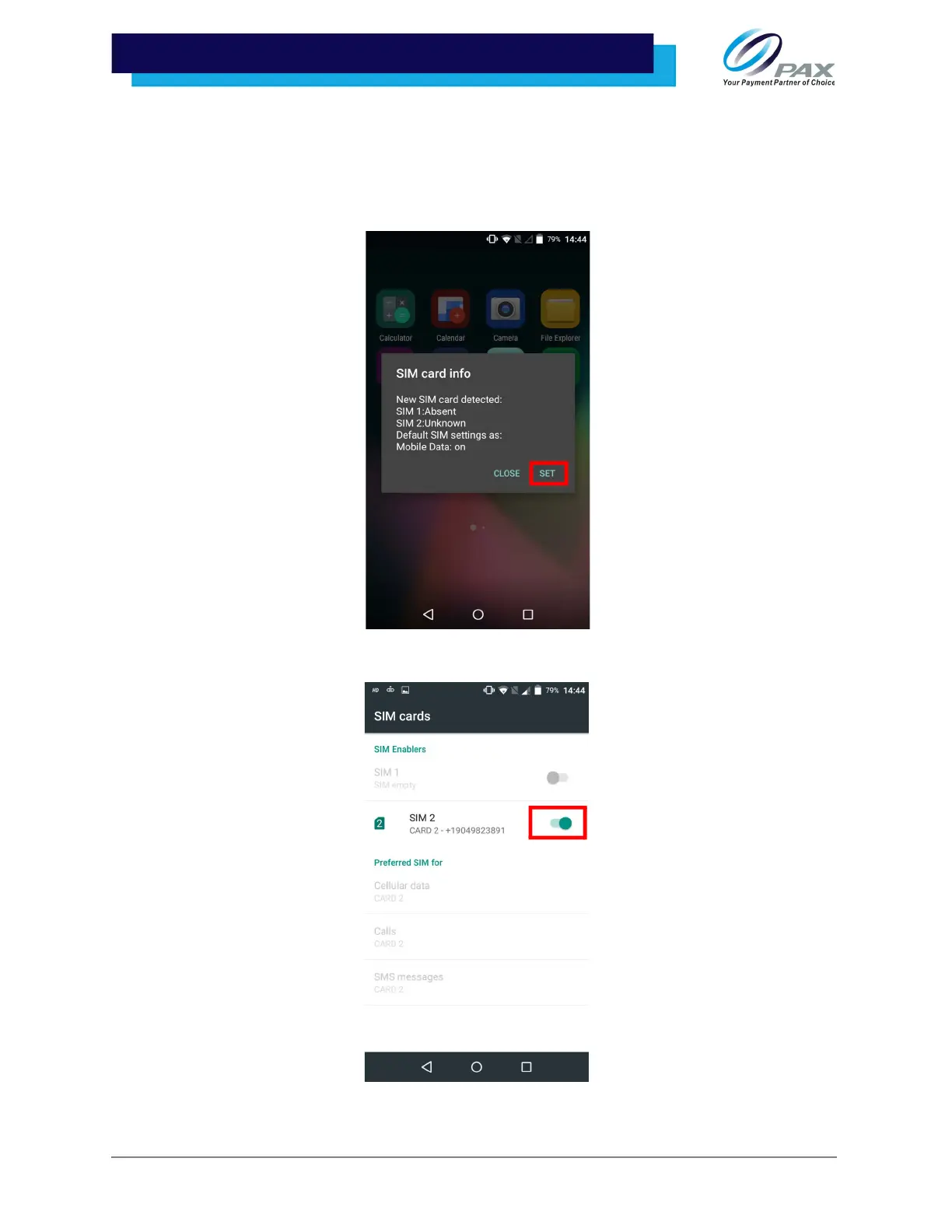
10 .5.1 CELLULAR SETUP - AUTO DETECT
1. Install SIM card. Please see “SIM, SAM, and/or Micro SD Card Installation” on
page 25 for SIM card installation instructions.
2. After installing an activated SIM card, the device will display a SIM notification.
Select [SET].
3. Slide the highlighted toggle right to enable SIM card.



 To Next Page