v2.2 | 26
A920 REFERENCE GUIDE
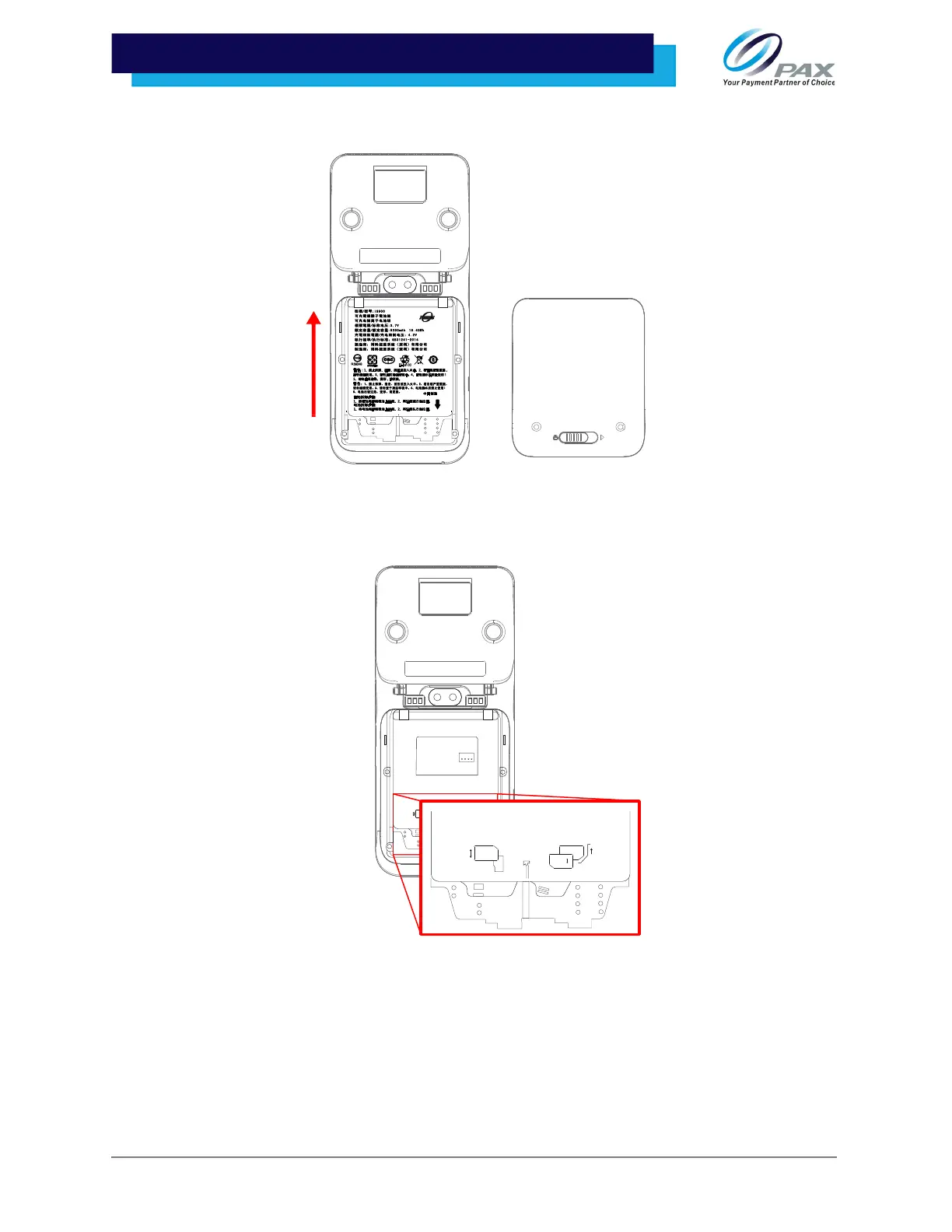
2. Gently push the battery up to unlatch and remove it from the device.
3. Insert the SIM card, SAM card, or Micro SD card (with adapter) into its correlating
card slot with the contacts facing upwards and the clipped corner of the card
facing forward and to the right.
Please Note: The A920 only supports size 2ff SIM cards; for Micro or Nano SIM cards, a spacer must be
used.
SAM1
SAM2/SIM2
SAM2
SIM1/SAM3
SD
TF/SIMCARD
SAM1
SAM2/SIM2
SAM2
SIM1/SAM3
SD
TF/SIMCARD



 To Next Page